Software for the person who looks after contracts without a legal department behind them. A colleague asks for a contract from a portal; the desk fills the approved template from the request and your CRM and marks what it could not fill. You review and send it for signature. Every morning the unsigned ones are chased and the old ones escalated to the owner. When a contract is signed, its key terms (payment, liability, termination, renewal, governing law) are read from the PDF into a table with anything unusual flagged, and the signed copy is filed under your naming convention. Every Monday, contracts near their notice date get a renew, renegotiate or terminate note for the owner. No agent ever signs, voids or counter-signs anything.
For operations or legal ops teams handling 20 or more contracts a month, at a company with no in-house legal department or as the legal ops function inside a larger one
The pack is built for the person who is asked "can you send me an NDA" ten times a week and is also expected to know when every vendor contract renews. It fits three kinds of team.
Twenty or more contracts a month across sales, people and procurement, one e-signature tool, one document tool, one storage tool, one CRM. You get the desk, Ren, the portal and every agent. Your tools stay the record.
One team that handles the routine contracts (NDAs, order forms, SOWs, vendor agreements) so the lawyers only see the unusual ones. The desk gives them the queue, the flagged terms and the renewal calendar; anything non-standard is escalated to a person.
One workspace for the practice, with a template per engagement type and a table of every client SOW and its dates. The chaser and the renewal watcher are the same for every client; the templates differ.
| Operations / Legal ops | Owns the desk: reviews drafts, sends for signature, decides on non-standard terms, runs the renewal calendar. |
| Sales | Requests NDAs, MSAs, order forms and SOWs from the portal and sees where each one stands. |
| People | Requests employment and contractor agreements; signed copies are filed under the person. |
| Procurement | Requests vendor agreements and gets the renew-or-terminate note before every vendor renewal. |
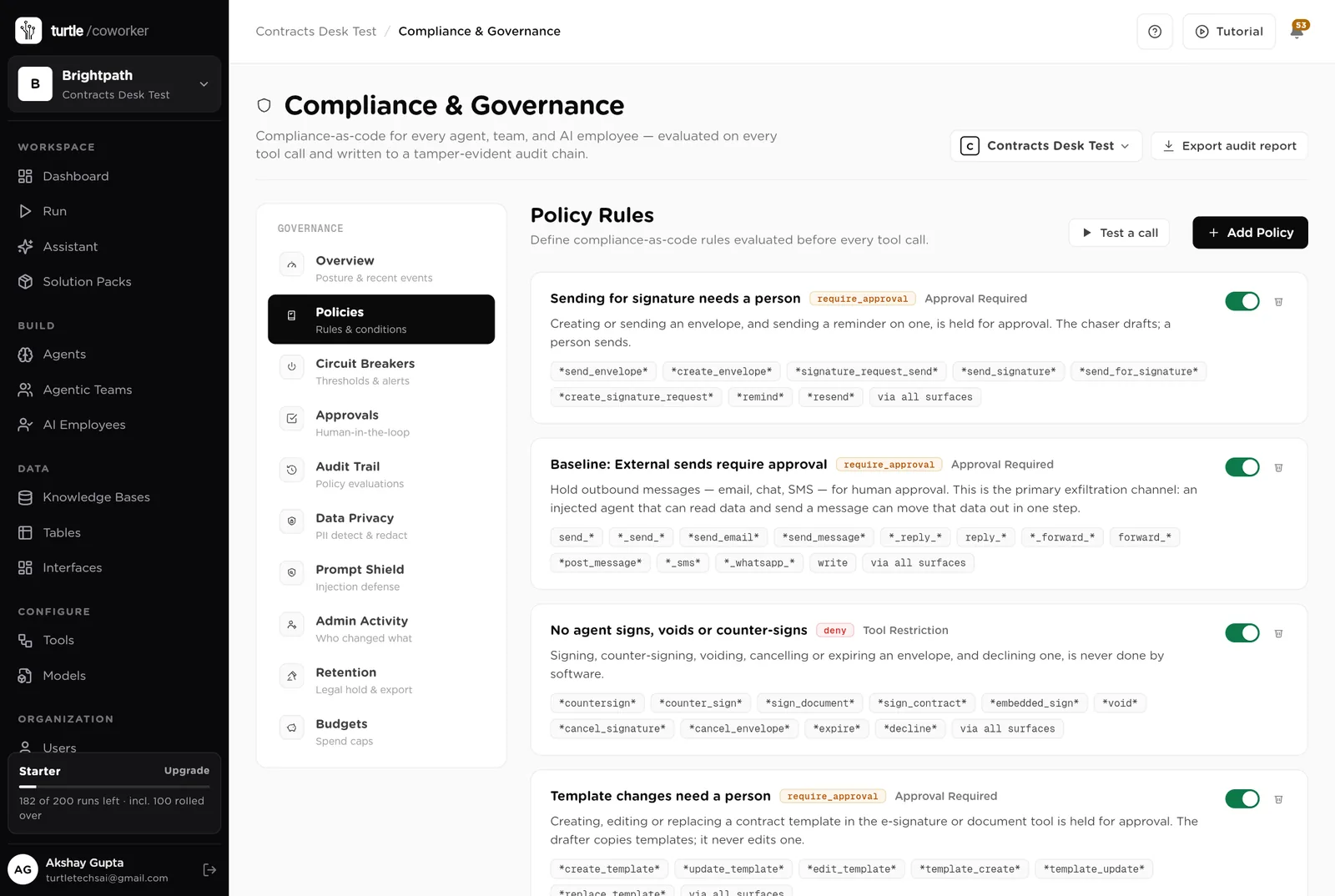
Everything the software produces is a draft, a note or a recommendation for a person. It never signs, counter-signs, voids or cancels an envelope, never edits a template, never negotiates a term, and never deletes a contract, a file or a CRM record. Sending for signature, changing a template and filing a signed copy wait for a person.
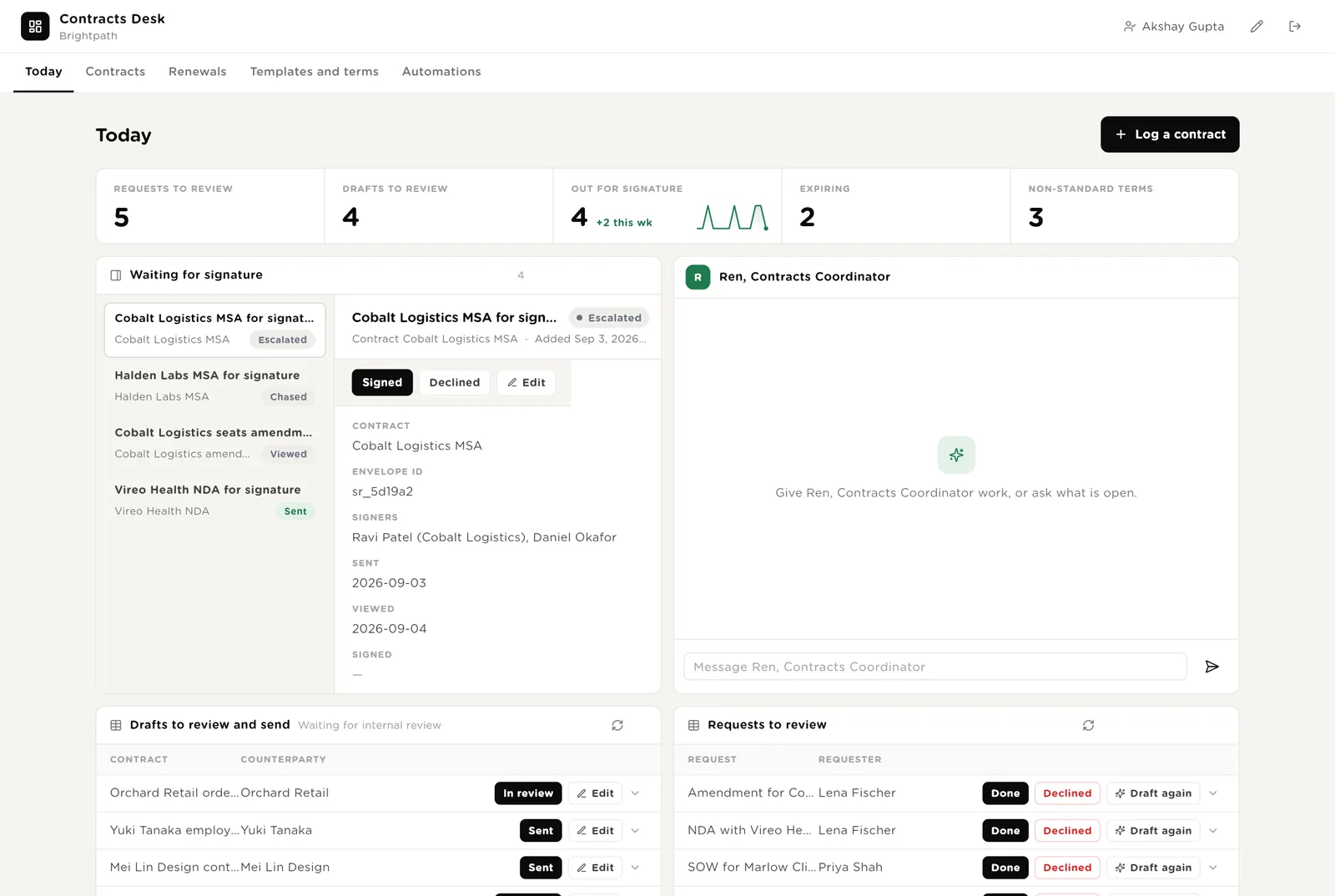
The first screen the contracts owner opens. Five live numbers. Every envelope waiting for signature, oldest first, with its detail and the chase drafted. Ren beside them. Drafts to review and send. Requests to look at.
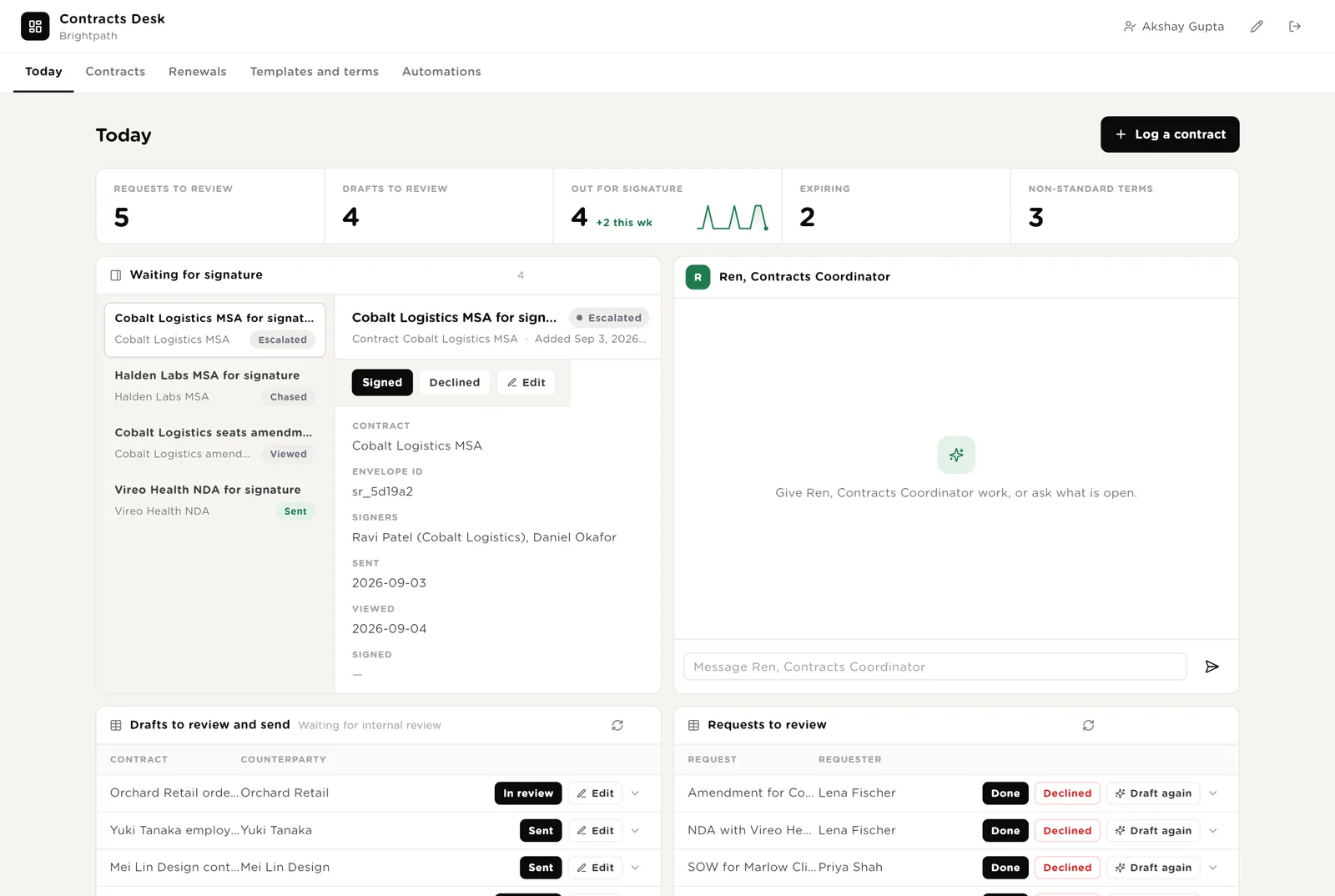
Every signer has signed in the e-signature tool. Click Signed and the desk records it; the term extractor and the filer start on the contract.
You sent the draft for signature from the e-signature tool. Click Sent so the desk starts chasing after 3 days.
Runs the drafter once more on a request, after the requester added the missing details.
Scroll down for everything the software wants to do that needs your Approve, and Ren's recent work.
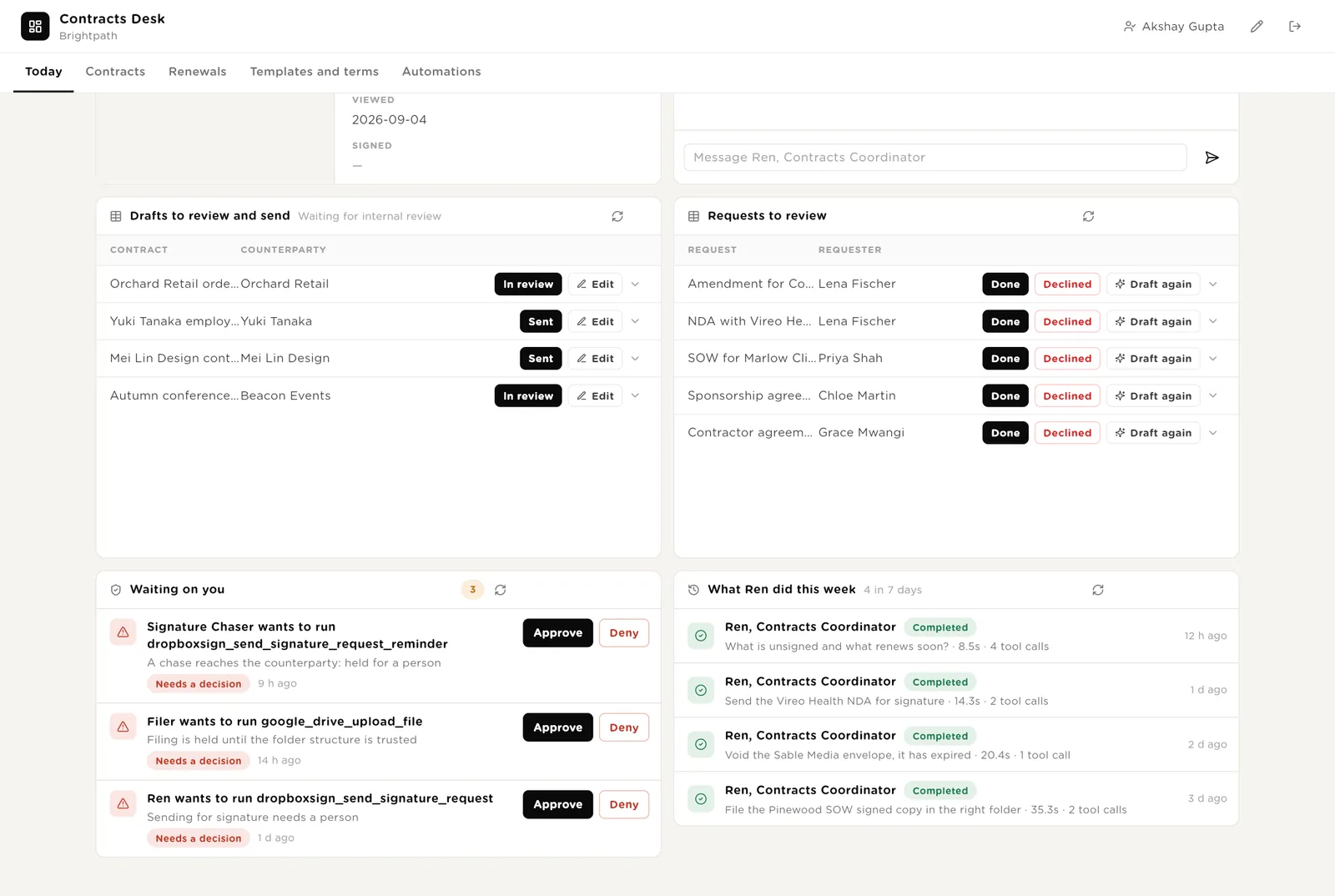
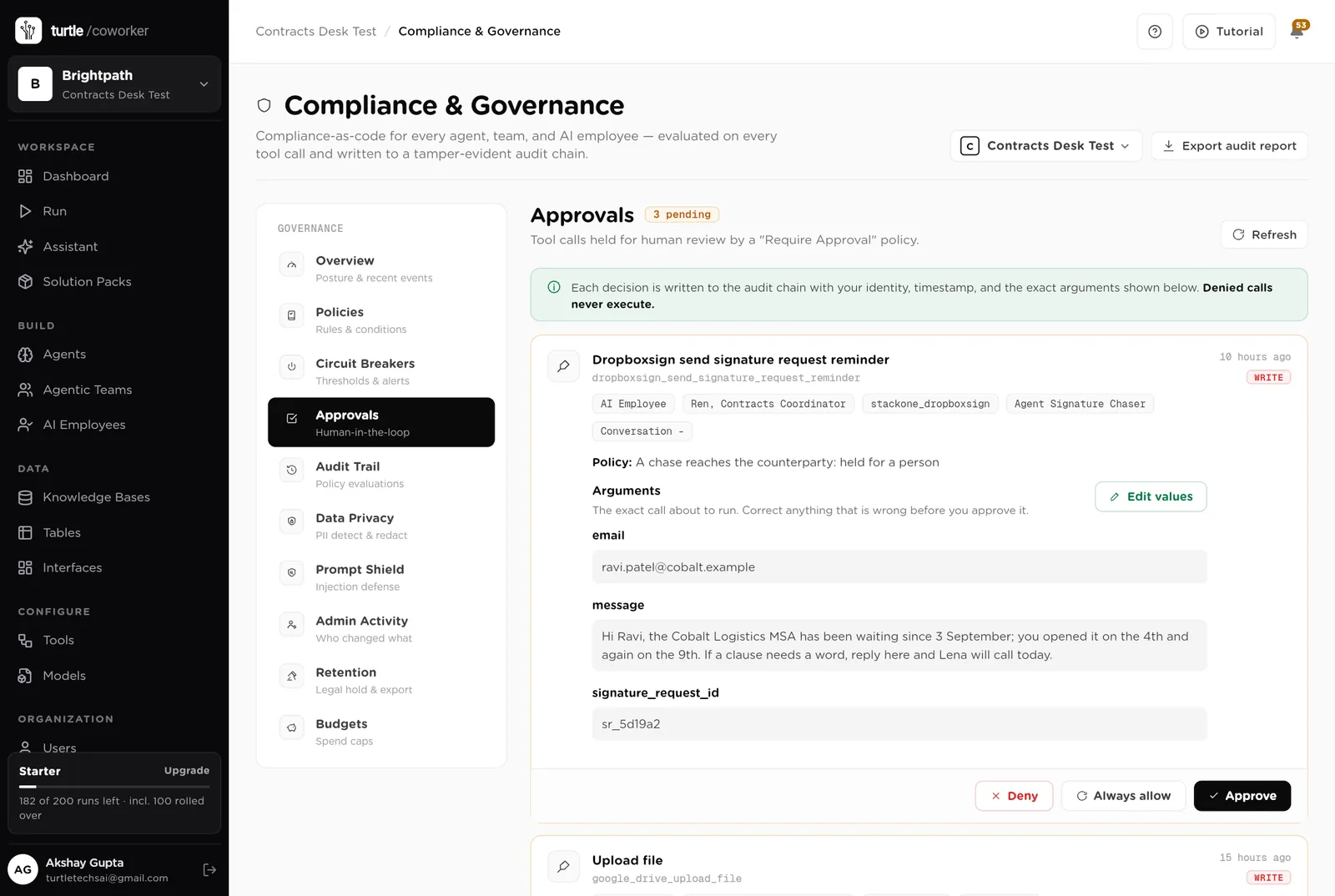
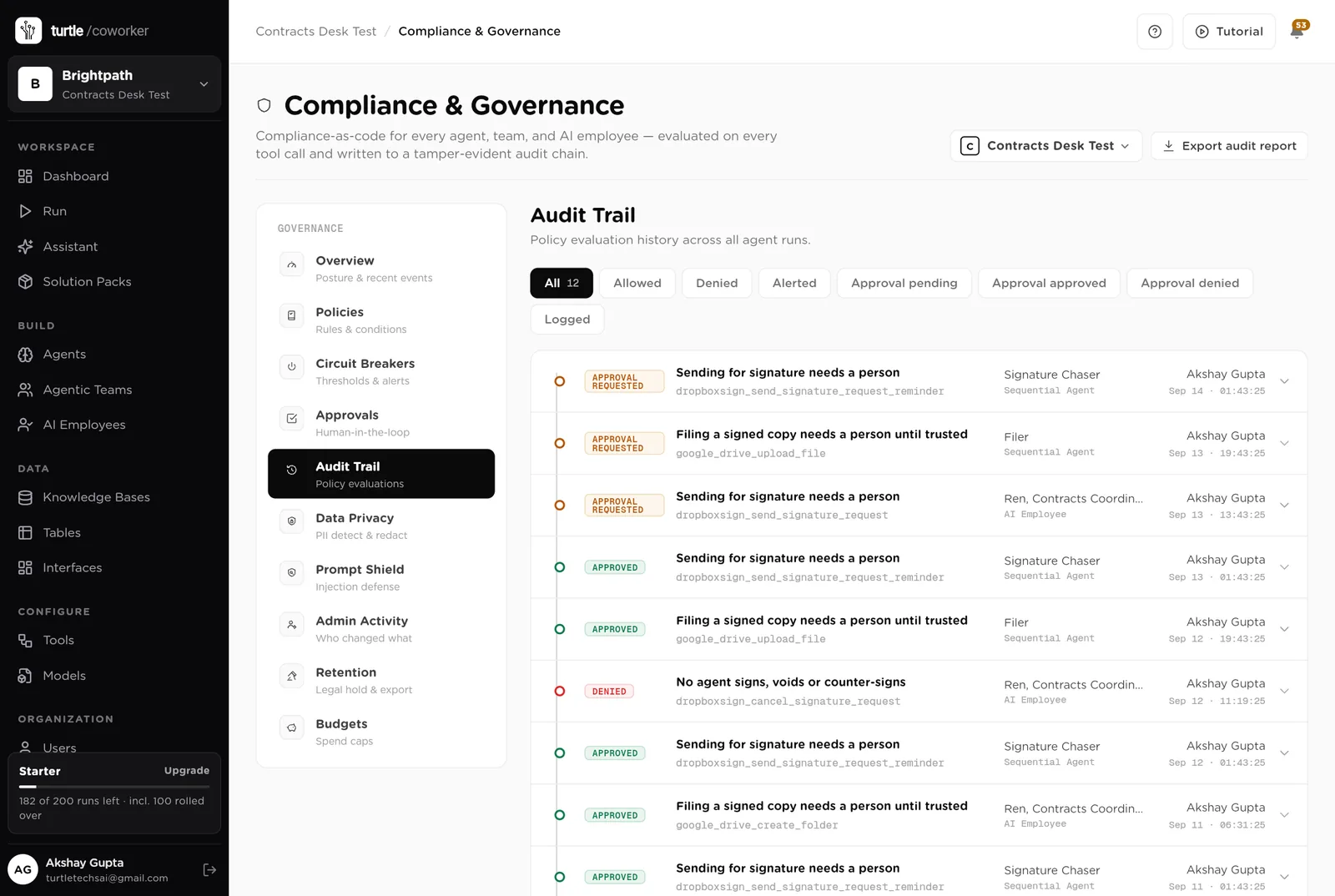
The exact call the software wants to make: the reminder text, the file name and folder. Approve or Deny in place; the audit trail records who decided.
Every run with its duration and the tools it used, including the void Ren was refused.
Every contract as a card by status, drag to move. Contracts signed but not yet active, with the buttons to activate, re-read the terms or file again. Contracts by type. Every contract and every envelope.
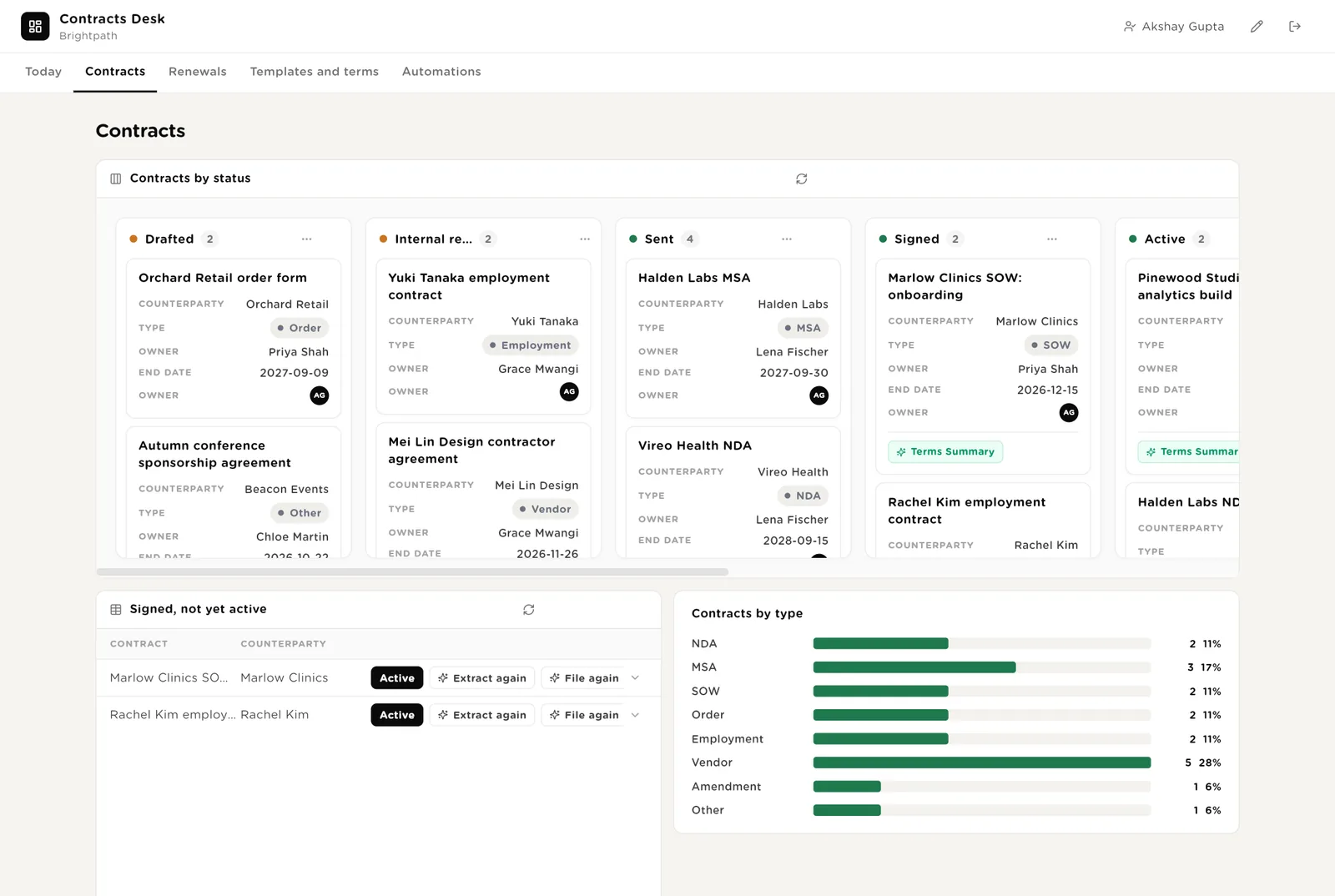
The contract has started. Click Active and it enters the renewal watch.
Runs the filer once more, after you approved a folder or fixed a name.
Moving a contract to Internal review or Sent updates the record.
Every contract inside its notice window with the recommendation, the notice date and the owner. Expiring contracts. How the decisions split.
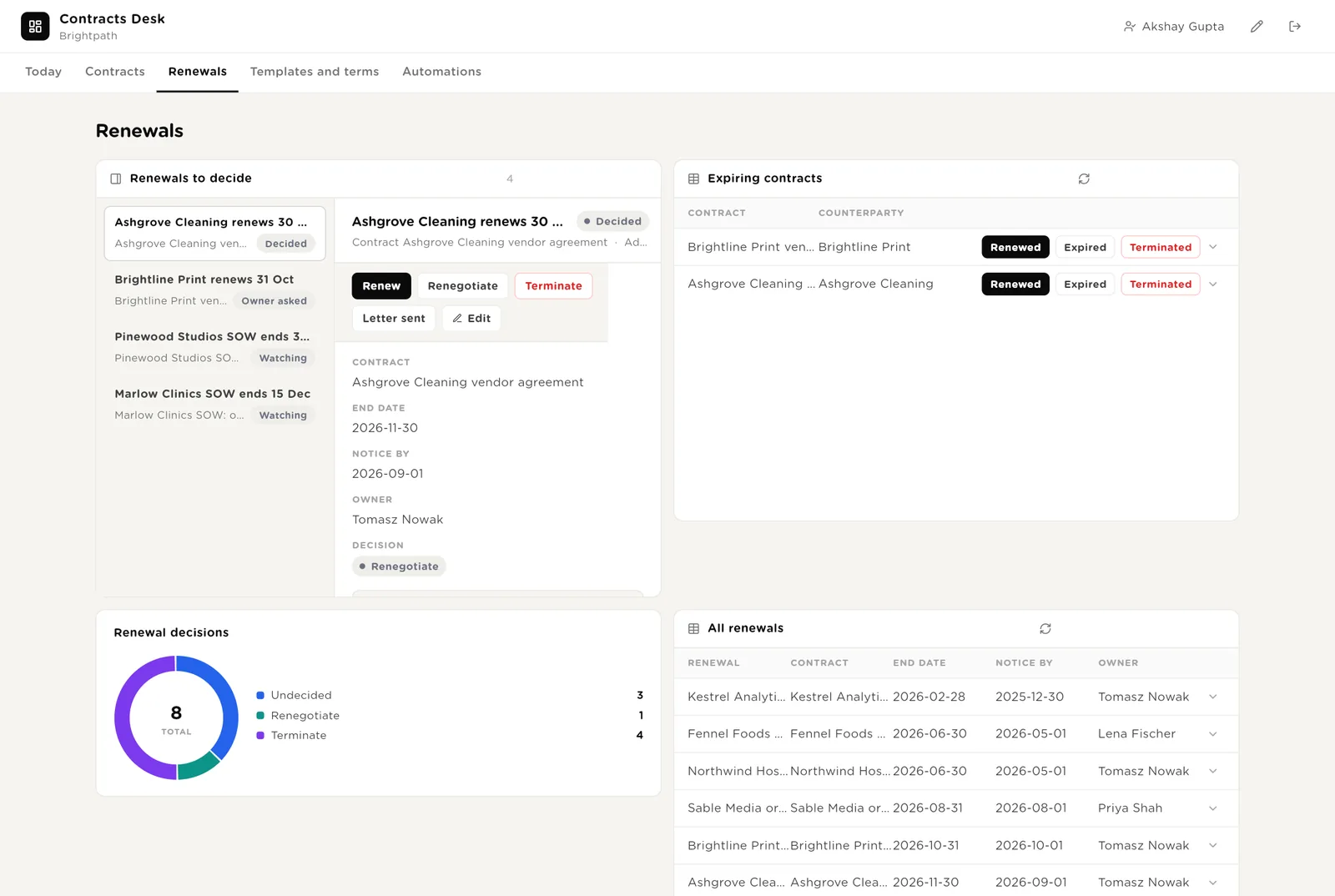
The owner's decision, recorded on the row with their name.
You sent the letter the watcher drafted, from your own email. The desk records it.
Every approved template with when it was last reviewed. Every non-standard term found in a signed contract, waiting for a decision. Terms by type. Every key term.
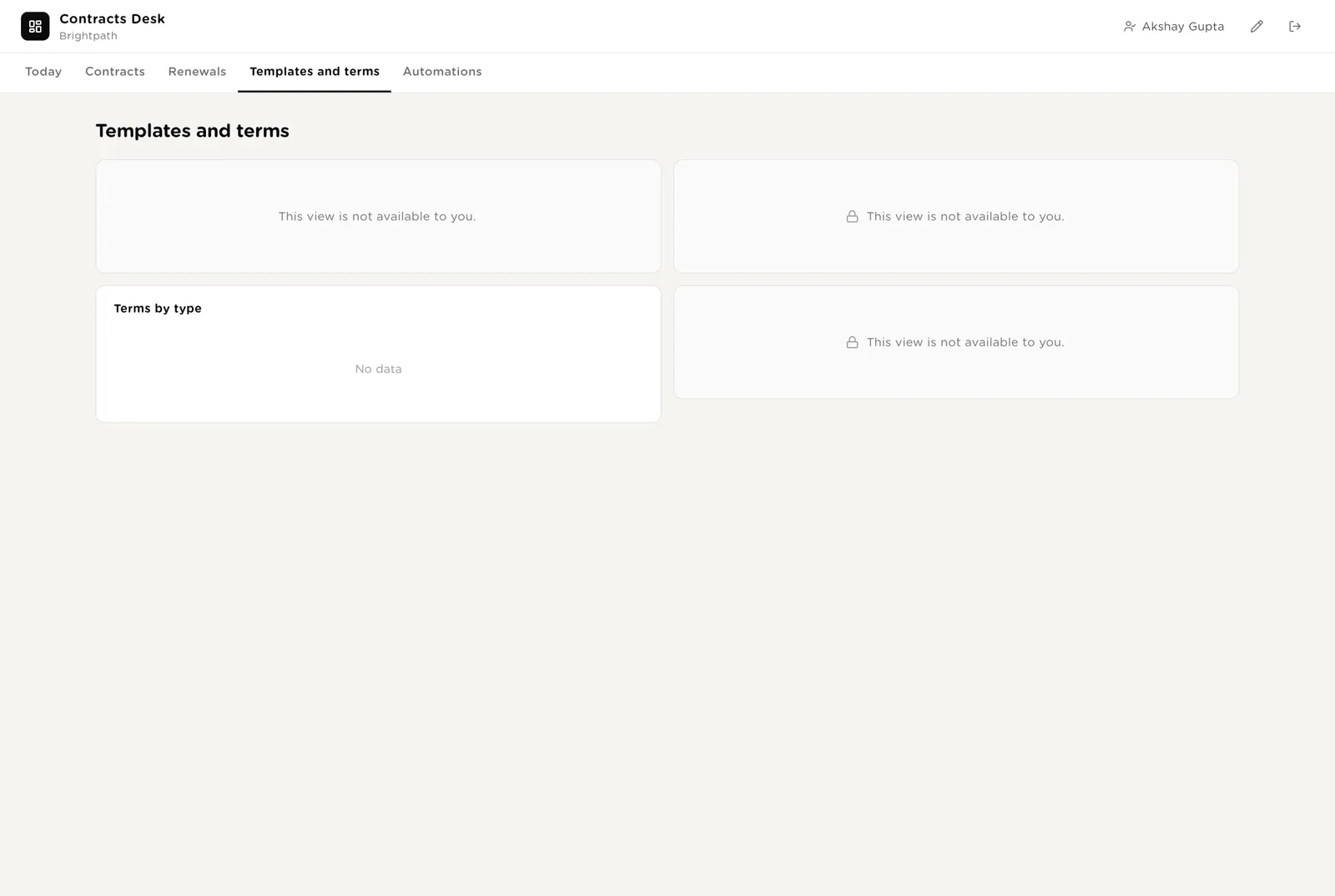
A named person accepts the non-standard term. The reason goes on the row.
The template is no longer used. The drafter stops picking it.
Every automation with its switch. The pack's guard rails. The record of contracts drafted, morning chases, terms extracted and copies filed.
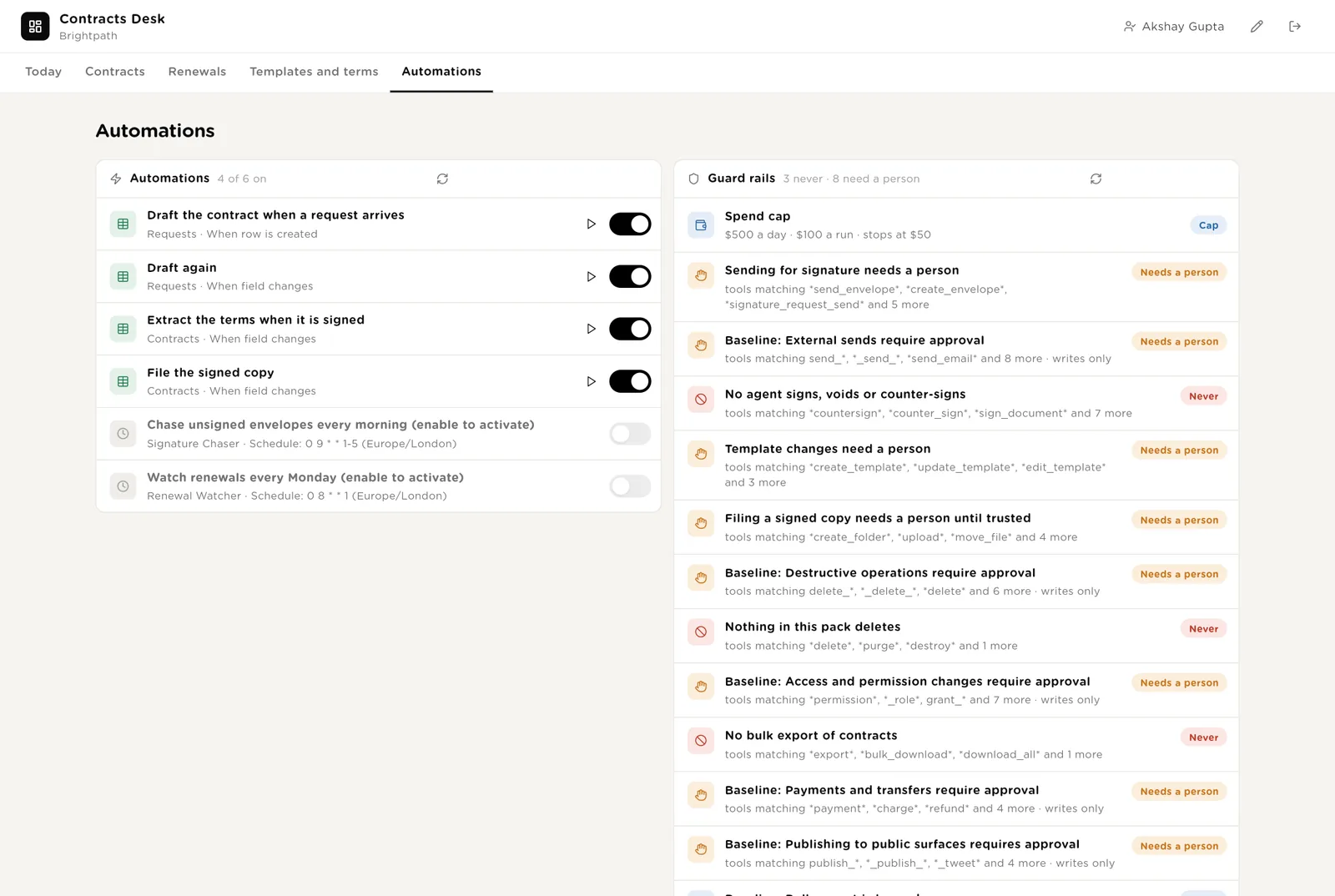
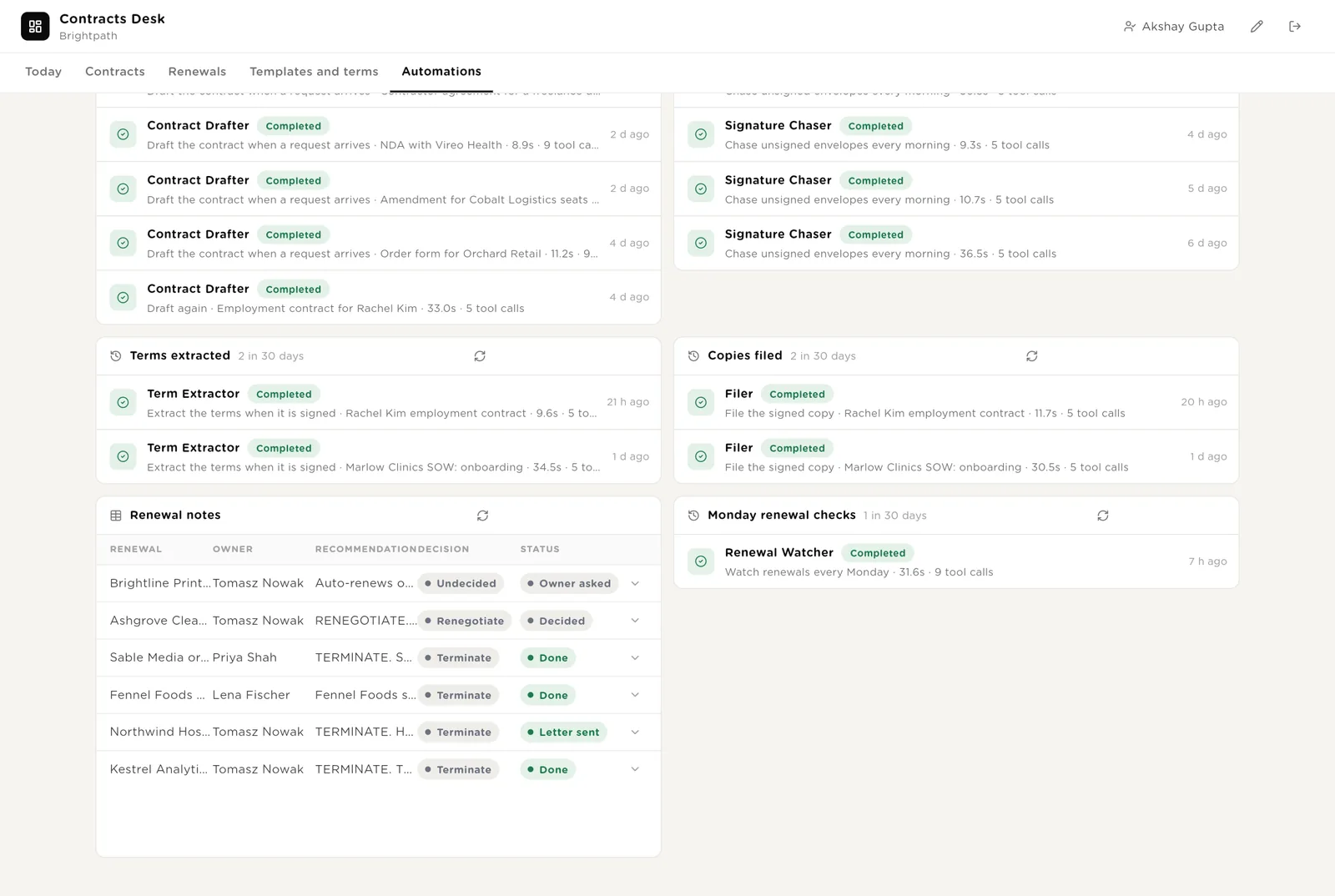
Every draft, chase, extraction and filing the desk ran, the Monday renewal notes, and the renewal checks.
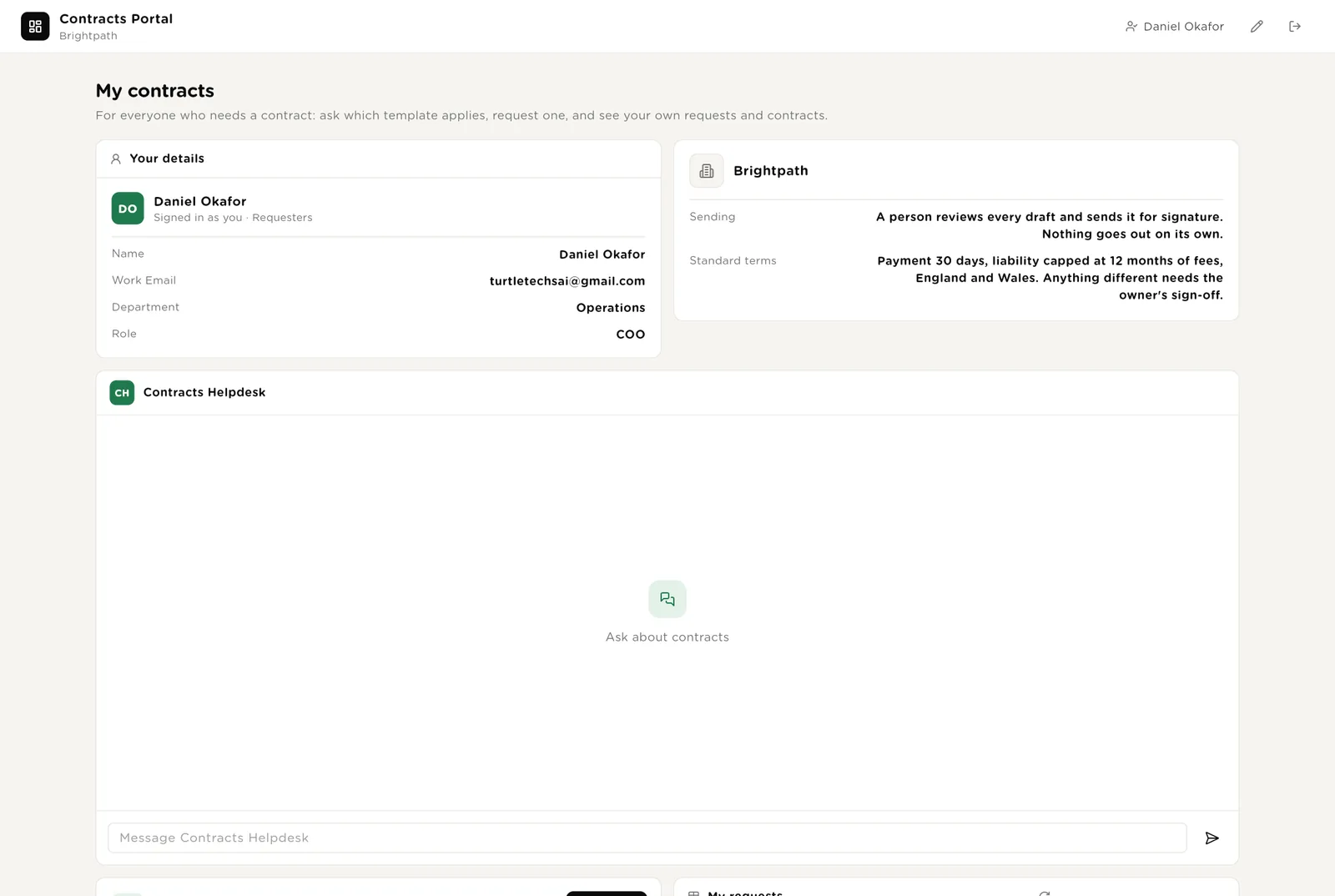
A page every colleague can open with their own sign-in. Their details, the two things the desk never does, and the helpdesk chat that says which template applies and where their contract stands. The portal knows who is looking at it, so nobody sees anyone else's contracts.
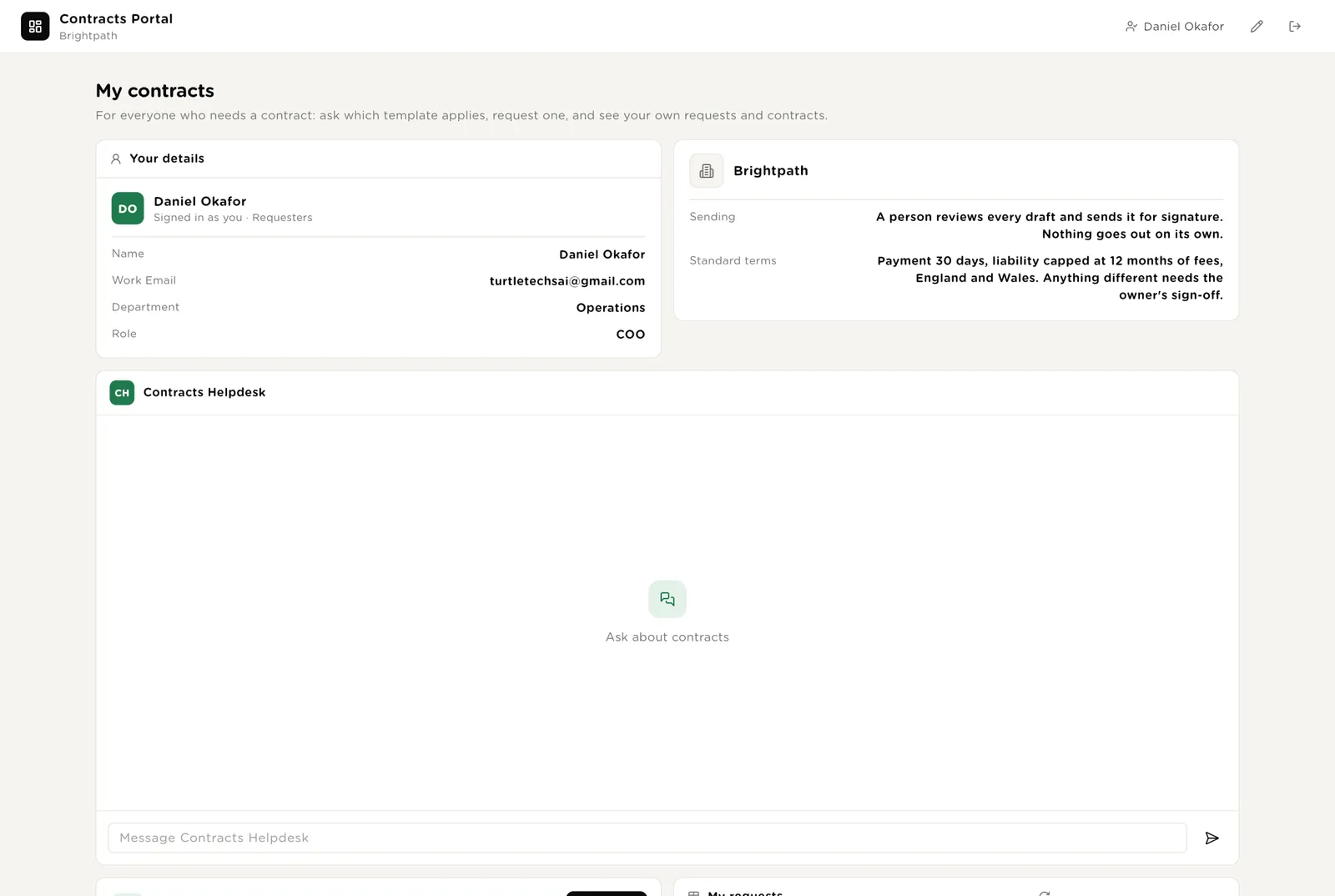
Request a contract, your requests with their status, and every contract you own with its dates and status.
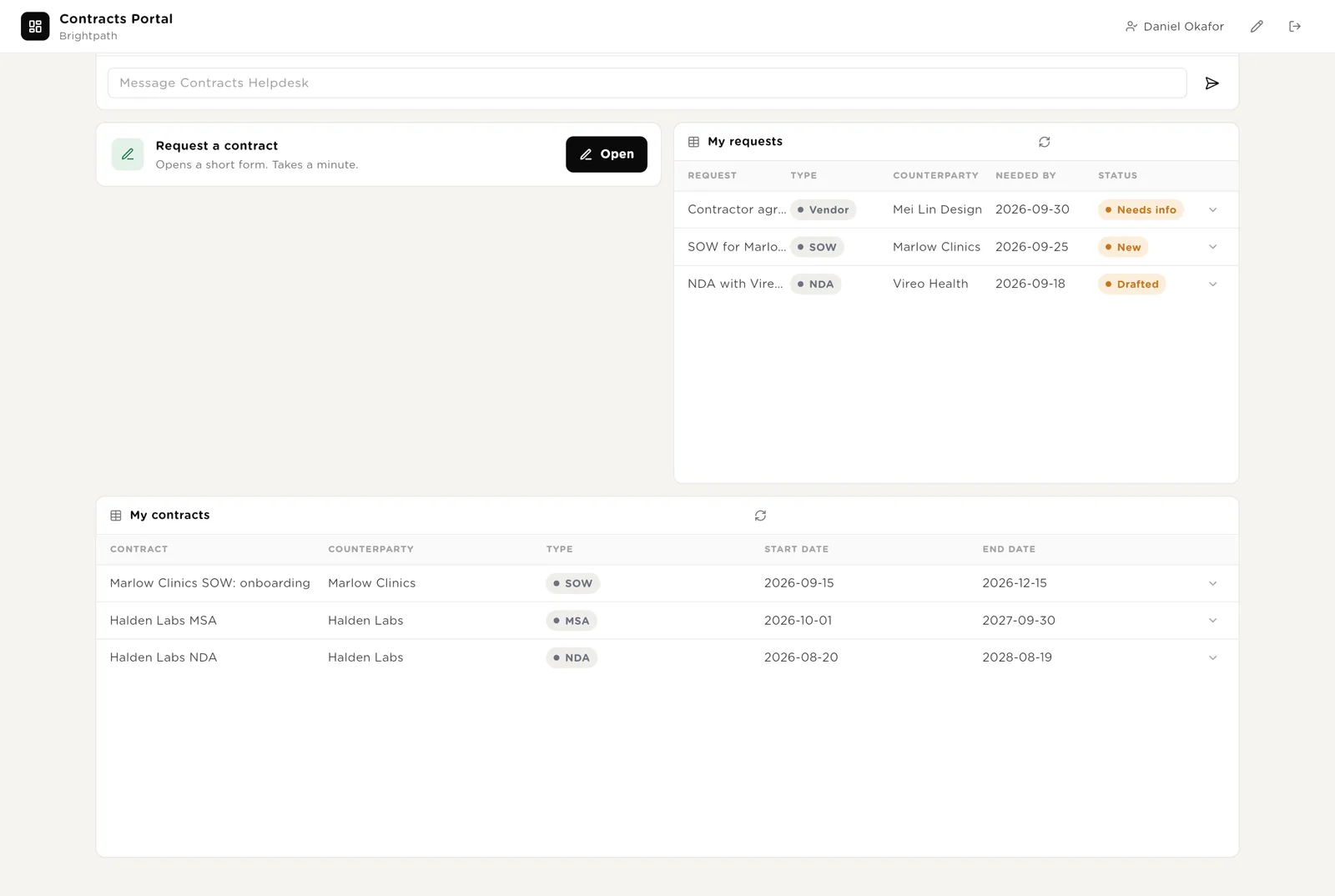
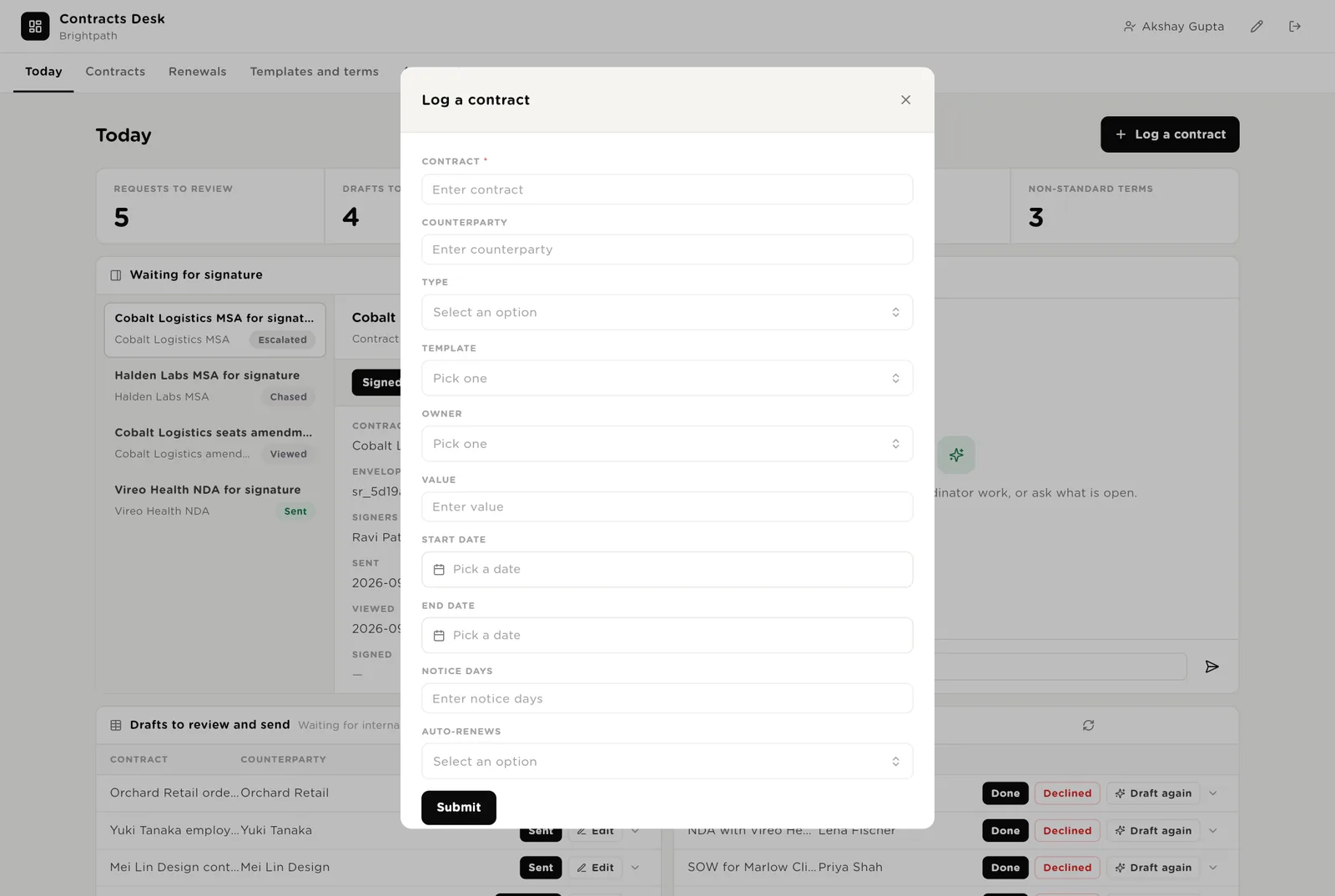
Log a contract from the desk when one did not start from a request, or already exists. Request a contract from the portal; the drafter prepares a first draft within a few minutes and a person reviews it.
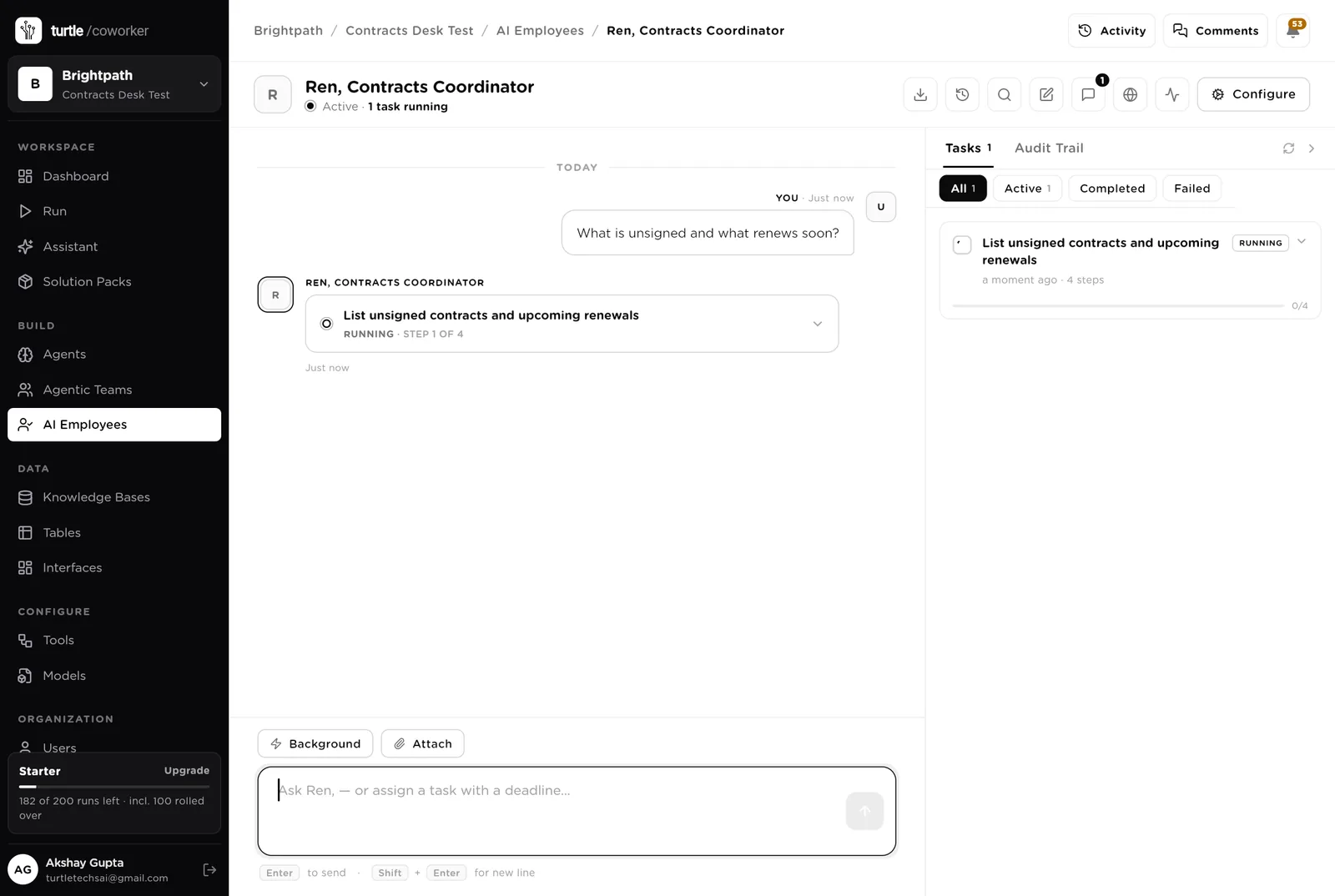
Ren is a software colleague you can chat with. Ren runs the morning list, knows which agent to use for what, reads the tables, and never signs or sends anything on its own.
Every morning: envelopes unsigned for 3 or more days, drafts in internal review for more than 2 days, requests still new or needing information, renewals with a notice date within 30 days and no decision, non-standard terms with no decision. One short list, oldest first, with the owner. Tools: the e-signature tool, the document tool, the storage tool, the PDF reader, the CRM, Turtle Notify.
You typed a question. Ren turned it into a four-step task that reads the tables (envelopes out for signature, renewals in the notice window, expiring contracts, flagged terms) and is running it in front of you, step by step. Reading needs no approval; anything that would send, chase or file would stop and ask.
An agent does one job. It starts when a request arrives, when a contract is marked signed, on a schedule, when you press a button, or when Ren asks it. It reads your tools and your playbook, writes its result into the record, and stops. No agent ever signs.
When a request arrives it picks the approved template for the type, reads the counterparty from the CRM (legal name, address, company number, who signs), copies the template into a new draft document, fills every field it can, and marks the rest TO CONFIRM. It creates the contract row and writes a summary. With three or more unknowns it sends the request back as NEEDS INFO instead. It never edits a template and never sends anything.
Every weekday at 09:00 it reads every open envelope from the e-signature tool, updates who has viewed and signed, and marks the signed contracts Signed. Anything unsigned after 3 days gets a short, polite chase drafted; sending the reminder waits for a person. After 10 days it escalates to the contract owner by email with the history. It never signs, voids or expires an envelope.
The work after signature, which is where contracts usually get lost.
When a contract is marked Signed it fetches the signed PDF, reads it, and writes one row per key term: payment terms, liability cap, termination, renewal, governing law, confidentiality, IP. Each is compared with your playbook; anything different is flagged Non-standard for a person to accept or renegotiate. It never changes the contract.
When a contract is marked Signed it fetches the signed PDF, works out the folder (Contracts, then the counterparty, then the type) and the file name from your convention, finds or creates the folder in storage and uploads the copy. Every write to storage waits for a person until you trust the folder structure. It never moves or deletes a file already there.
Every Monday it finds every active contract within 90 days of its end date, works out the notice date from the notice period, reads the counterparty's activity in the CRM and the contract's key terms, and writes a recommendation: renew, renegotiate or terminate, with the reason and a draft letter. It emails the owner. It never sends the letter and never decides.
The help desk sits on the requester portal. It says which template to use, what your standard terms are, how long signature usually takes, and where the viewer's own request or contract stands. It reads the playbook and the viewer's own rows, never sends anything for signature, and never signs.
A router sends the question to a template and terms specialist (reads the playbook) or a status specialist (reads the viewer's own requests and contracts).
Tables are where everything is stored. They look like spreadsheets and your team can open and edit them. The e-signature tool, the document tool, storage and the CRM stay the record; the desk holds the queue, the drafts, the terms and the dates.
| Table | What is in it | Stages |
|---|---|---|
| Requesters | Everyone who can ask for a contract or own one. The portal identifies viewers here. | Active · Left |
| Requests | Every contract asked for, with the draft the drafter produced. | New → Drafted → Done · Needs info · Declined |
| Contracts | Every contract with its counterparty, type, template, owner, value, dates and the signed copy. | Drafted → Internal review → Sent → Signed → Active → Expiring → Expired · Terminated |
| Signature Requests | Every envelope with its signers, dates, days waiting and the chase drafted. | Sent → Viewed → Chased → Escalated → Signed · Declined · Expired |
| Key Terms | One row per key term per signed contract, compared with the playbook. | Standard · Non-standard → Accepted · Renegotiate |
| Renewals | Every contract inside its notice window with the recommendation and the decision. | Watching → Owner asked → Decided → Letter sent → Done |
| Templates | The approved templates, one per type, with the source document and when it was last reviewed. | Approved · In review · Retired |
The software knows nothing about how your company contracts except what the tables and your playbook tell it.
Two documents: your rules (which template is used when, the standard terms every agent checks against, who signs what, the chase cadence, the filing convention, the renewal window) and the answers the helpdesk gives. Every agent and the help desk read them. Replace the starter text with your own.
The pack uses whichever AI model your company has already connected. Other vendors of the same kind swap in at install time without changing the desk: a team on Box for storage gets the same desk. DocuSign and Ironclad cannot be connected yet, so e-signature runs on Dropbox Sign for now.
Checks on arrival are on from day one. The schedules are off until you switch them on from the desk.
| Automation | Agent | When | Ships |
|---|---|---|---|
| Draft the contract | Contract Drafter | The moment a request arrives | On |
| Draft again | Contract Drafter | When the request details change | On |
| Extract the terms | Term Extractor | When a contract is marked Signed | On |
| File the signed copy | Filer | When a contract is marked Signed | On |
| Chase unsigned envelopes | Signature Chaser | Weekdays 09:00 | Off until you switch it on |
| Watch renewals | Renewal Watcher | Monday 08:00 | Off until you switch it on |
Buttons on the desk run agents too. "Extract again" and "File again" run the extractor and the filer on one contract; "Draft again" runs the drafter on one request.
Three things always need a person. The software stops and waits at each one.
Sent, Signed, Active, Renew, Terminate, Accepted, Letter sent. Only a person presses them. The software can say an envelope is waiting; it cannot sign it. It can say a term is unusual; it cannot accept it.
If an agent or Ren tries to send an envelope or a reminder, change a template, or write to storage, it stops. The exact call appears in Approvals. You read it and click Approve or Deny. Signing, voiding, counter-signing and cancelling are refused outright, from every agent.
When you give Ren a task, Ren shows what it will do first. Approve and run, change it, or cancel.
A rule is checked before every single thing the software tries to do. The pack installs six rules of its own on top of the standard ones every workspace starts with.
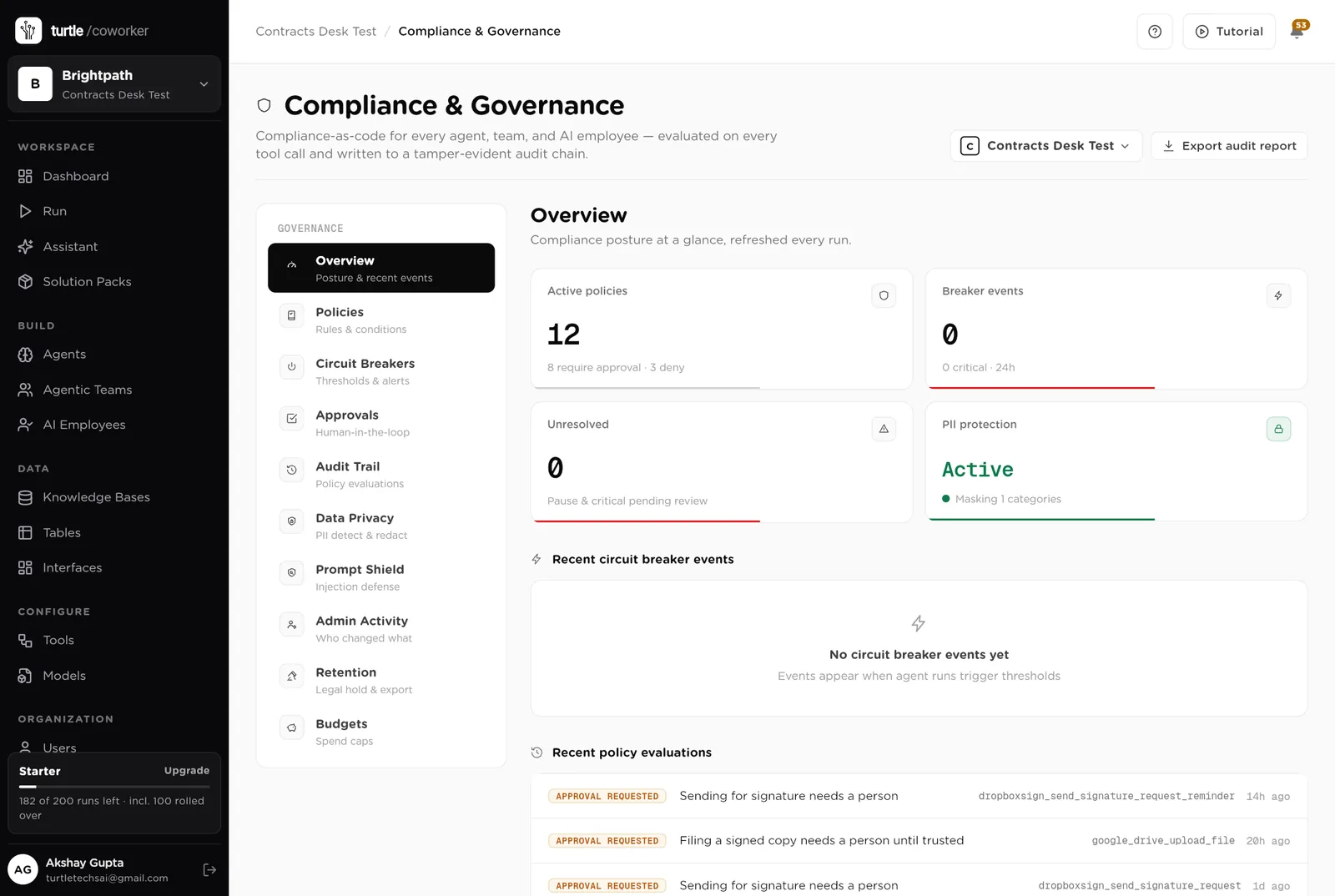
For every run you can see which agent ran, why it ran, every step it took, and every rule that checked it. Passwords and card numbers are blanked out before anything is stored.
A monthly budget with a warning level and a hard stop for the software's own usage.
Agents read signed PDFs to write the terms down; nothing is exported, and the signed copies stay in your storage.
Who drafted it, what the e-signature tool said, who approved the send, when. The audit trail and the Signature Requests table say the same thing.
The desk is shared with the team. The portal shows each person only their own requests and contracts. Only owners and admins change the layout.
These estimates assume about 30 new contracts a month, 8 envelopes waiting at any time, 25 signed contracts a month to file and read, and 6 renewals a month. "Before" is the time by hand; "after" is the reading and deciding that is left. Your numbers will differ. These are estimates, not measurements; after a month the audit trail gives you real figures.
| Job | Assumption | Hours before | Hours after | What changes |
|---|---|---|---|---|
| Drafting from the template | 40 min each, 30 a month | 4.6 | 1.2 | Filled from the request and the CRM; you review. |
| Chasing signatures | 15 min a day | 1.3 | 0.3 | Chases drafted every morning; you approve. |
| Reading signed contracts for the key terms | 30 min each, 25 a month | 2.9 | 0.6 | Terms in a table, unusual ones flagged; you decide. |
| Filing signed copies | 10 min each, 25 a month | 1.0 | 0.2 | Filed under the convention; you approve. |
| Tracking renewals | 2 h a month plus the ones that slipped | 0.5 | 0.1 | Every Monday, with the notice date and a draft letter. |
| Answering "which template" and "where is my contract" | 3 h a week | 3.0 | 0.5 | The helpdesk answers from the playbook and the tables. |
| Total per week | 13.3 | 2.9 | About 10 hours a week back for the contracts owner, and no contract renews because nobody was watching the date. |
The NDA someone asked for at 09:00 is drafted and waiting for review by 09:10.
Every contract inside its notice window is on the Renewals page with a recommendation before the date.
Which contracts have payment beyond 30 days? One filter on the Key Terms table.
Estimates, not measurements. After a month the audit trail gives you real figures.
Installing takes one click. The real work is the templates and the playbook.
Install the pack from the Solution Packs page. Connect the e-signature tool, the document tool, storage and the CRM when asked.
Replace the starter text with your standard terms, who signs what, your filing convention and your renewal window.
Add a row per approved template with its source document. Import the people who can request contracts so the portal knows them.
Log your live contracts through the desk with their dates. Share the portal with the company. Switch on the morning chase.
Switch on the Monday renewal watch, and move the filing rule to logged once the folder structure is right.
You pay for the platform, not per desk. The plan sets how many agents, employees and workspaces you can run; every desk is included, and runs are billed on your own model key at cost. 5 agents in this desk count against the plan's agent limit.
See plansFor bookkeepers, fractional controllers and finance teams running AP for one or many entities
Sales and marketingFor marketing teams of 1 to 10 people running email, forms, search and a little paid media
Sales and marketingFor founders and small marketing teams publishing in the founder's name
We use analytics cookies to see which pages help and which don’t. Nothing loads until you choose. Cookie Policy

Hello there.
AI agent. It can make mistakes, and a human reviews anything that matters.