Software for outbound sales without an SDR. Every morning it finds the companies with a reason to hear from you right now (they are hiring, they raised money, the founder posted), finds two people there and checks their email works, and drafts a three-step email sequence in your voice. You read each email and approve it; it goes from your own inbox. Replies land in one queue with the next step suggested. Meetings get a one-page brief. Your CRM stays the record. Nothing reaches a prospect without a person.
For founders and small sales teams selling to businesses
The pack is built for a person or a small team doing outbound to other companies. It fits three kinds of team.
You have no SDR and no time to research 30 accounts a week. The desk does the research and the drafts; you spend 20 minutes a day approving and replying.
Each rep approves and sends their own drafts from their own inbox. The team shares the accounts, the signals and the sequences. The CRM stays the record.
A regional or product-line team in an MNC running targeted outbound to named accounts, with compliance rules that require a person on every send. The desk gives them that by design.
| Sales / Business Development | Signals, contacts, drafts, the send queue, the reply queue, meeting briefs. |
| Marketing / Demand generation | Signal-based lists and the sequences by persona; reply rates by sequence every Monday. |
| Revenue Operations | The CRM sync: companies, contacts and deals created and updated as the desk moves. |
| Compliance | Do Not Contact honoured before a contact exists; every send by a named person, recorded. |
Everything the software produces is a draft for a person. It never sends an email or a LinkedIn message on its own, never replies to a prospect, never books a meeting without approval, and never writes to anyone on the Do Not Contact list.
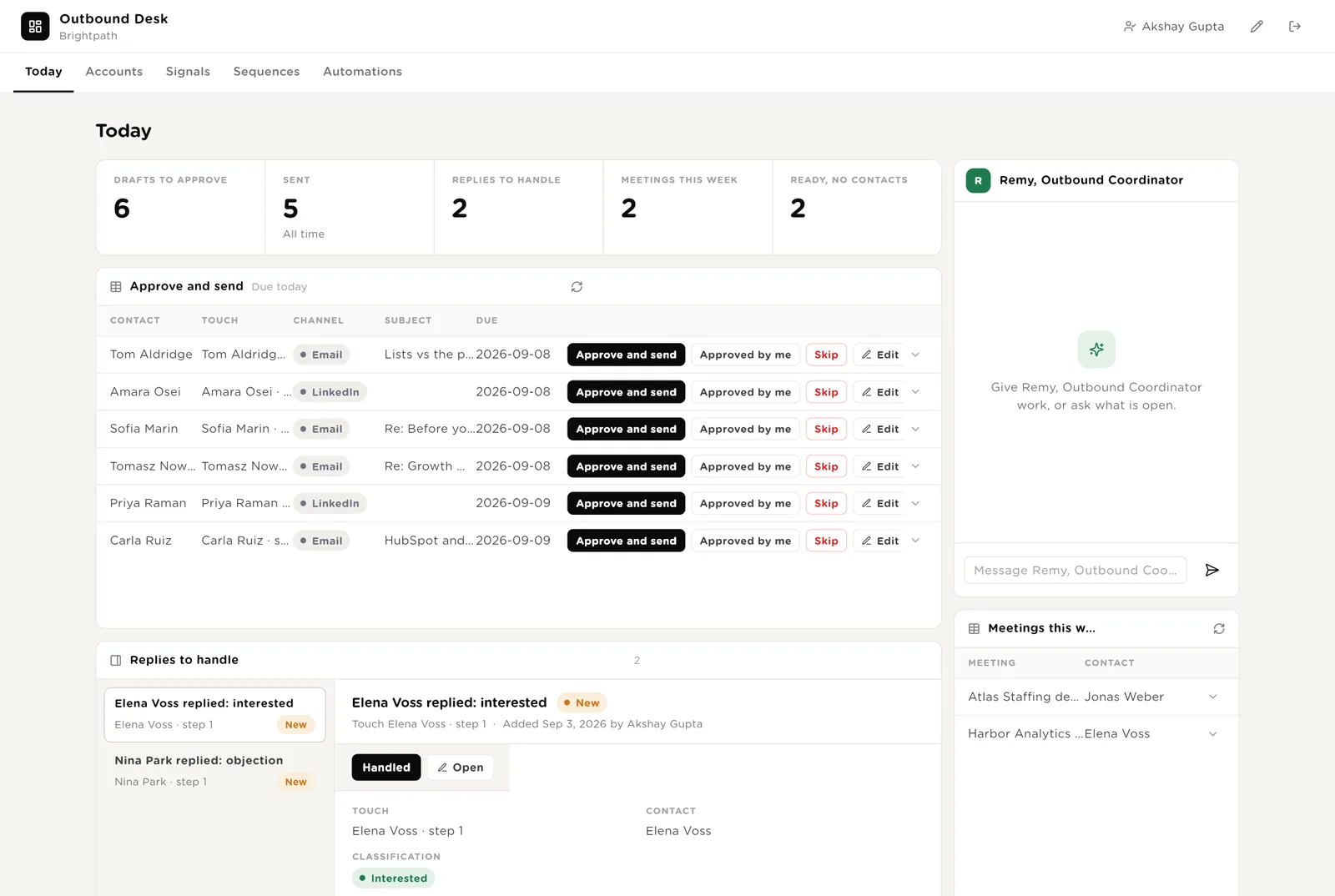
The 20-minute morning. Five live numbers. The drafts due today, each with Approve and send. The replies that came in, classified, with a suggested next step. Remy beside them. This week's meetings.
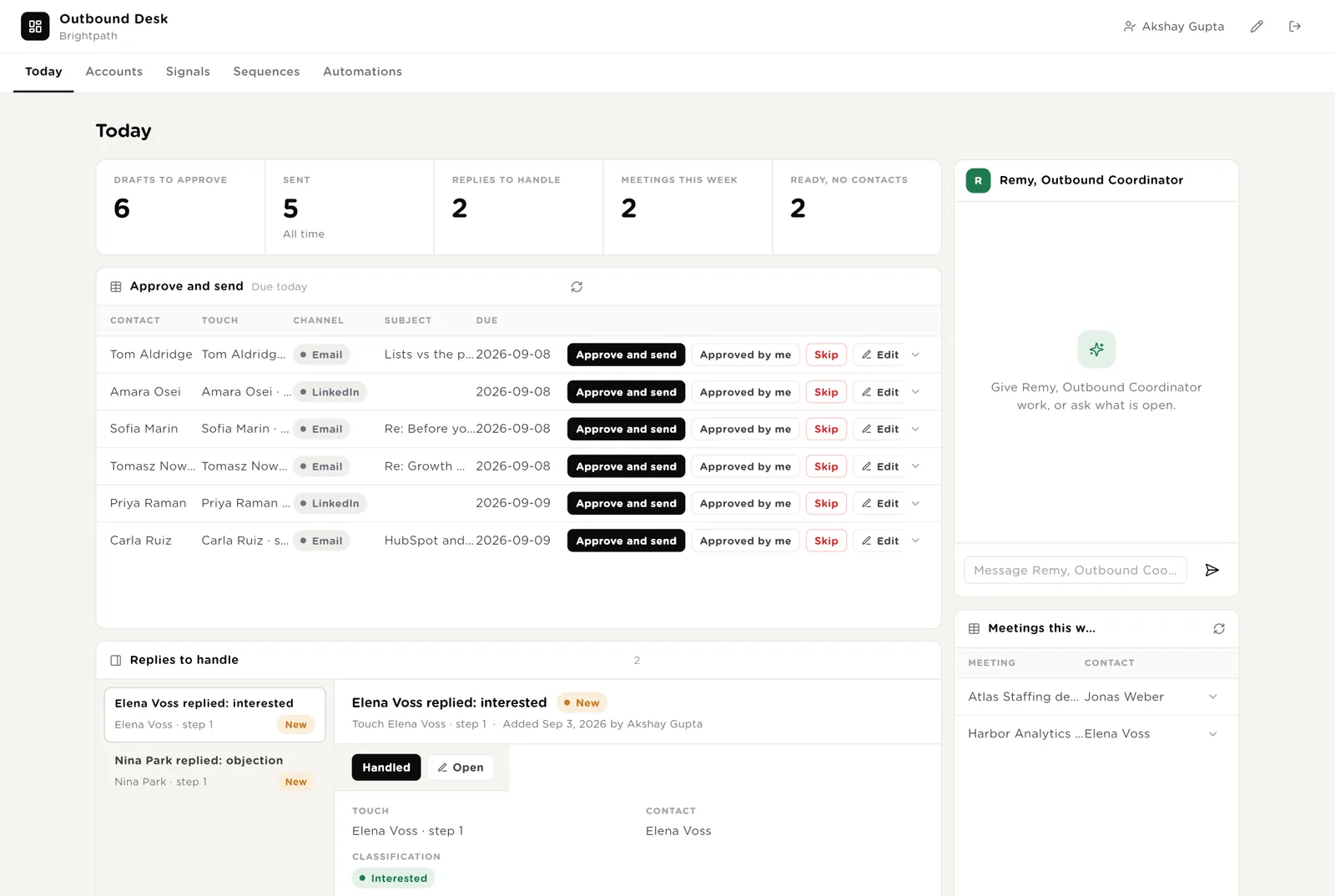
The email goes exactly as shown, from your own Gmail. The contact moves into the sequence.
The touch is not sent. The sequence pauses for that person.
Interested, not now, referral, out of office, objection, unsubscribe. The next step is suggested; you decide and reply yourself.
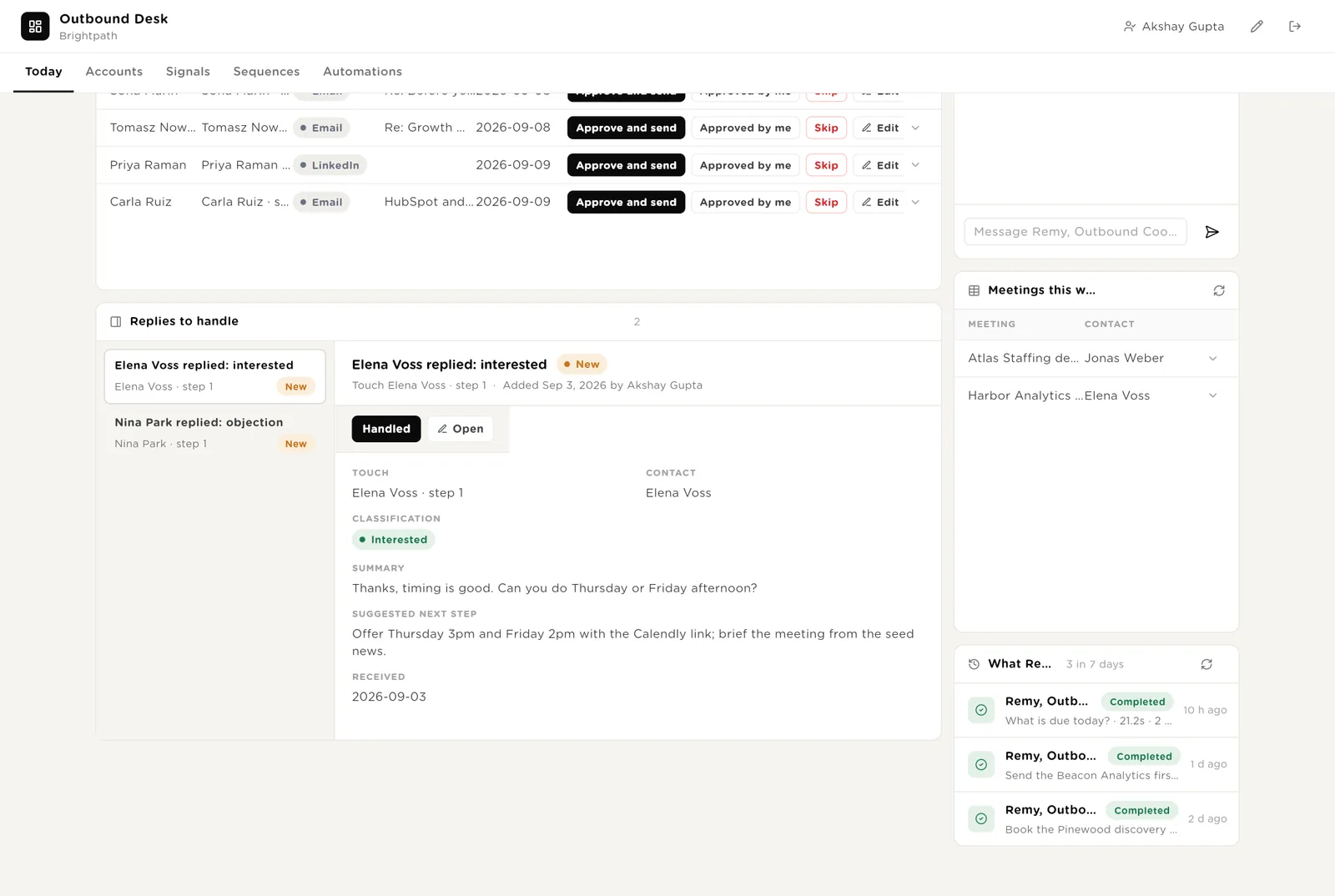
This week's meetings with their brief, and Remy's recent work.
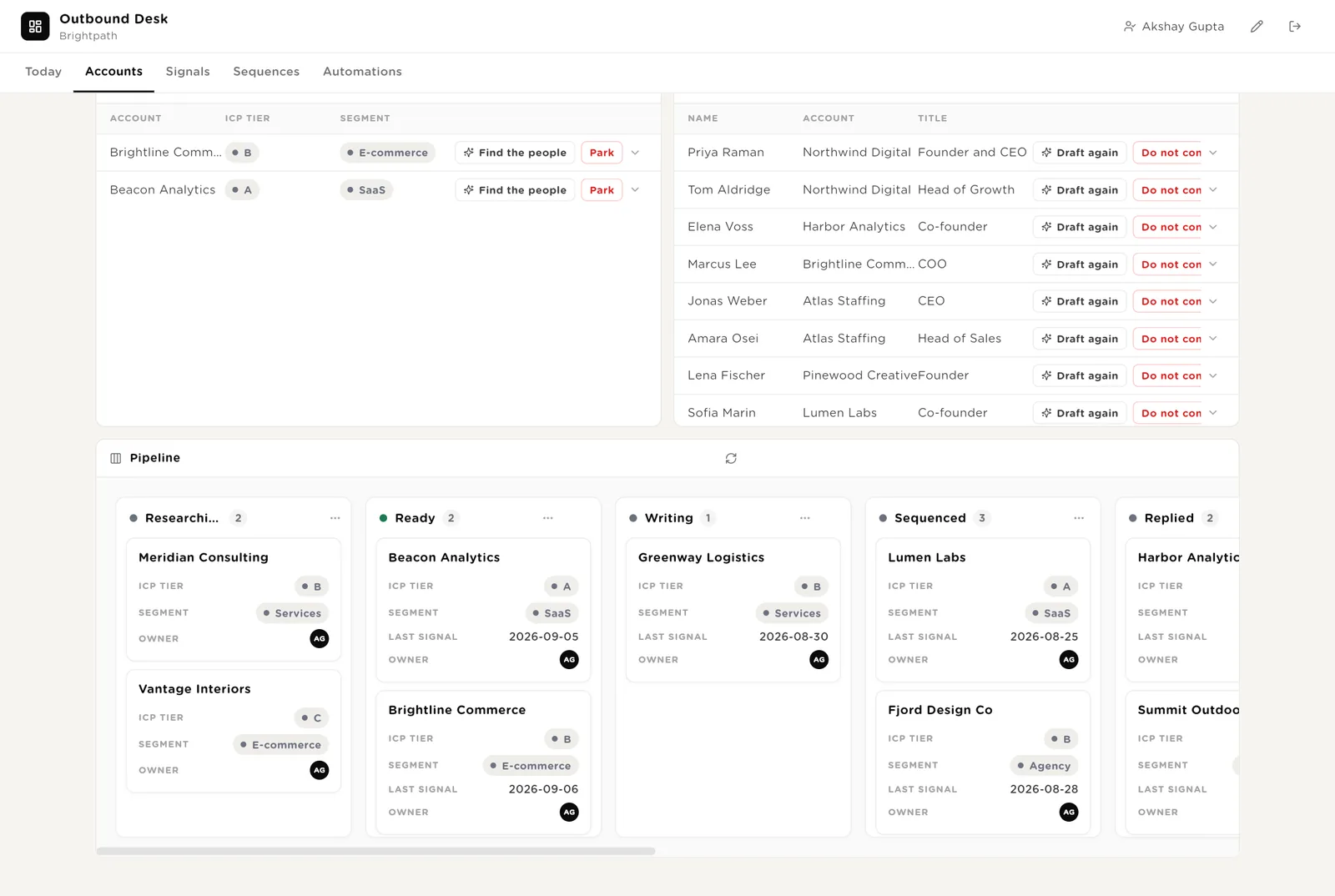
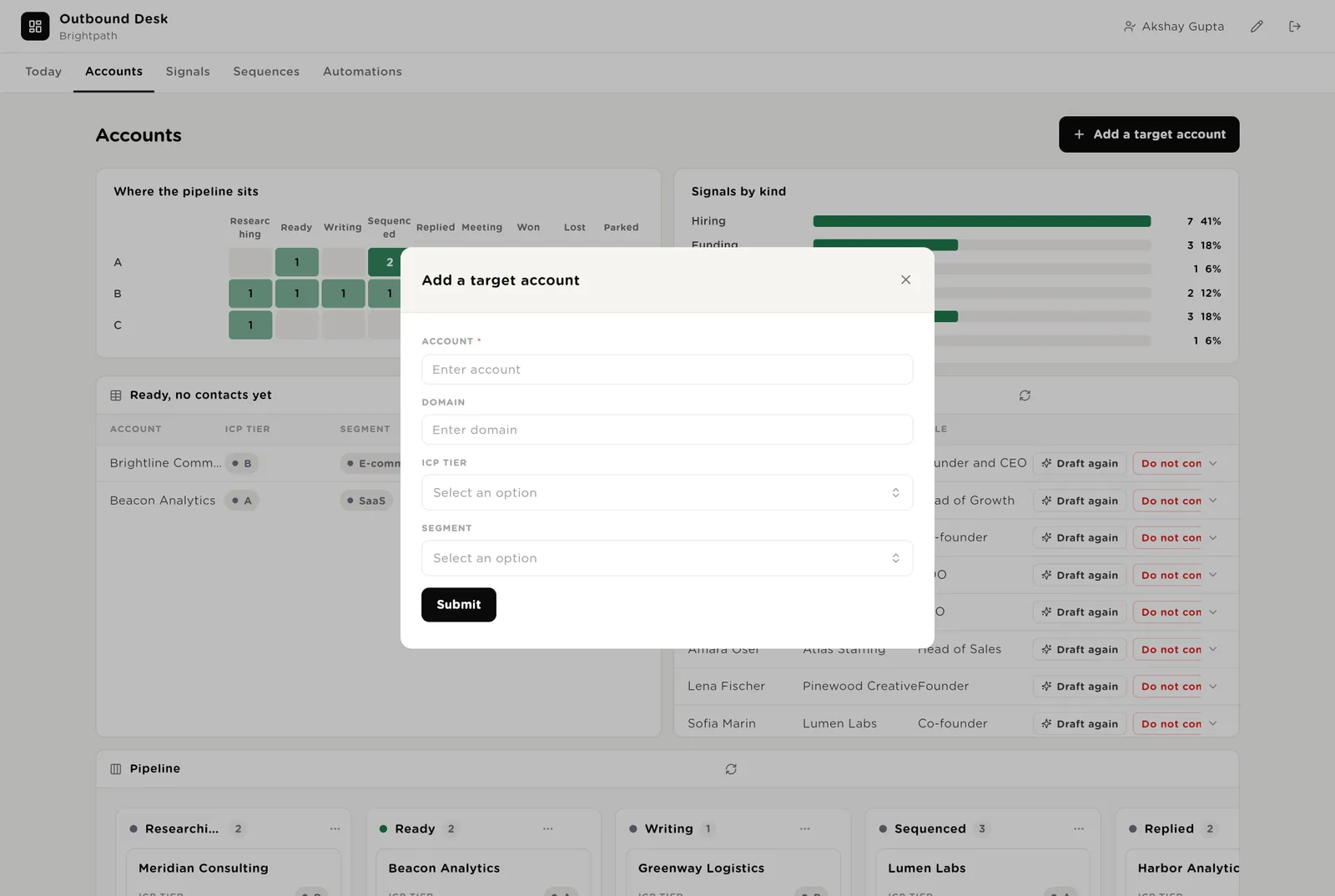
A heat map of accounts by tier and stage, signals by kind, the accounts that are Ready but have no contacts yet, every contact, and the pipeline board. One button adds an account by hand.
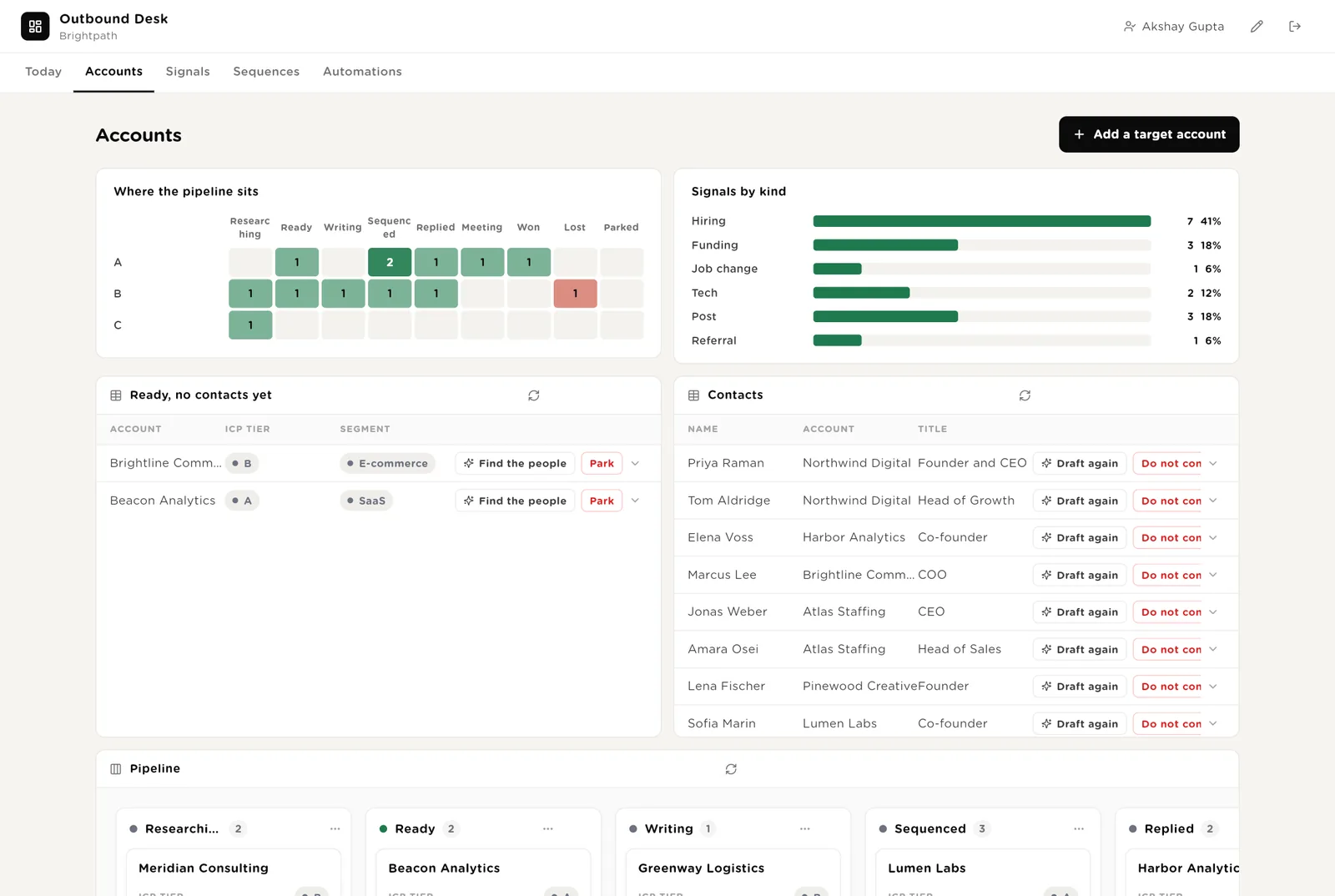
Runs the contact finder for one account now.
Adds the person to the Do Not Contact list. No agent will write to them again.
Takes an account out of the flow without deleting anything.
Every contact with their verification status and persona, and the accounts board by stage.
New signals to use or ignore. Any account can be researched now. All signals for the record.
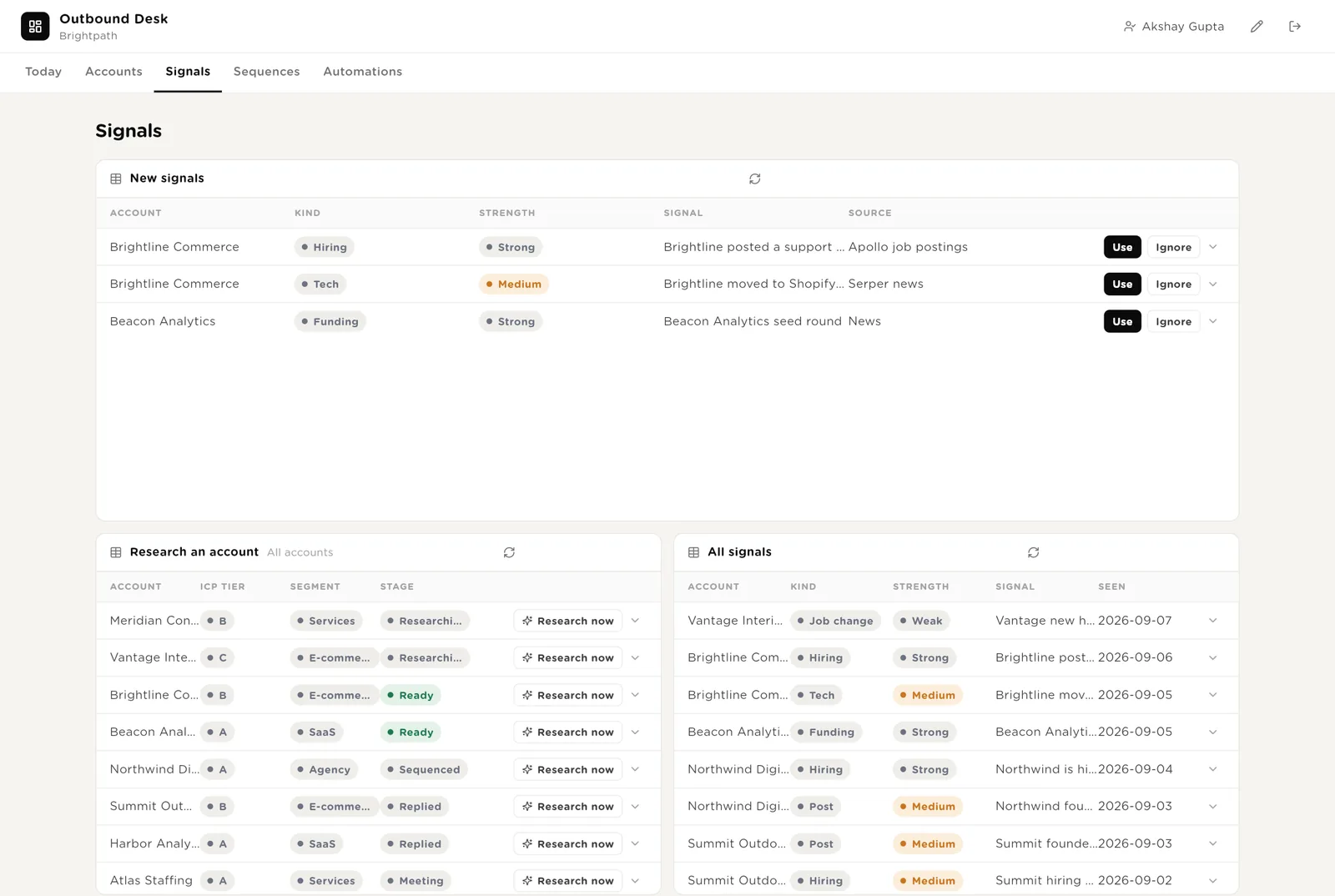
The signal becomes the reason to write; the account moves to Ready.
Runs the signal scout for one account immediately.
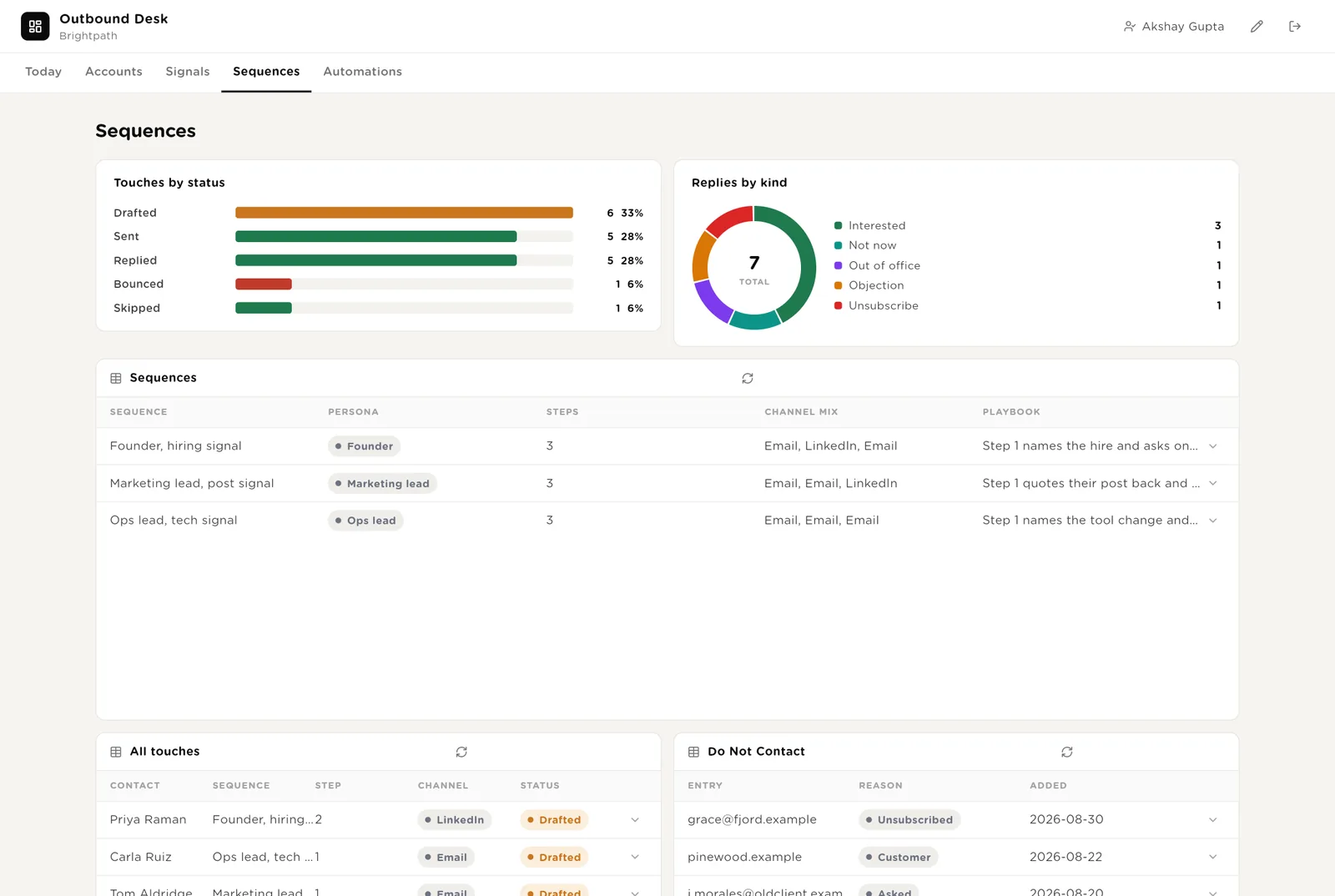
Touches by status, replies by kind, the sequences by persona, every touch, and the Do Not Contact list.
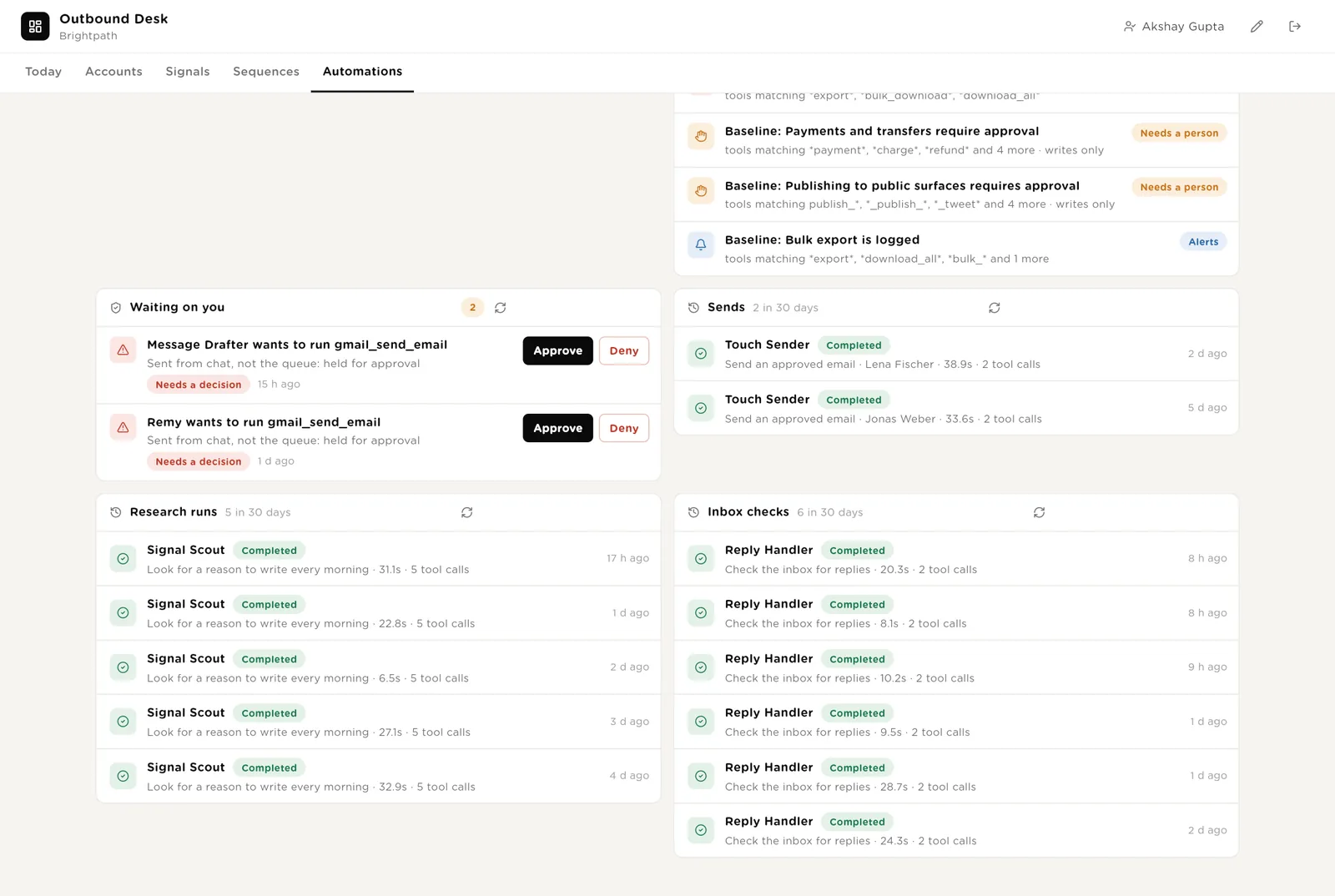
Every automation with its switch. The pack's guard rails. Everything waiting for your Approve. The record of sends, research runs and inbox checks.
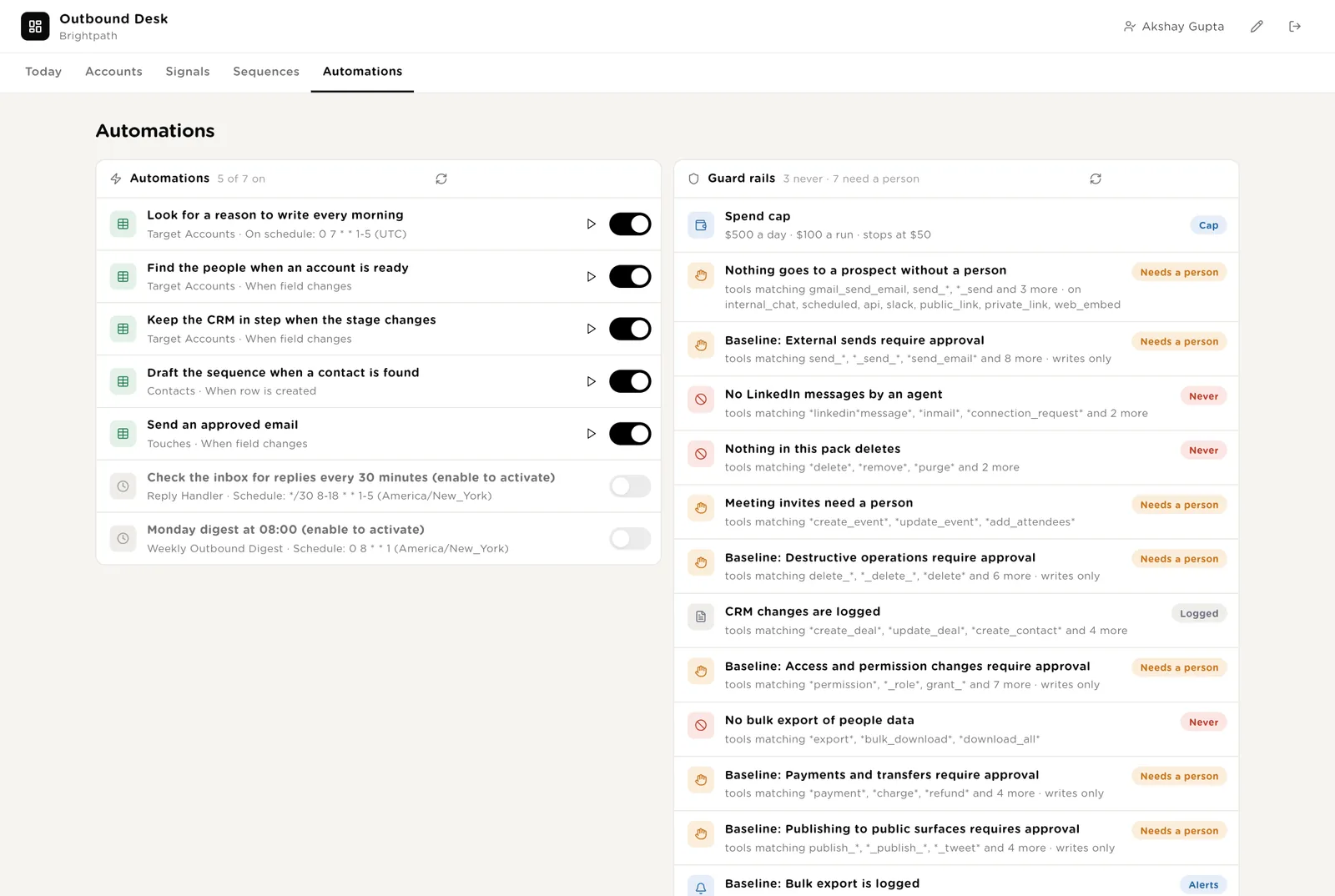
Every send, every research run and every inbox check, with duration and what it touched.
Most accounts come from the scout. When you meet someone, one short form adds them and the desk takes it from there.
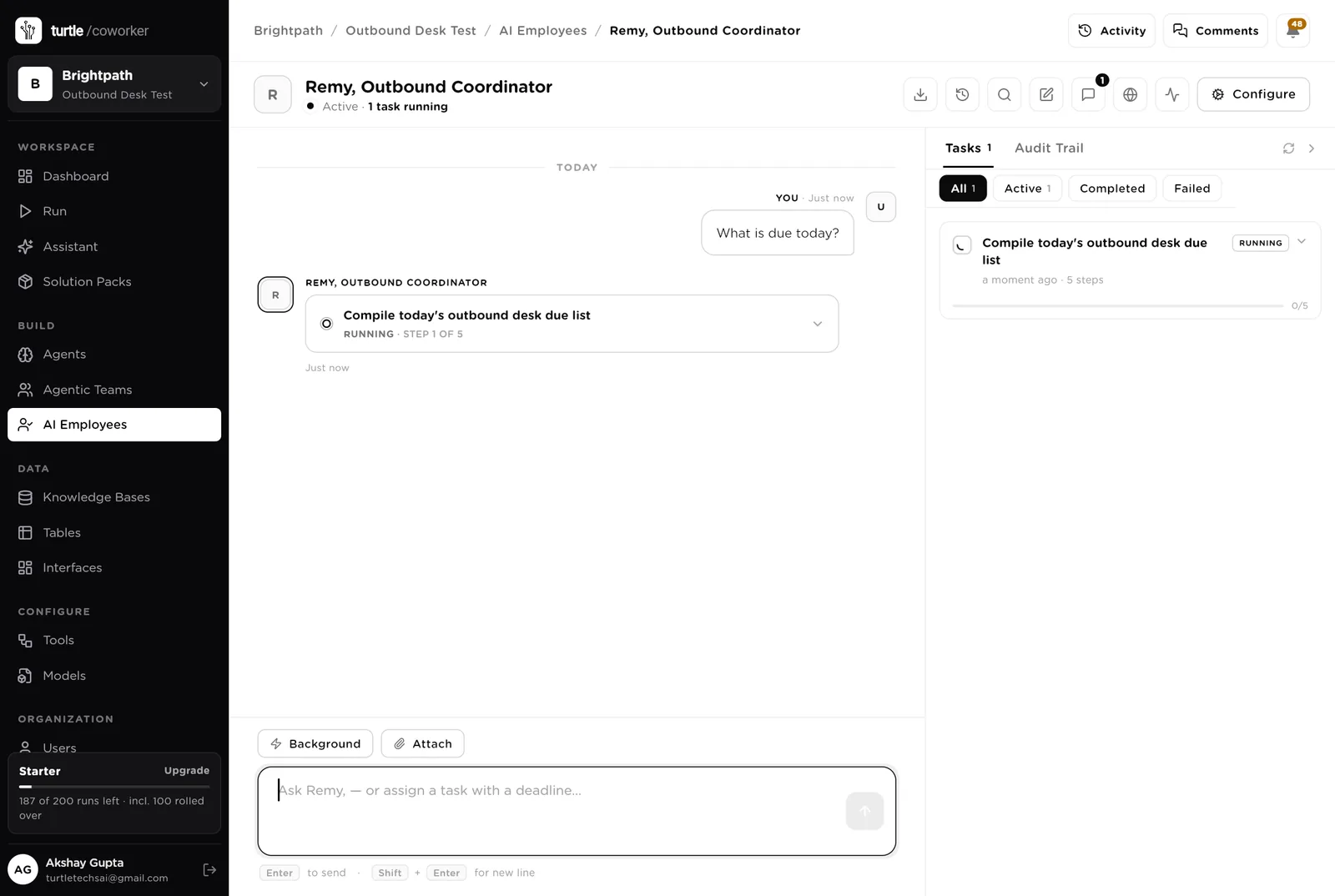
Remy is a software colleague you can chat with. Remy runs the morning queue, knows which agent to use for what, and turns a sentence into a plan you approve before it runs. Remy never sends anything.
Every morning: the touches due today, the new replies, the meetings in the next two days without a brief, the accounts that became Ready overnight with no contacts. Tools: Gmail, Google Calendar, HubSpot, Turtle Notify.
You typed a question. Remy turned it into a short task and started reading the tables. Reading is allowed on its own; anything that sends or books stops for your approval.
An agent does one job. It starts on a schedule, when something changes, or when Remy asks it. It reads your tables and your playbook, writes its result into the record, and stops. Only one agent ever sends, and only after a person approves.
Every morning it looks for hiring, funding, news, posts and tool changes at each account you are researching, writes them as signals, and moves the account to Ready when the signal is strong enough by your playbook.
When an account is Ready, it finds two or three people matching your personas, verifies their email, checks the Do Not Contact list, and creates the contacts.
Writes each of the three emails from the account's signal and your playbook's voice, under 90 words, never from a template alone. Creates the touches with due dates. Never sends.
The only agent that sends. When you approve a touch, it sends exactly that subject and body from your Gmail, records it, and moves the contact into the sequence.
The jobs that fall through when replies come in during a busy week.
Every 30 minutes during the day it reads your inbox for replies to sent emails, classifies each, writes a suggested next step, pauses the sequence, and adds unsubscribes to Do Not Contact. Never replies.
When a meeting is booked, it writes one page: who they are, why now, what was said, what to open with, what they care about, the likely objections.
When an account's stage changes, it creates or updates the company, the contacts and the deal in your CRM, so the CRM stays the record.
Sends, replies, meetings, reply rate by sequence and by persona, accounts gone stale, and three things to decide this week.
Tables are where everything is stored. They look like spreadsheets and your team can open and edit them. Your CRM stays the record; the desk holds the working queue.
| Table | What is in it | Stages |
|---|---|---|
| Target Accounts | The companies worth writing to, each with its reason to write now. | Researching → Ready → Writing → Sequenced → Replied → Meeting → Won · Lost · Parked |
| Signals | One row per reason to write. | New · Used · Ignored |
| Contacts | The people at each account, verified before anyone writes to them. | New → Drafting → In sequence → Replied → Meeting · Do not contact |
| Sequences | The three-step sequences by persona. | One row per persona |
| Touches | Every drafted email, one row per step. | Drafted → Approved → Sent → Replied · Bounced · Skipped |
| Replies | Every reply, classified with a suggested next step. | New · Handled |
| Meetings | Booked meetings with the brief. | Pending · Held · No show · Rescheduled · Won · Lost |
| Do Not Contact | Emails and domains the desk must never write to. | Unsubscribed · Bounced · Competitor · Customer · Asked |
The software knows nothing about who you sell to except what the tables and your playbook tell it.
One document: who you sell to, the signals that matter, your voice, and the rules every draft follows. Every agent reads it. Replace the starter text with your own; paste in ten emails that worked.
The desk uses whichever AI model your company has already connected. You do not choose or manage a model for each agent.
The scout, the finder and the drafter run from day one. The reply handler and the digest are off until you switch them on.
| Automation | Agent | When | Ships |
|---|---|---|---|
| Look for a reason to write | Signal Scout | Weekdays 07:00 | On |
| Find the people | Contact Finder | The moment an account becomes Ready | On |
| Draft the sequence | Message Drafter | The moment a contact is found | On |
| Send an approved email | Email Sender | The moment you approve a touch | On |
| Write the meeting brief | Meeting Brief Writer | The moment a meeting is booked | On |
| Keep the CRM in step | CRM Sync | The moment a stage changes | On |
| Check the inbox for replies | Reply Handler | Every 30 minutes, 8am to 6pm | Off until you switch it on |
| Monday digest | Monday Digest | Monday 08:00 | Off until you switch it on |
Buttons on the desk run agents too. "Research now" runs the scout for one account; "Find the people" runs the finder; "Draft again" runs the drafter for one contact.
Two things always need a person. The software stops and waits at each one.
Every email leaves through Approve and send on the Today page. You read the exact subject and body. It goes from your own Gmail with your name on it. Skip means it never goes.
If an agent or Remy tries to send from a chat, a schedule or the API, or to create a calendar invite, it stops. The message appears in Approvals. You read it and click Approve or Deny.
When you give Remy a task, Remy writes a plan and shows it first. Approve and run, change it, or cancel.
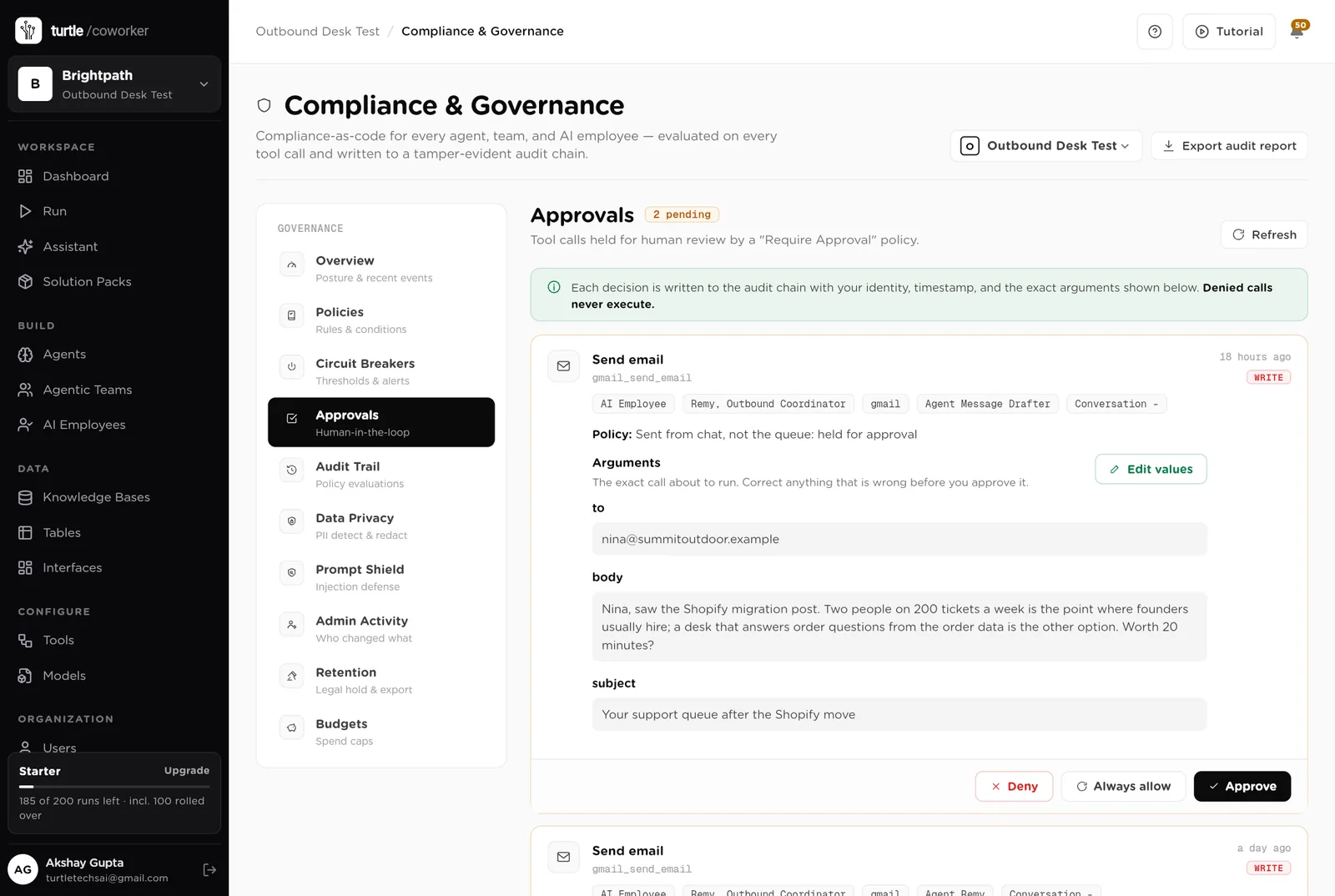
A rule is checked before every single thing the software tries to do. The pack installs six rules of its own on top of the standard ones every workspace starts with.
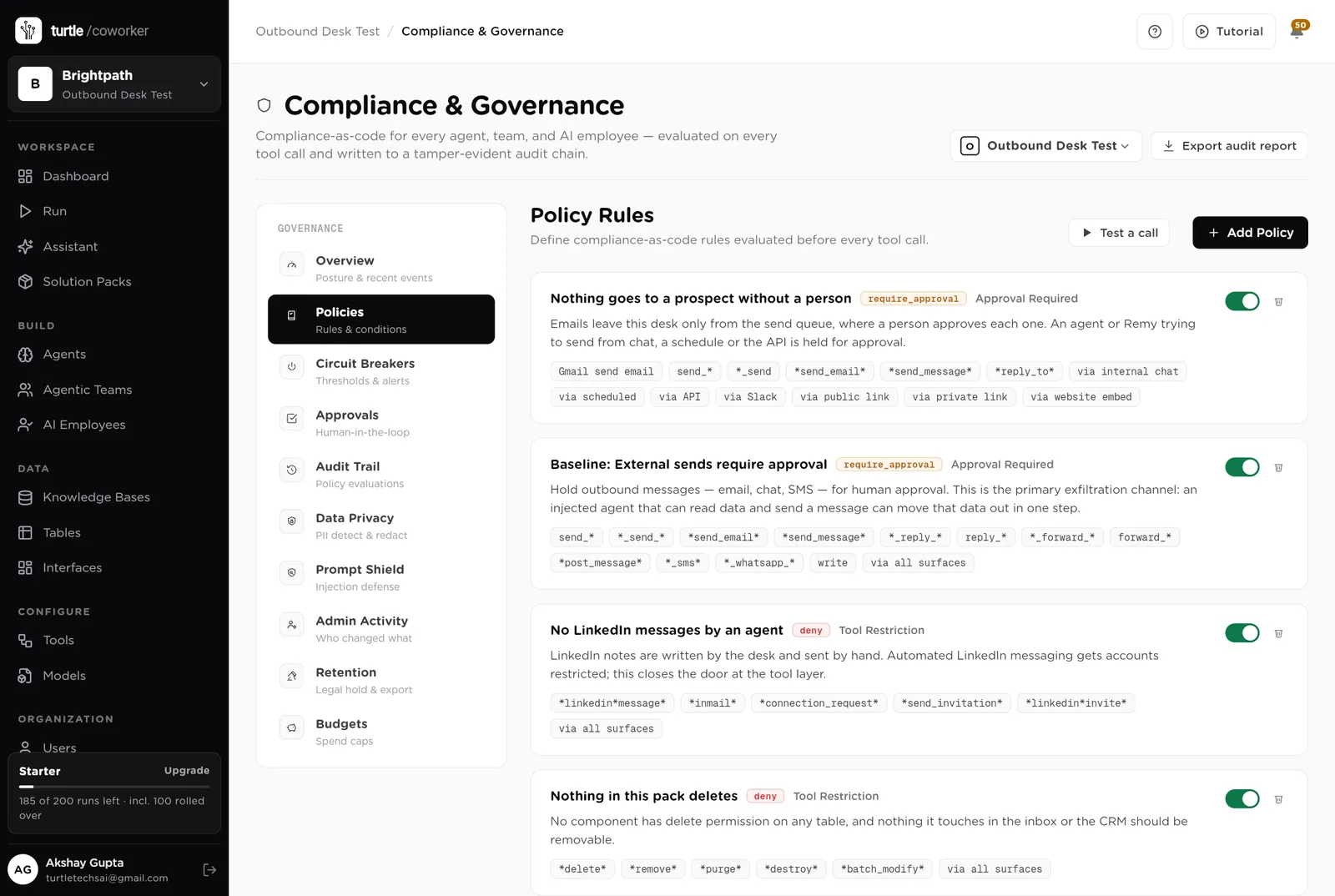
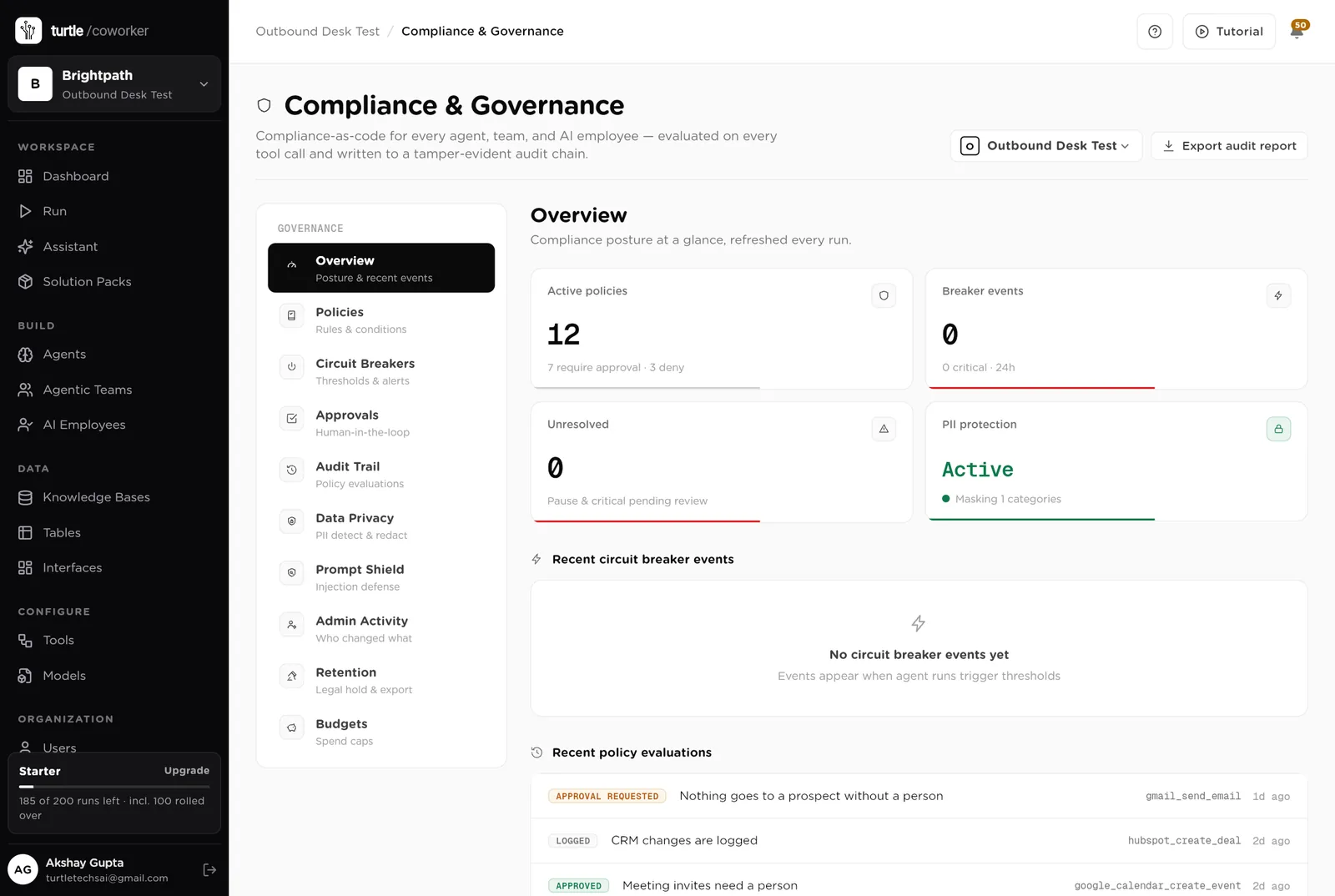
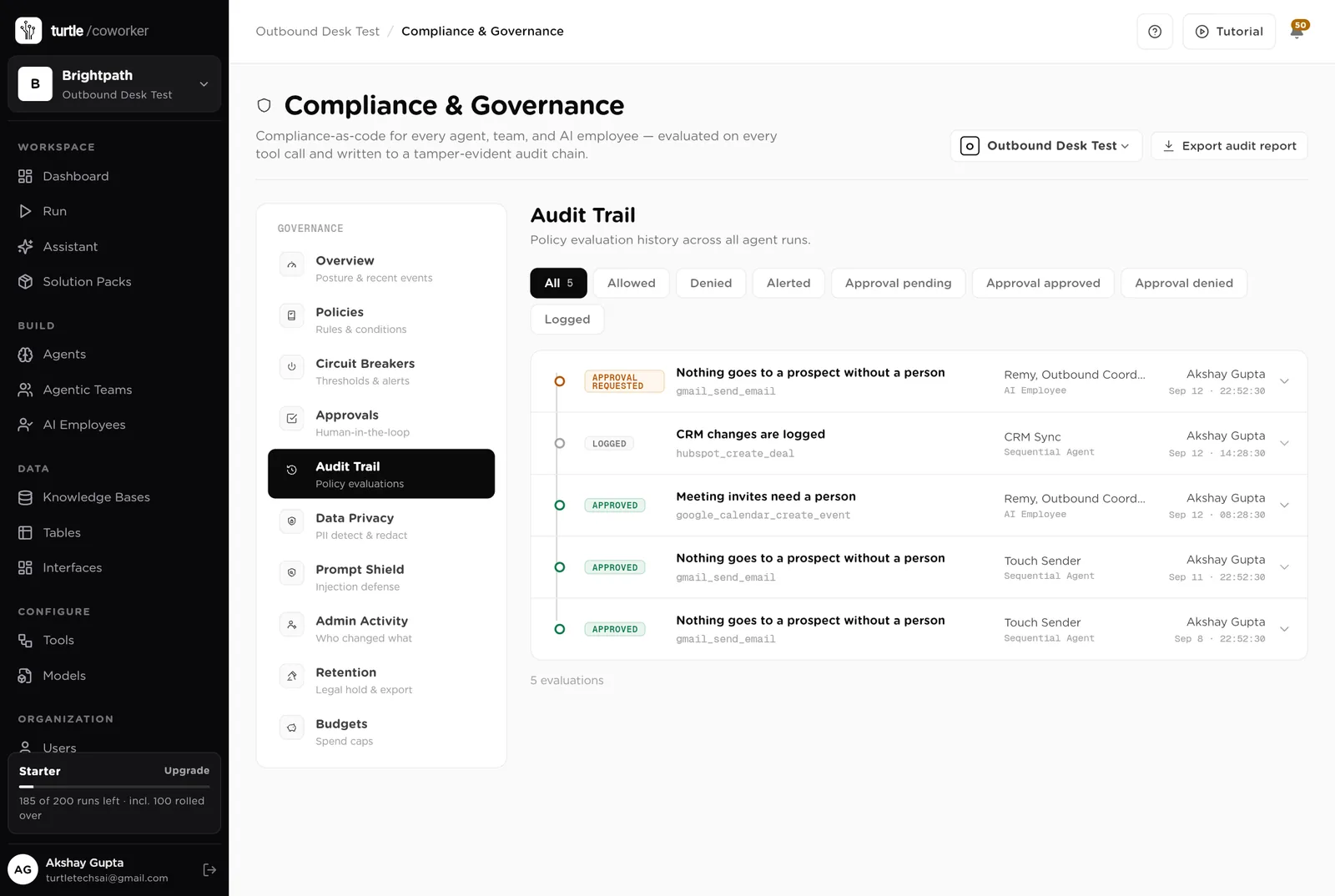
For every run you can see which agent ran, why it ran, every step it took, and every rule that checked it. Passwords and card numbers are blanked out before anything is stored.
A monthly budget with a warning level and a hard stop. Research tools cost money per call; the budget caps it.
Contact details are masked in what the software reads and writes. Every key is encrypted. Do Not Contact is checked before a contact exists.
Every email is sent by a person from their own inbox, one at a time, to a verified address. No blasts, no shared sending domain.
The desk is shared with the team. Each person sends from their own Gmail. Only owners and admins change the layout.
These estimates assume one person writing to 30 new accounts a week with a three-step sequence. "Before" is the time by hand; "after" is the reading, approving and replying that is left. Your numbers will differ. These are estimates, not measurements; after a month the audit trail gives you real figures.
| Job | Assumption | Hours before | Hours after | What changes |
|---|---|---|---|---|
| Finding accounts with a reason to write | 20 min each, 30 a week | 10.0 | 1.0 | The scout does it every morning; you use or ignore signals. |
| Finding and verifying contacts | 10 min per account | 5.0 | 0.5 | Done the moment an account is Ready. |
| Writing the emails | 8 min each, 90 a week | 12.0 | 3.0 | Drafted from the signal; you read and approve. |
| Handling replies | 2 h a week | 2.0 | 1.0 | Classified with the next step; you reply. |
| Meeting prep | 30 min each, 3 a week | 1.5 | 0.5 | The brief is written when the meeting is booked. |
| CRM updates | 2 h a week | 2.0 | 0.0 | Synced on every stage change. |
| The weekly numbers | 1 h a week | 1.0 | 0.2 | Written every Monday. |
| Total per week | 33.5 | 6.2 | About 27 hours a week back. Outbound that took most of the week takes an hour a day. |
Every email is about something that happened at that company this week, not a template.
Checked every 30 minutes, classified, next step suggested.
Companies, contacts and deals updated as the desk moves, recorded in the trail.
Estimates, not measurements. After a month the audit trail gives you real figures.
Installing takes one click. The real work is the playbook and the first list of accounts.
Install the pack from the Solution Packs page. Connect Gmail, Google Calendar and your CRM when asked.
Replace the starter text: who you sell to, the signals that matter, your voice. Paste in ten emails that worked.
Add 30 target accounts with a tier and a segment. The scout starts researching them the next morning.
Work from the Today page each morning. Approve the drafts you like, skip the rest. Switch on the reply handler once you are sending.
Read the Monday digest and rewrite the sequence that is not getting replies.
You pay for the platform, not per desk. The plan sets how many agents, employees and workspaces you can run; every desk is included, and runs are billed on your own model key at cost. 8 agents in this desk count against the plan's agent limit.
See plansFor marketing teams of 1 to 10 people running email, forms, search and a little paid media
Sales and marketingFor founders and small marketing teams publishing in the founder's name
Sales and marketingFor founders and small sales teams handling inbound leads
We use analytics cookies to see which pages help and which don’t. Nothing loads until you choose. Cookie Policy

Hello there.
AI agent. It can make mistakes, and a human reviews anything that matters.