Software for the engineering manager's morning. Pull requests waiting more than a day get a drafted nudge for the reviewer. Every failed CI run is classified (test, build, infrastructure, flaky) with a note for the author. New production errors are grouped, checked against open issues and drafted as tickets with the stack trace and the users affected. An incident gets a running timeline and a post-mortem draft when it closes. Stale feature flags get a removal recommendation every Monday. A release gets customer-facing notes drafted from the merged pull requests. No agent merges, deploys, rolls back, changes a flag or pages anyone.
For engineering teams of 5 to 50 developers with a manager or lead who wants the morning list without reading six tools
The pack is built for the person who is responsible for a team's code getting reviewed, tested, shipped and kept running. It fits three kinds of team.
Five to fifty developers on GitHub or GitLab, one CI, one error tool, one on-call tool and one issue tracker. You get the desk, Dev and every agent. Your tools stay the record.
One team in an MNC engineering organisation with its own services and on-call rota. The desk gives the team lead the morning list and the post-mortem drafts; nothing touches production from software.
One workspace per client, each with its own repositories, handbook and digest. The triager and the scribe are the same for every client; the runbooks differ.
| Engineering / Platform | Reviews nudged, CI failures triaged, flags audited, release notes drafted. |
| Site Reliability / On-call | Error groups ticketed, incident timelines kept, post-mortems drafted with actions. |
| Product | Release notes in plain words, what shipped every Monday. |
| Engineering management | The Monday digest: PRs merged, review time, CI pass rate, errors, incidents, the three things to fix. |
Everything the software produces is a note, a draft or a recommendation for a person. It never merges, deploys, rolls back, reruns a pipeline, changes a flag, pages anyone, or deletes a branch, repository, issue or flag. Creating an issue or sending a nudge waits for a person.
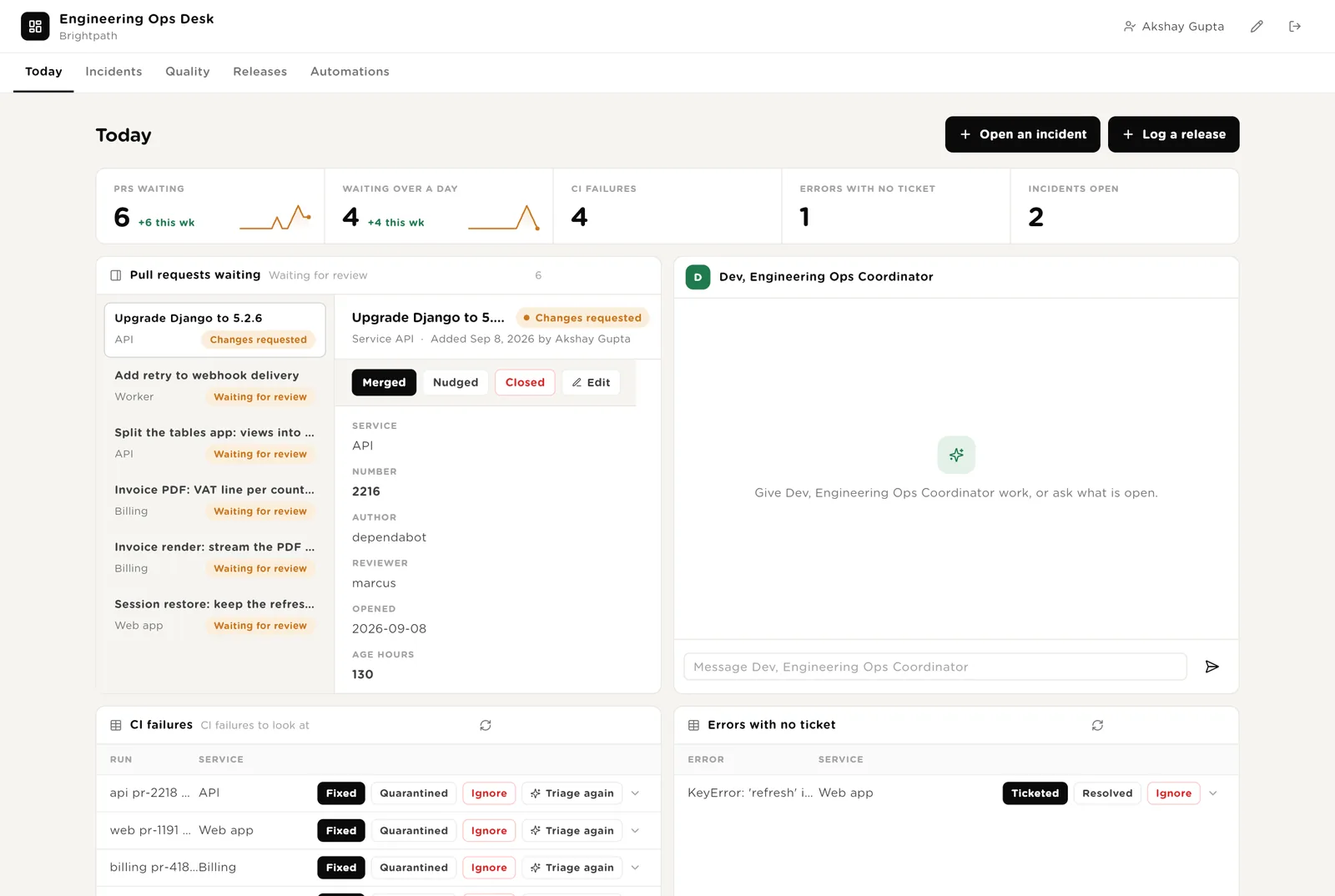
The first screen the manager opens. Five live numbers. Every pull request waiting, oldest first, with its detail. Dev beside them. CI failures to look at. Production errors with no ticket.
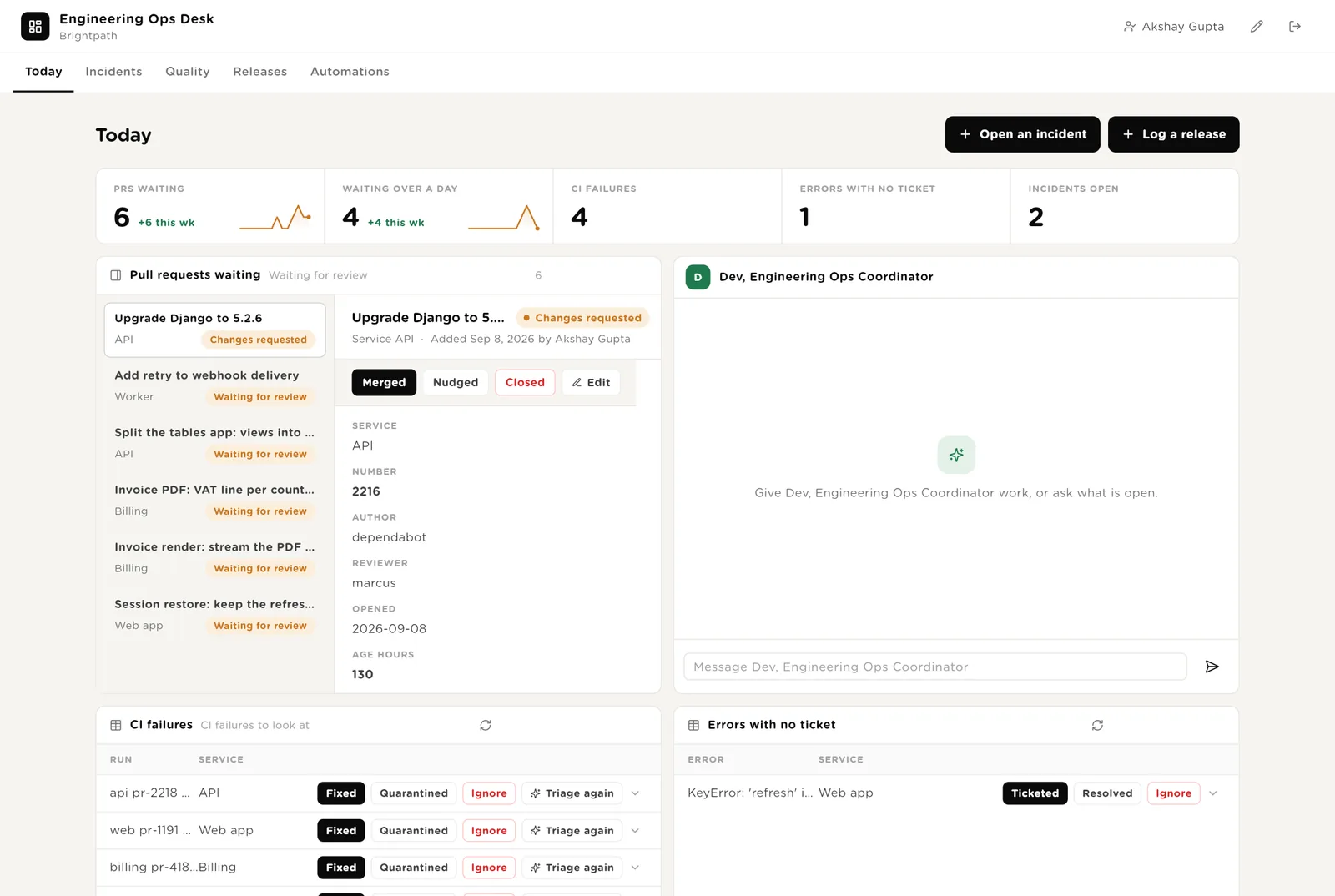
You merged it in source control. Click Merged so the desk records it and the digest counts it.
A flaky test the triager recommended quarantining. You quarantined it; the desk records it.
Runs the triager once more on a failed run, after a rerun or a fix.
Scroll down for everything the software wants to do that needs your Approve, and Dev's recent work.
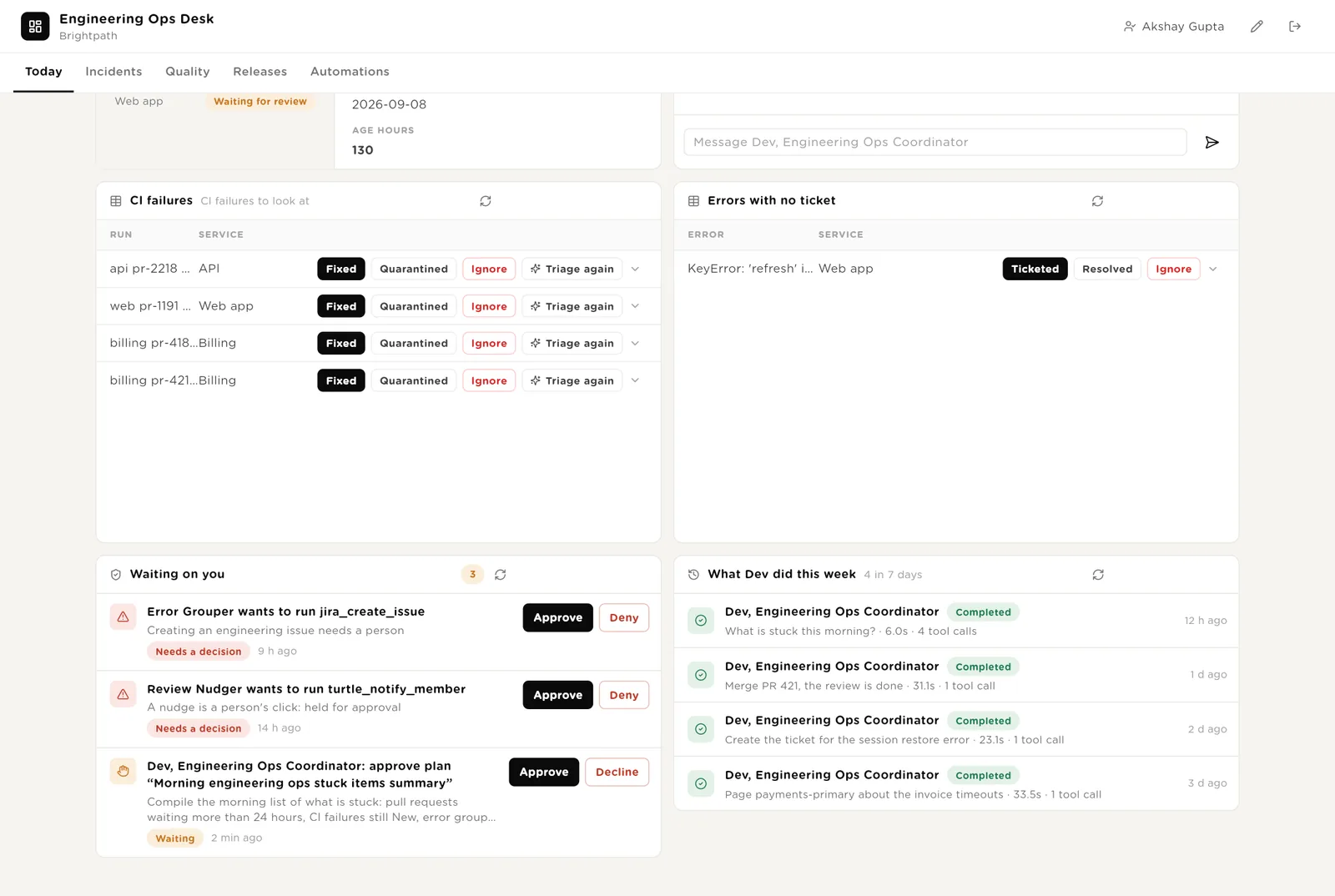
The exact call the software wants to make: the ticket text, the nudge text. Approve or Deny in place; the audit trail records who decided.
Every run with its duration and the tools it used, including the merge and the page Dev was refused.
Open incidents with the timeline the scribe keeps. Post-mortems drafted and waiting for review. Every incident by severity.
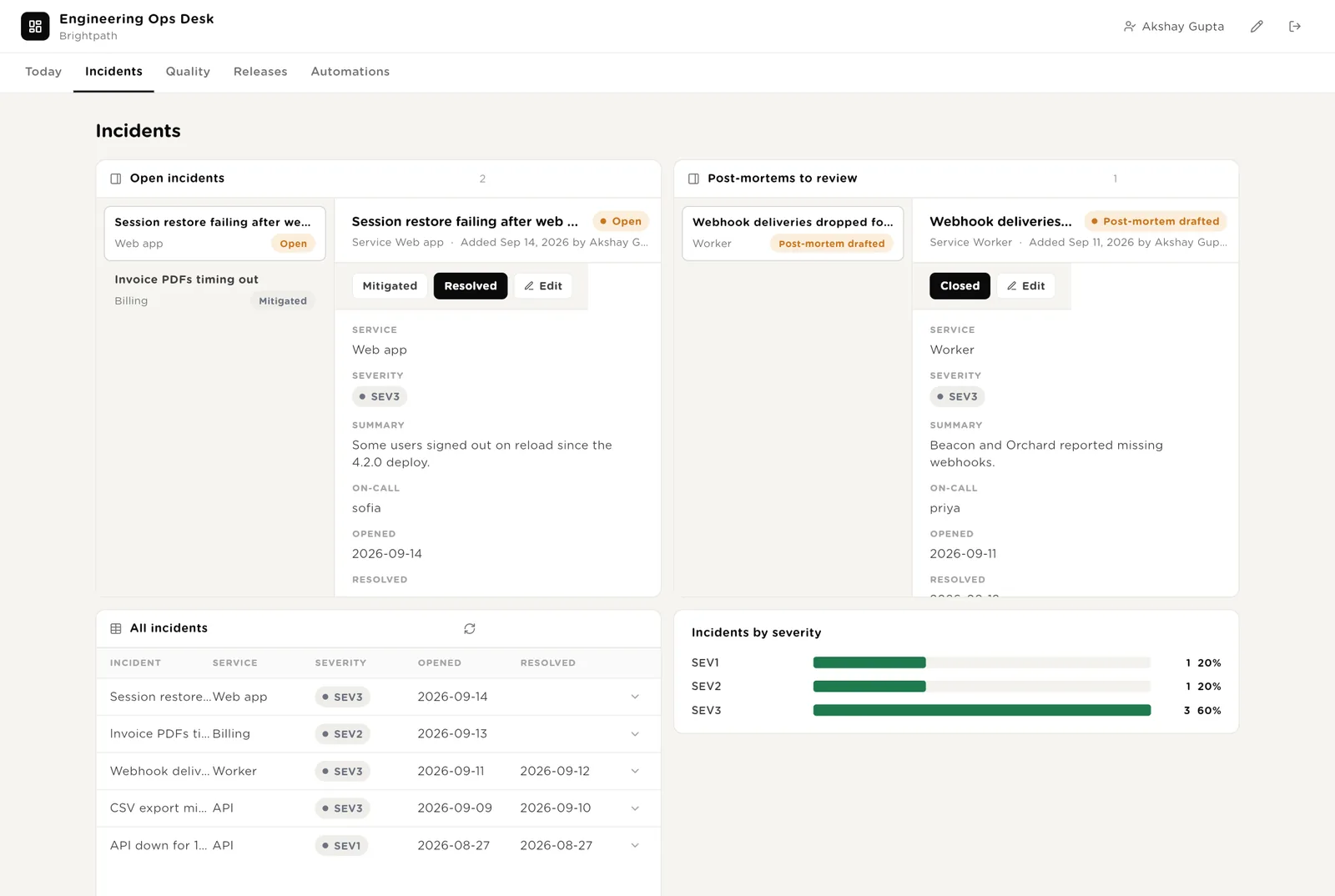
You mark the incident resolved. The scribe drafts the post-mortem and the row moves to "Post-mortems to review".
The post-mortem is reviewed and the actions have owners. The incident closes.
Flags the auditor recommends removing, with why. CI failures by kind, so you can see whether the week was tests, builds, infrastructure or flakiness. Every CI failure and every flag.
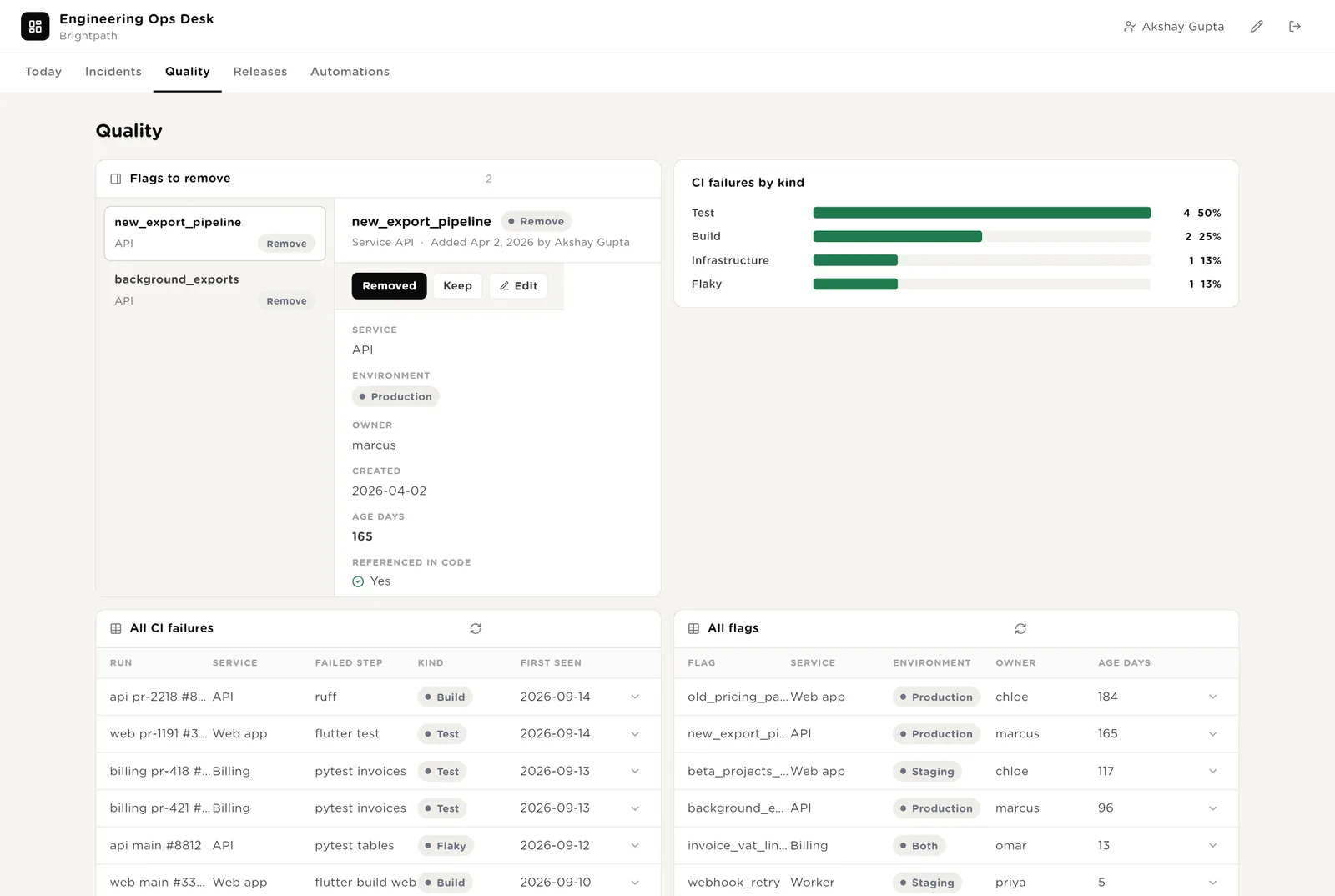
You removed the flag and its old code path. The row leaves the list.
After a month it shows whether the team loses time to real failures or to flaky tests.
Every production error group with its counts and status.
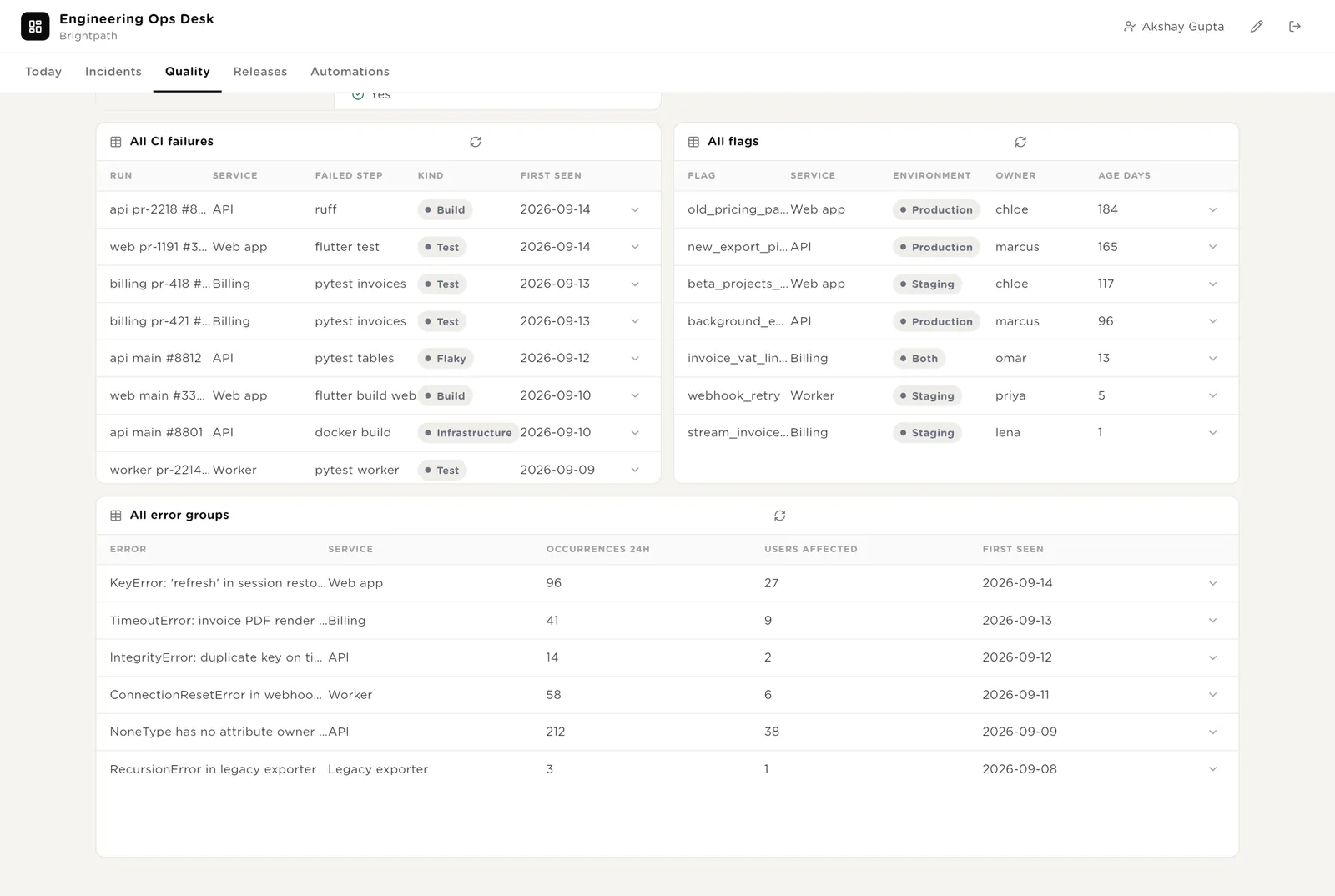
Release notes drafted from the merged pull requests, waiting for approval. Pull requests as cards by status, drag to move. Every release and every service.
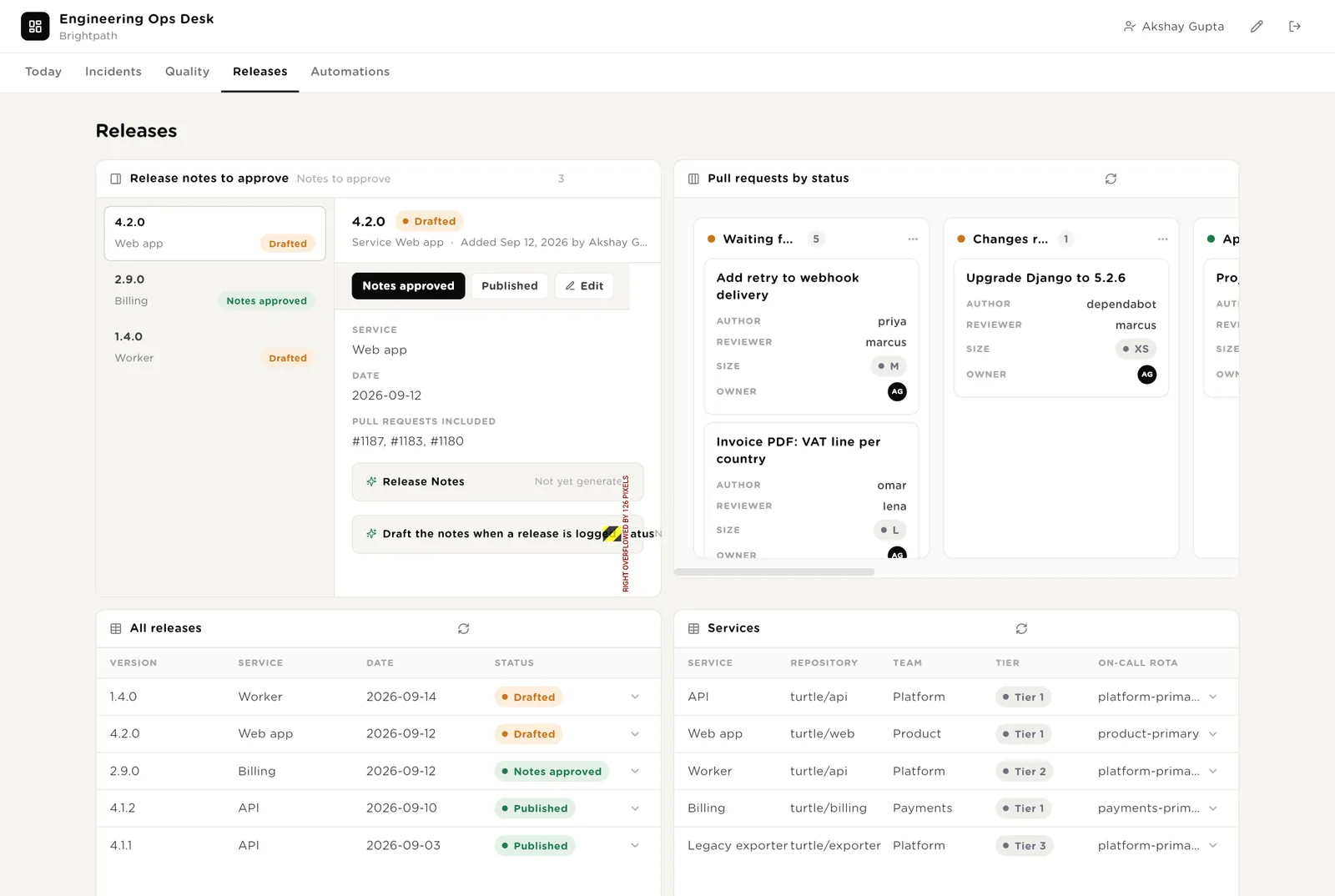
You read the draft and it is right. Publish it wherever your notes live and click Published.
Moving a PR to Merged or Closed updates the record.
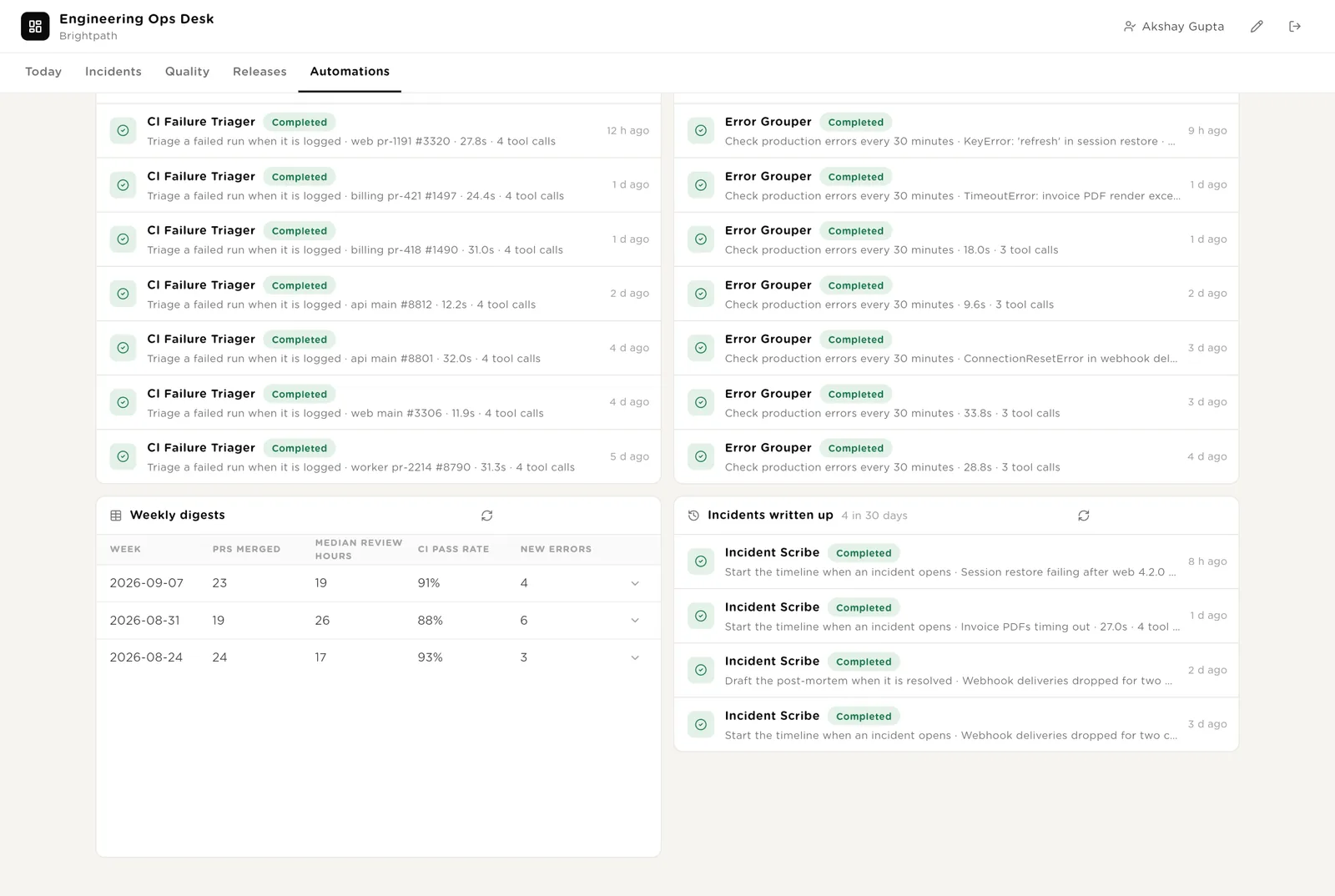
Every automation with its switch. The pack's guard rails. The record of runs triaged, error checks and incidents written up, and the weekly digests.
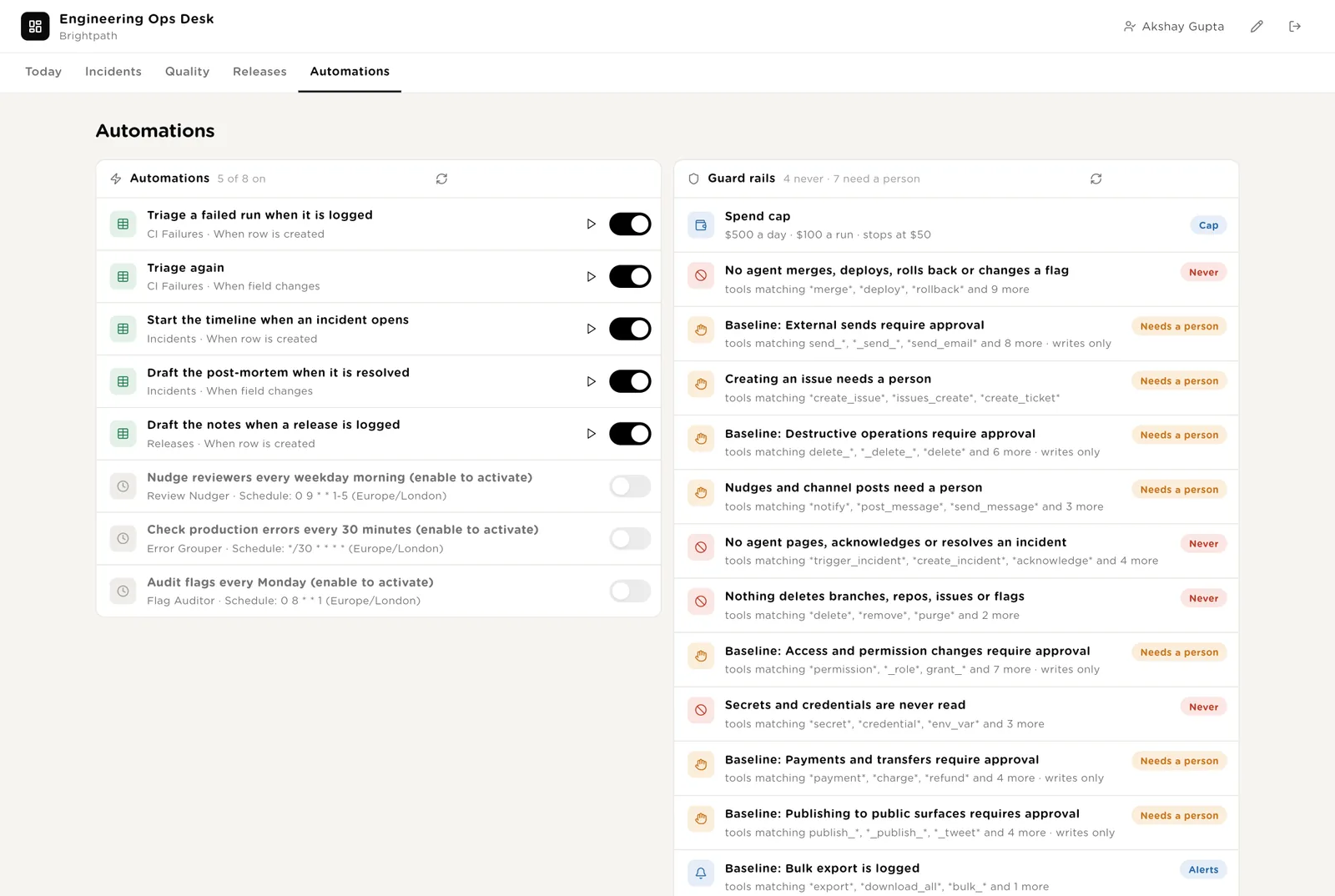
Every triage, error check and incident write-up the desk ran, and the Monday digests.
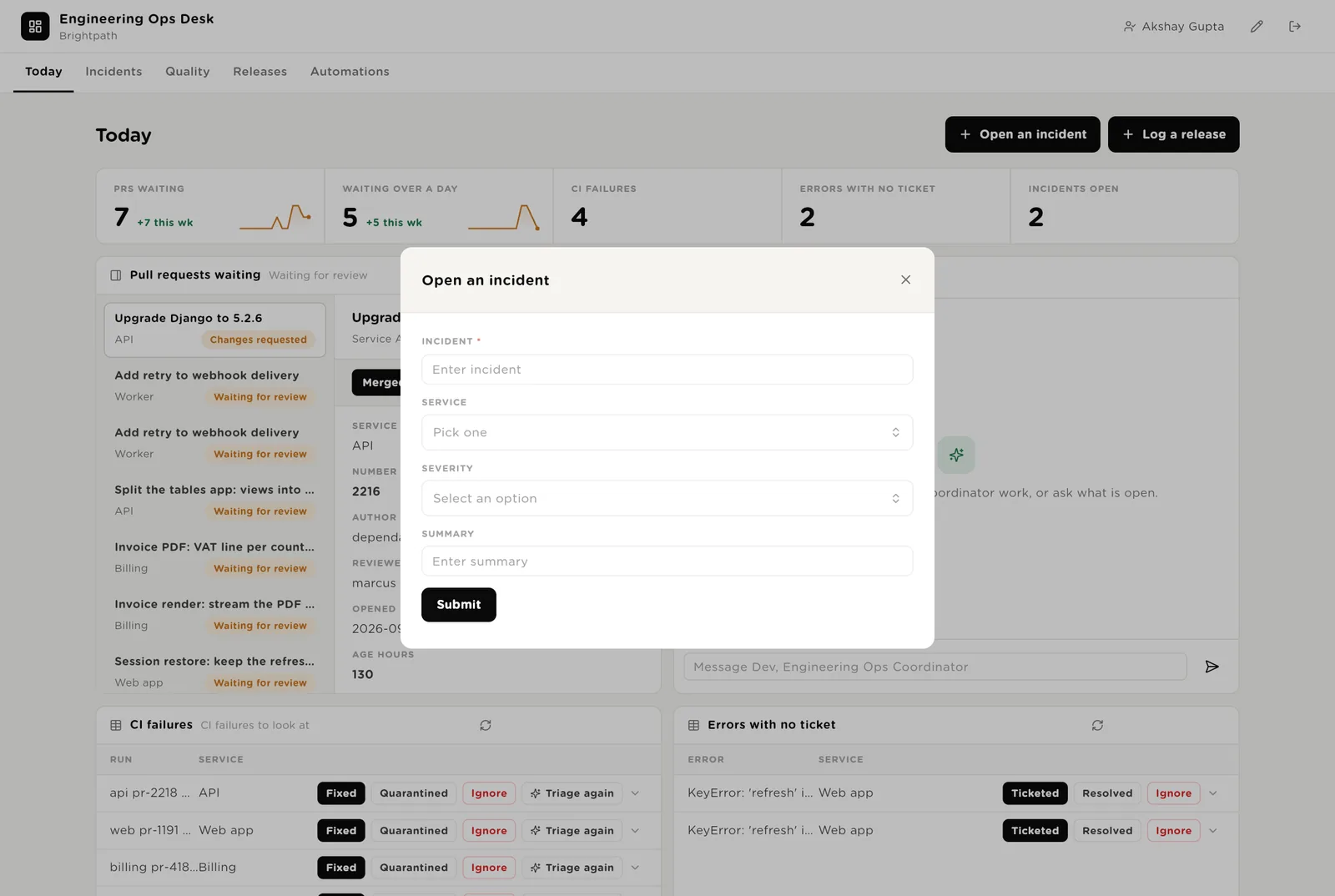
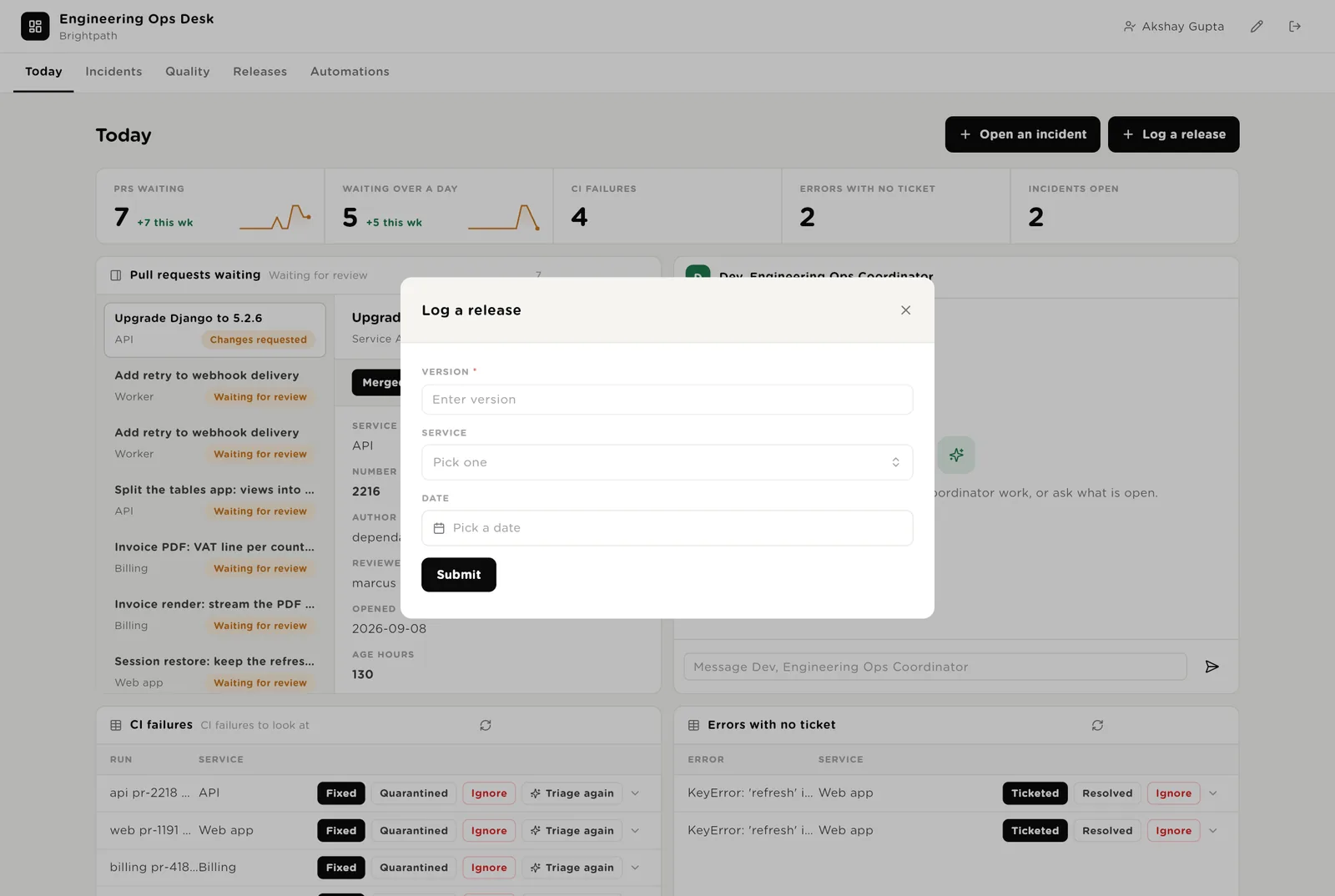
Open an incident when something breaks; the scribe starts the timeline within a minute. Log a release when a version ships; the notes writer drafts the release notes from the merged pull requests.
Dev is a software colleague you can chat with. Dev runs the morning list, knows which agent to use for what, reads the tables, and never touches production.
Every morning: pull requests waiting more than 24 hours, CI failures still New, error groups over threshold with no issue, incidents open or with no post-mortem, flags recommended for removal. One short list, oldest first, with the owner. Tools: source control, the error tool, the on-call tool, the issue tracker, Turtle Notify.
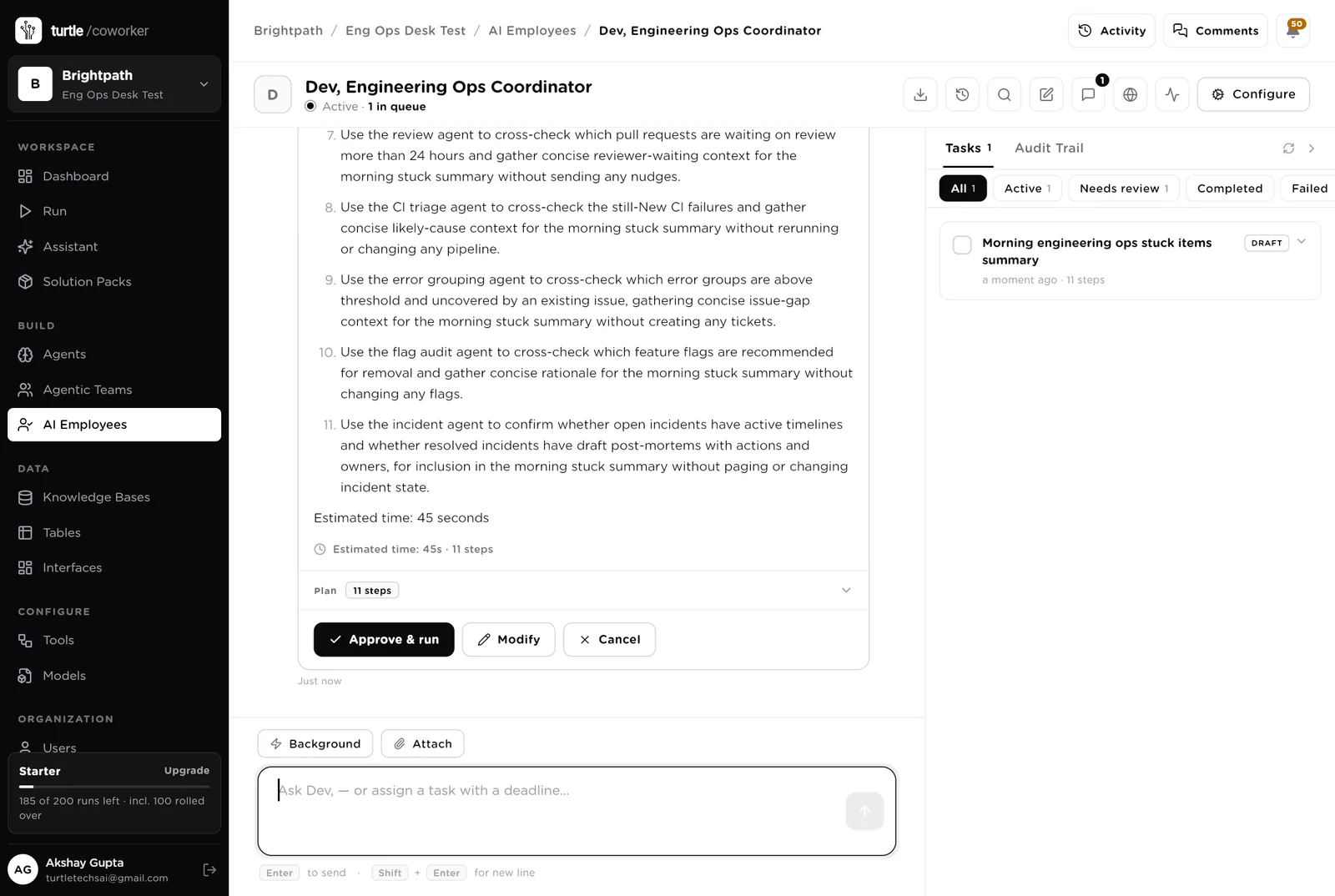
You typed a question. Dev wrote an eleven-step plan (read each table, cross-check with each agent, no nudges, no tickets, no flag changes) and is waiting. Nothing runs until you click "Approve and run". You can change the plan or cancel it.
An agent does one job. It starts on a schedule, when a row is logged, when you press a button, or when Dev asks it. It reads your tools and your handbook, writes its result into the record, and stops. No agent ever changes production.
Every weekday at 09:00 it reads the open pull requests from source control, updates their age and status, and for anything waiting more than 24 hours drafts a two-line nudge to the reviewer in the handbook's tone. XL pull requests get a note to the author asking to split. Drafts and dependency-bot PRs are skipped. Sending waits for a person.
When a failed run is logged it reads the run and its logs from CI, names the first real error, classifies it (test, build, infrastructure, flaky), finds the last green run, and writes the note for the author: what failed, the error, the likely cause, what to do. A step that failed three times on main without a code change is recommended for quarantine.
Every 30 minutes it reads new or spiking error groups from the error tool, keeps those over your threshold, searches the issue tracker for an open issue that already covers each, and drafts the ticket for the rest: title, service, first seen, counts, stack trace, the release it started in. Creating the issue waits for a person.
The write-ups and the housekeeping that get skipped when the week is busy.
When an incident opens it reads the alert and its notes from the on-call tool and the service's signals from monitoring, and writes the timeline: time, what was seen, what was done, by whom. When the incident is marked Resolved it drafts the post-mortem per your template: what happened, impact, timeline, root cause, what went well, actions with owners. Blameless. Never pages, acknowledges or resolves anything.
Every Monday it reads every flag, searches source control for references to each key, updates the age, and recommends removal for flags older than 90 days that are fully on or off, or that no code references. Never changes a flag.
When a release is logged it finds the previous release of the same service, reads the pull requests merged between the two, drops internal-only changes, and writes the notes under Fixed / Improved / Changed / New in plain words. No PR numbers, no internal names. A person approves and publishes.
Every Monday at 08:00 it counts pull requests merged, median review hours, CI pass rate, new error groups and incidents, lists what shipped, names the three things to fix this week, and emails the engineering manager.
The help desk is an internal chat. It says what shipped in a version, who owns a service, where a pull request, error or incident stands, and what the runbook says. It reads the tables and the handbook and never changes anything.
A router sends the question to a status specialist (reads the tables) or a handbook specialist (reads the handbook and runbooks).
Tables are where everything is stored. They look like spreadsheets and your team can open and edit them. Source control, CI, the error tool, the on-call tool and the issue tracker stay the record; the desk holds the queue, the drafts and the evidence.
| Table | What is in it | Stages |
|---|---|---|
| Services | What the team owns, with the repository, the tier and the on-call rota. | Active · Deprecated |
| Pull Requests | Open pull requests with age, size, reviewer and the nudge drafted. | Waiting for review → Approved → Merged · Changes requested · Closed · Draft |
| CI Failures | Every failed run, classified, with the triage note. | New → Triaged → Fixed · Quarantined · Ignored |
| Error Groups | New production errors with counts, users affected and the ticket draft. | New → Triaged → Ticketed → Resolved · Ignored |
| Incidents | Every incident with the timeline, the post-mortem and the actions. | Open → Mitigated → Resolved → Post-mortem drafted → Closed |
| Feature Flags | Every flag with its age, whether code references it, and the recommendation. | Active → Remove → Removed · Keep |
| Releases | Every release with the pull requests included and the notes drafted. | Drafted → Notes approved → Published |
| Weekly Digest | The Monday numbers and the three things to fix. | One row per week |
The software knows nothing about how your team works except what the tables and your handbook tell it.
Two documents: your engineering rules (review expectations, what counts as flaky, when an error deserves a ticket, severity definitions, the post-mortem template, release notes style) and your runbooks per service. Every agent and the help desk read them. Replace the starter text with your own.
The pack uses whichever AI model your company has already connected. Other vendors of the same kind swap in at install time without changing the desk; a team on GitLab, Rollbar and Jira gets the same desk.
Checks on arrival are on from day one. The schedules are off until you switch them on from the desk.
| Automation | Agent | When | Ships |
|---|---|---|---|
| Triage a failed run | CI Failure Triager | The moment a failed run is logged | On |
| Start the timeline | Incident Scribe | The moment an incident opens | On |
| Draft the post-mortem | Incident Scribe | When an incident is marked Resolved | On |
| Draft release notes | Release Notes Writer | The moment a release is logged | On |
| Nudge reviewers | Review Nudger | Weekdays 09:00 | Off until you switch it on |
| Check production errors | Error Grouper | Every 30 minutes | Off until you switch it on |
| Audit flags | Flag Auditor | Monday 08:00 | Off until you switch it on |
| Monday digest | Weekly Engineering Digest | Monday 08:00 | Off until you switch it on |
Buttons on the desk run agents too. "Triage again" runs the triager on one failed run.
Three things always need a person. The software stops and waits at each one.
Merged, Nudged, Closed, Fixed, Quarantined, Ticketed, Resolved, Removed, Notes approved, Published. Only a person presses them. The software can say a PR is waiting; it cannot merge it. It can say a flag is stale; it cannot remove it.
If an agent or Dev tries to create an issue in the tracker or send a nudge, it stops. The exact call appears in Approvals. You read it and click Approve or Deny. Merges, deploys, rollbacks, flag changes and paging are refused outright, from every agent.
When you give Dev a task, Dev shows what it will do first. Approve and run, change it, or cancel.
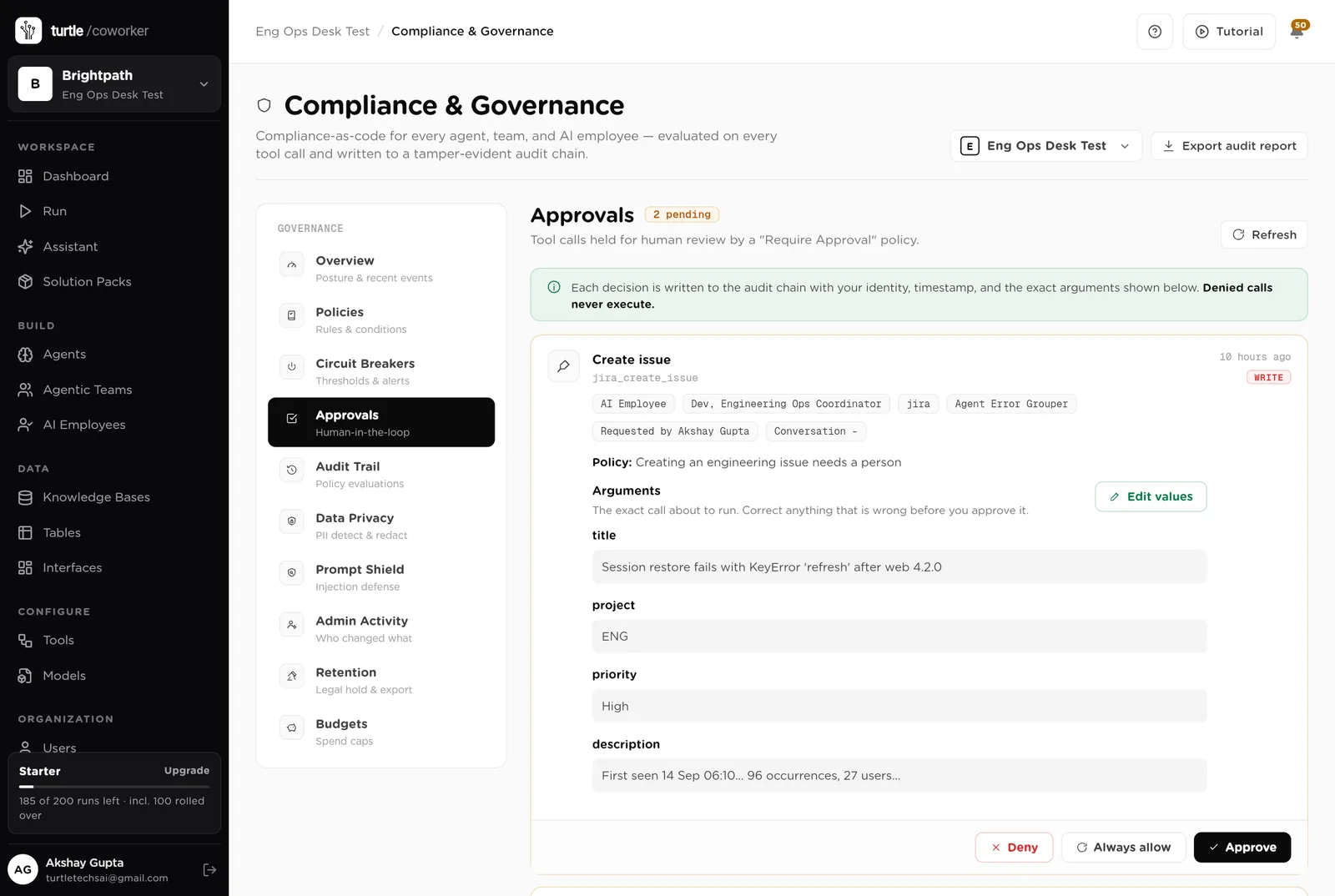
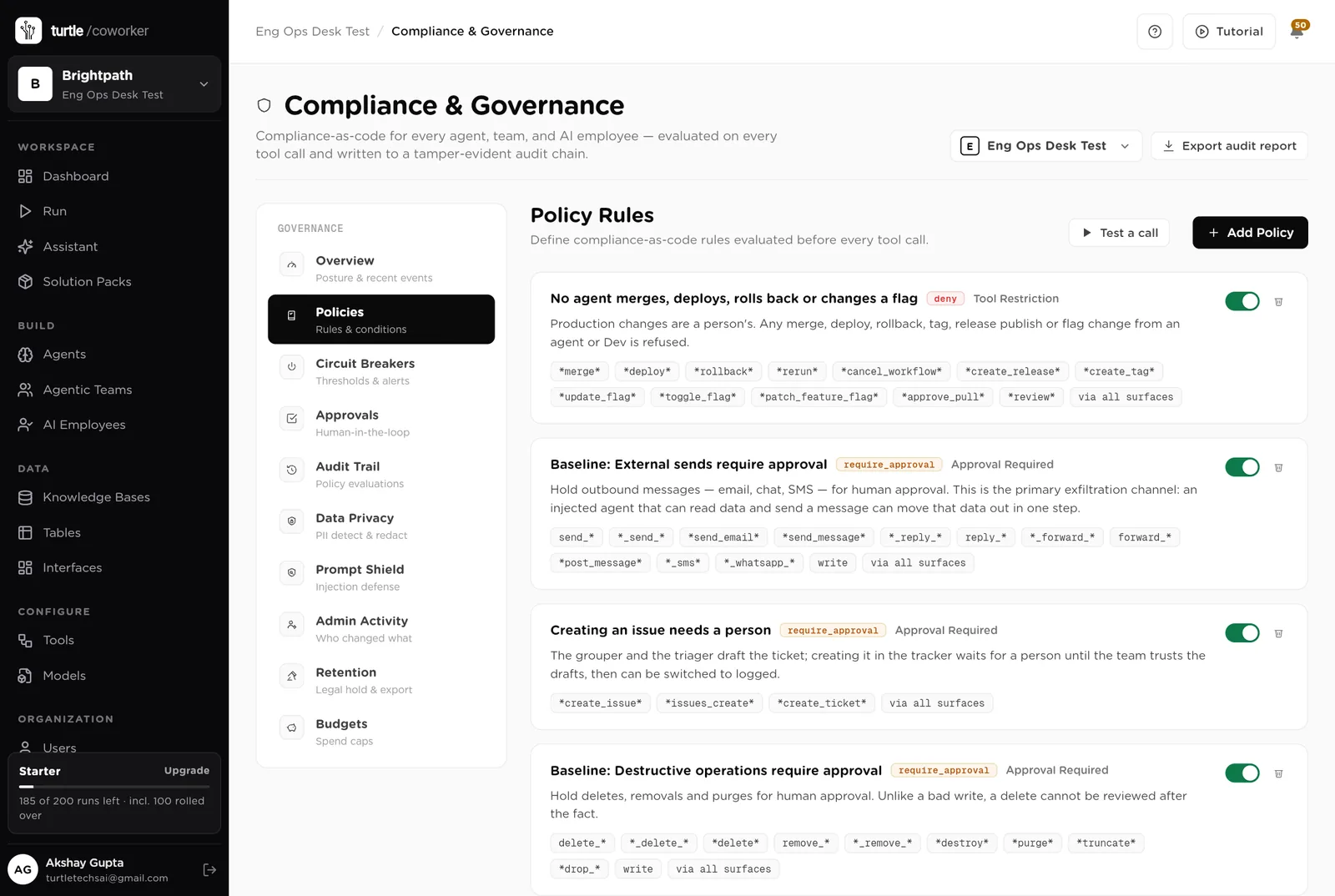
A rule is checked before every single thing the software tries to do. The pack installs six rules of its own on top of the standard ones every workspace starts with.
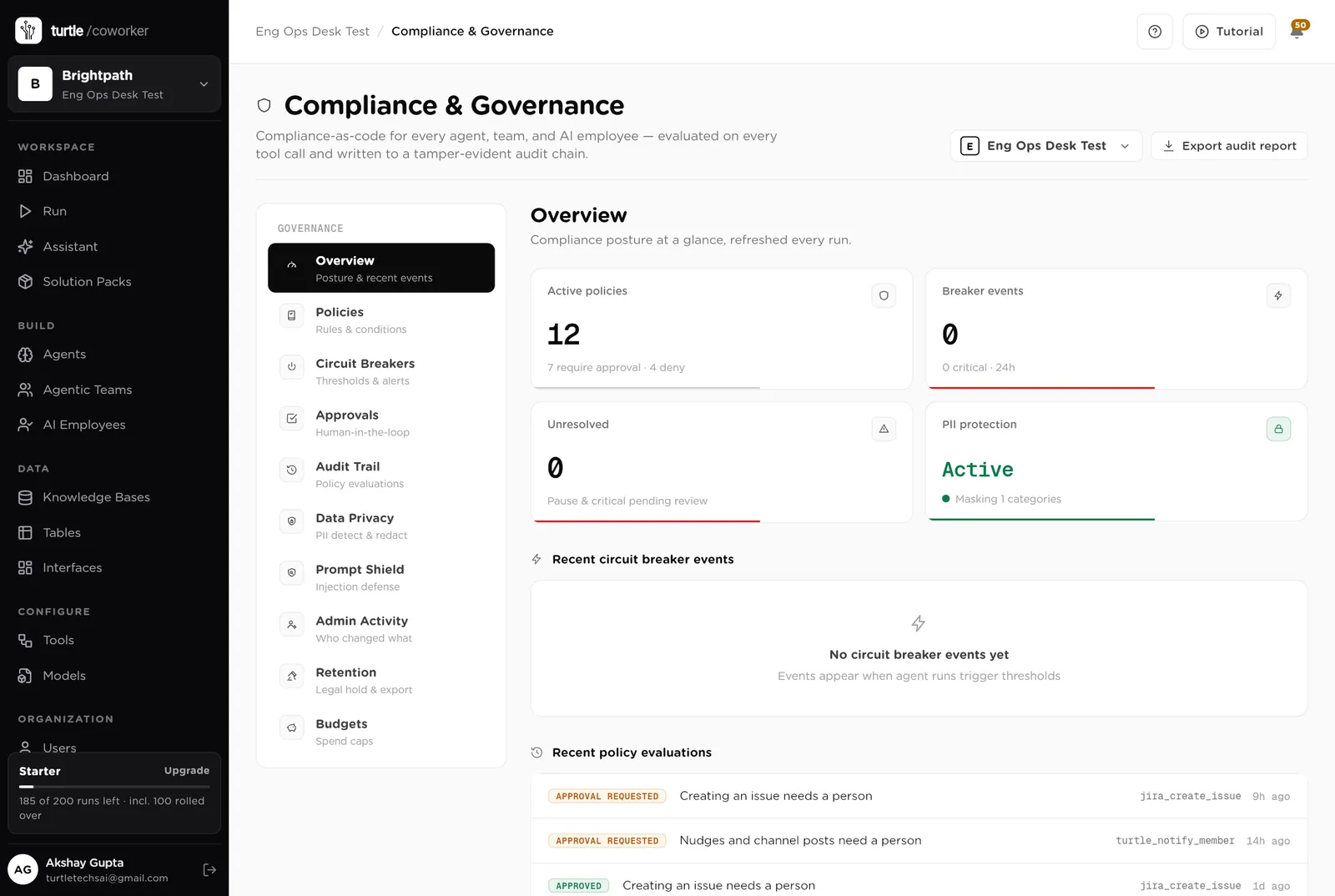
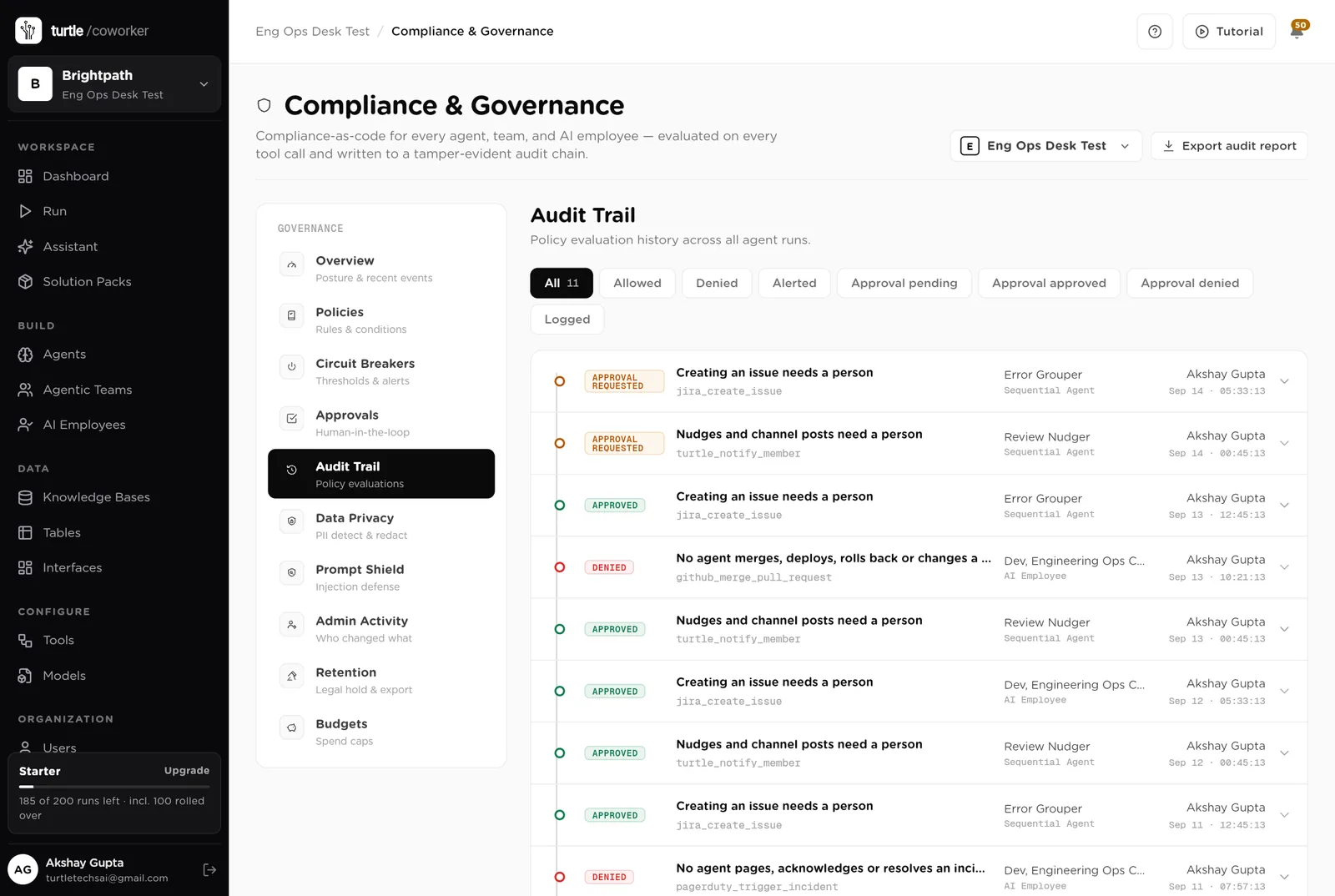
For every run you can see which agent ran, why it ran, every step it took, and every rule that checked it. Passwords and card numbers are blanked out before anything is stored.
A monthly budget with a warning level and a hard stop for the software's own usage.
Agents read pull requests, logs and stack traces to write notes; nothing is exported, and secrets are never read.
Who drafted it, what the error tool said, who approved it, when. The audit trail and the Error Groups table say the same thing.
The desk is shared with the team. Only owners and admins change the layout.
These estimates assume ten developers, about 25 pull requests a week, 15 CI failures a week, 5 new error groups a week, one incident a fortnight, a release a week and 30 feature flags. "Before" is the time by hand; "after" is the reading and deciding that is left. Your numbers will differ. These are estimates, not measurements; after a month the audit trail gives you real figures.
| Job | Assumption | Hours before | Hours after | What changes |
|---|---|---|---|---|
| Chasing reviews | 20 min a day | 1.7 | 0.3 | Nudges drafted every morning; you approve. |
| Working out why CI is red | 20 min each, 15 a week | 5.0 | 1.5 | Classified with the error and the last green run; you read. |
| Turning error spikes into tickets | 30 min each, 5 a week | 2.5 | 0.5 | Deduped and drafted with the trace; you approve. |
| Writing incident timelines and post-mortems | 3 h each, 1 a fortnight | 1.5 | 0.5 | Timeline kept live; post-mortem drafted on resolve. |
| Auditing feature flags | 2 h a month | 0.5 | 0.1 | Every Monday, with the files referencing each flag. |
| Writing release notes | 1 h a week | 1.0 | 0.3 | Drafted from the merged PRs in plain words. |
| The Monday numbers | 1.5 h a week | 1.5 | 0.2 | Written and emailed every Monday. |
| Answering "who owns" and "what shipped" | 2 h a week | 2.0 | 0.5 | The helpdesk answers from the tables. |
| Total per week | 15.7 | 3.9 | About 12 hours a week back for the lead and the on-call, and no error spike waits until someone happens to look. |
The PR that waited three days now gets a polite nudge on day two, every time.
The author gets the failing test and the likely cause, not a red icon.
The timeline is already there when the incident closes; the draft is one click from done.
Estimates, not measurements. After a month the audit trail gives you real figures.
Installing takes one click. The real work is the handbook and the services list.
Install the pack from the Solution Packs page. Connect source control, the error tool, the on-call tool and the issue tracker when asked; CI and monitoring if you use them.
Replace the starter text with your review rules, severity definitions, post-mortem template and runbooks.
List your services with their repositories, tiers and on-call rotas.
Log failed runs and incidents through the desk. Switch on the error check and the review nudger.
Switch on the flag audit and the Monday digest, and move the issue-creation rule to logged once the drafts are trusted.
You pay for the platform, not per desk. The plan sets how many agents, employees and workspaces you can run; every desk is included, and runs are billed on your own model key at cost. 7 agents in this desk count against the plan's agent limit.
See plansWe use analytics cookies to see which pages help and which don’t. Nothing loads until you choose. Cookie Policy

Hello there.
AI agent. It can make mistakes, and a human reviews anything that matters.