Software for the person who runs an online store's operations. Every two hours the orders past their promised date or flagged by the carrier get a drafted customer update and, when the time comes, a drafted carrier claim. A refund request is checked against the order, given its band (Auto under 50, Manager 50 to 500, Owner over 500) and a drafted reply; a person in the band approves. A chargeback gets its evidence pack before the deadline. Every morning the stock planner works out days of cover per product and drafts the purchase order for anything running low. New reviews get a drafted reply in your voice; one and two stars go to a person. Every Monday quiet customers are queued for a win-back behind approval. At 17:30 you get the day's numbers. No agent refunds, changes a price, sends a customer a word, files a claim or places an order.
For online stores doing 200 to 5,000 orders a month, with one person or a small team running operations
The pack is built for whoever is responsible for parcels arriving, refunds being decided, chargebacks being answered, shelves staying stocked and customers being answered. It fits three kinds of team.
One storefront, one shipping tool, one payment tool, a small team. You get the desk, Noa, every agent and the public "Help with your order" page. Your storefront stays the record.
One channel inside a bigger company with its own operations rules, refund bands and approvers. The desk gives the channel lead the morning list and the evidence for finance.
One workspace per client, each with its own storefront, playbook and digest. The agents are the same for every client; the bands and the voice differ.
| E-commerce operations | Late parcels chased, claims drafted, purchase orders drafted, the daily digest. |
| Customer service | Refund requests routed with a drafted reply; reviews answered; the public help page and its chat. |
| Finance | Refunds approved by band, chargebacks answered with evidence before the deadline. |
| Merchandising / Buying | Days of cover per product every morning, purchase orders ready to approve. |
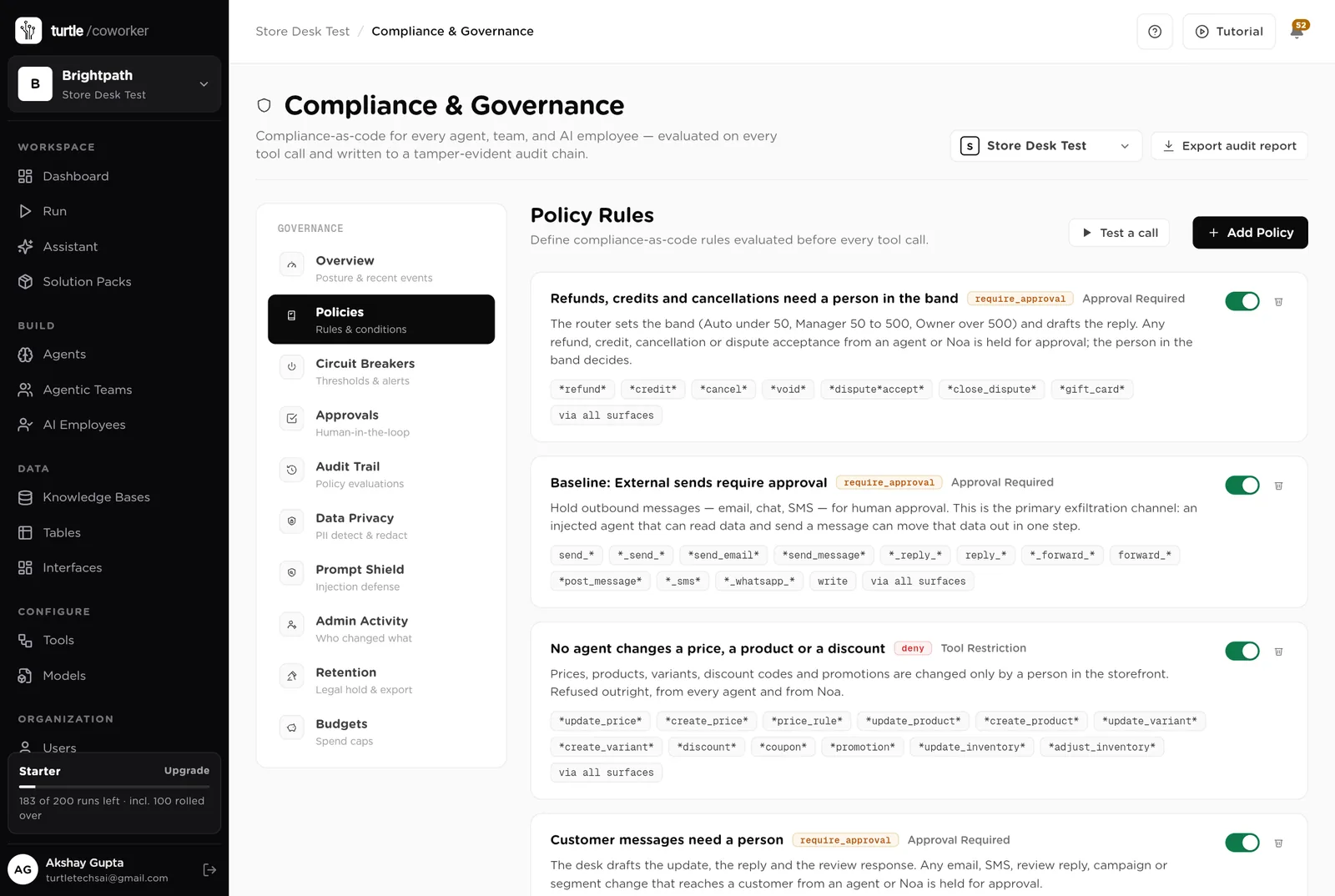
Everything the software produces is a draft, a band or a recommendation for a person. It never refunds, credits or cancels, never changes a price, a product or a discount, never sends a customer a message, never files a carrier claim, never places a purchase order, never deletes anything. A person in the right band decides.
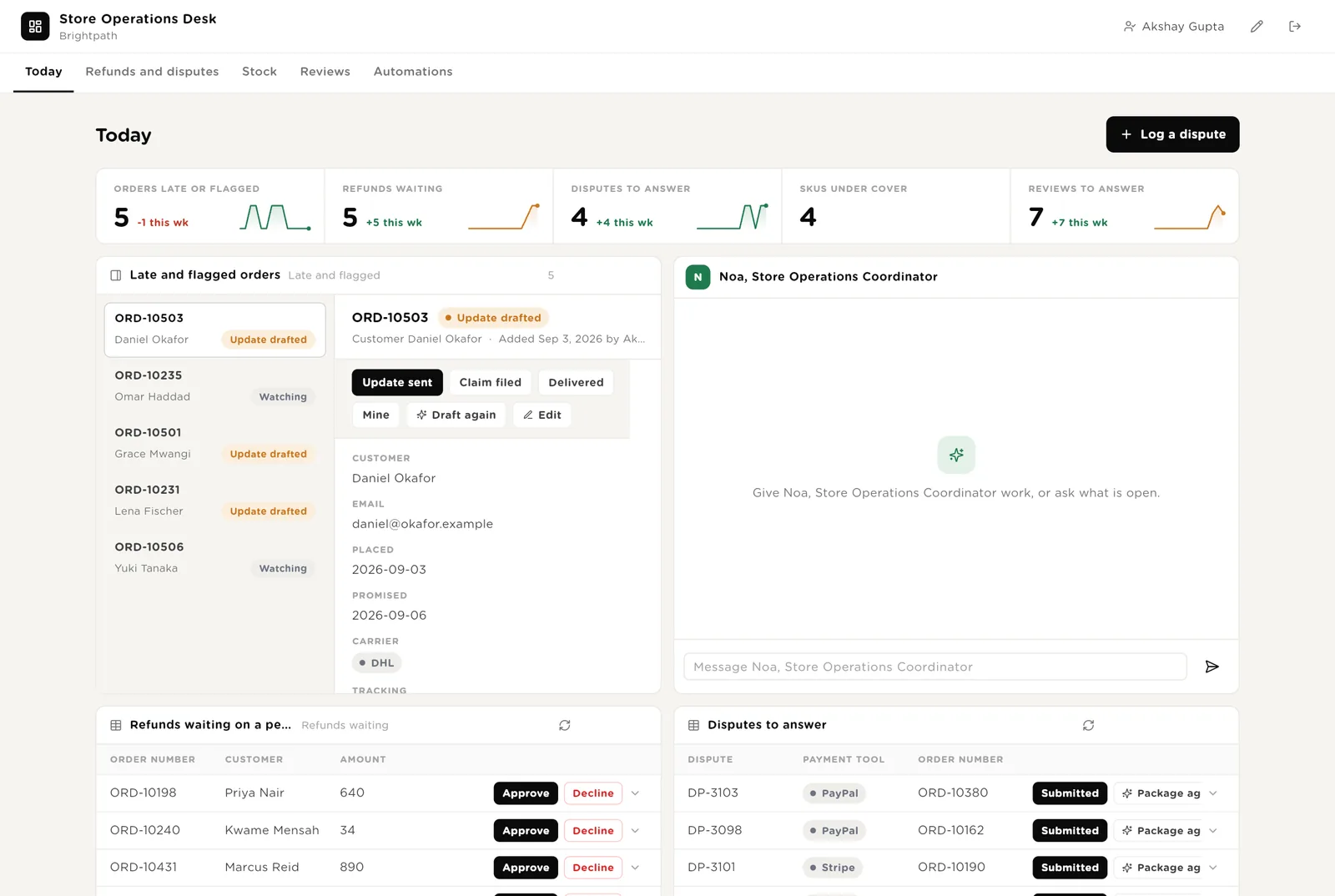
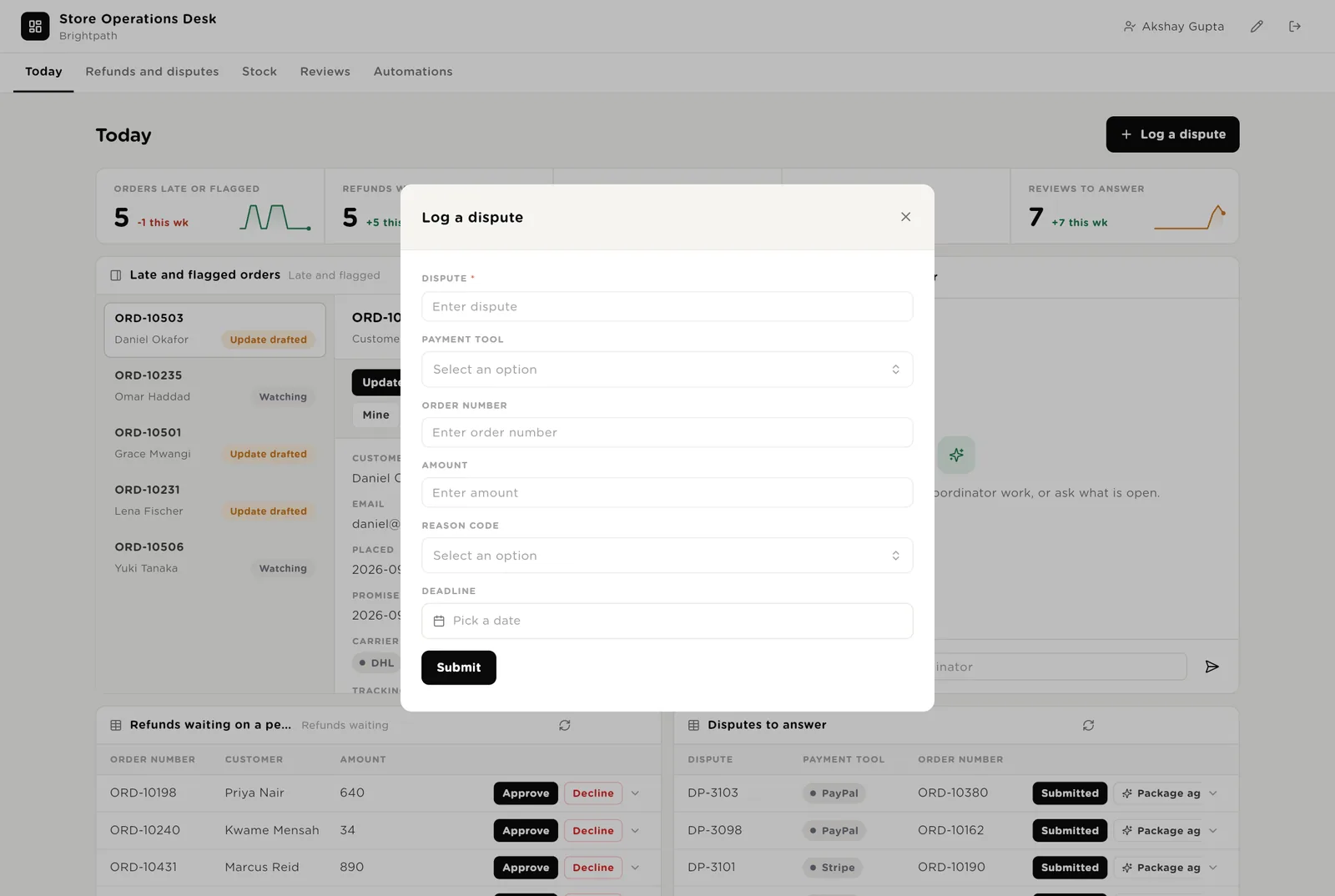
The first screen the operations lead opens. Five live numbers. Every late or flagged order, oldest first, with the drafted update. Noa beside them. Refunds waiting on a person and disputes to answer.
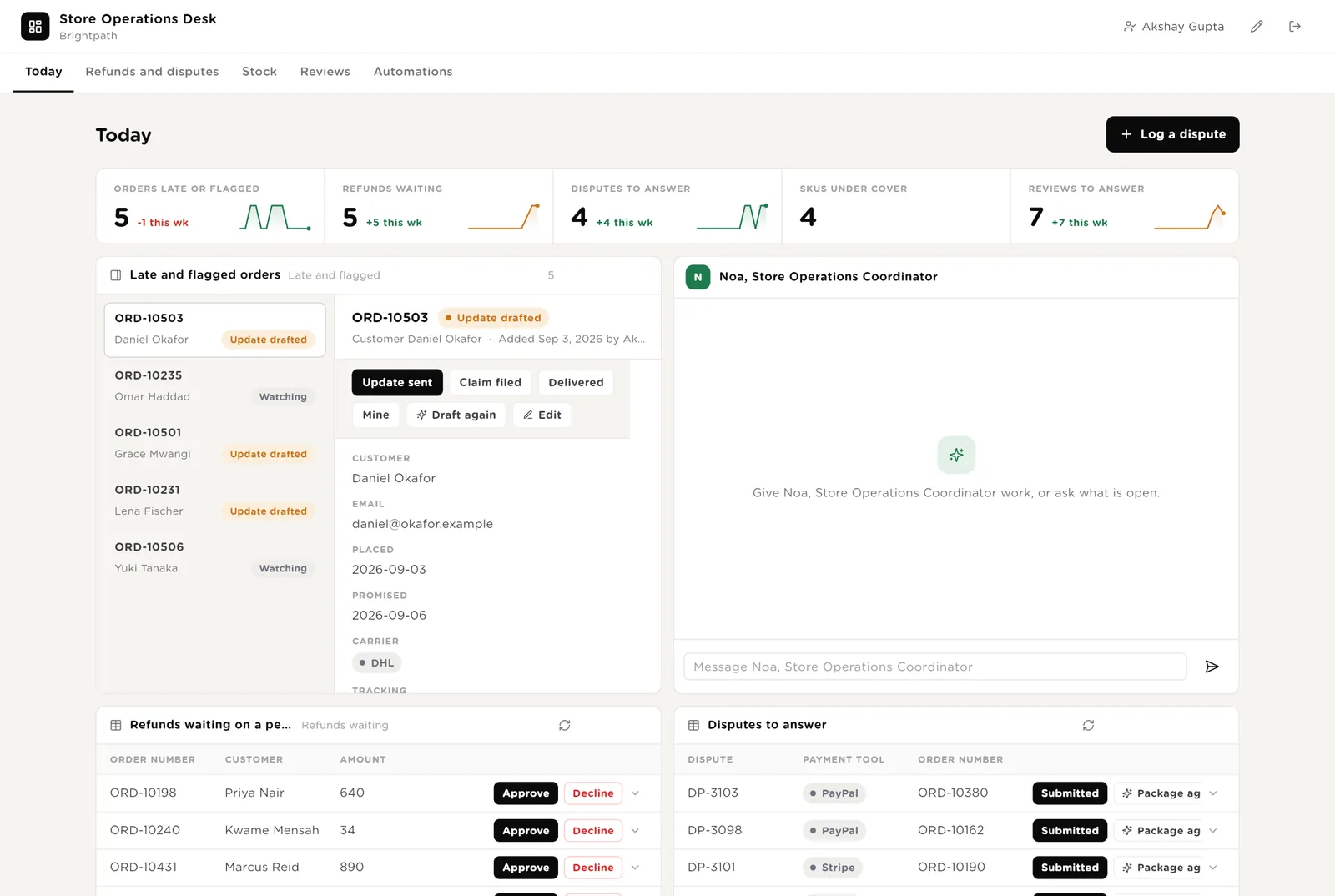
You read the drafted update and sent it from your storefront or helpdesk. Click Update sent so the desk records it.
You are in the band for this refund. Approve moves it to "Approved, to refund"; you issue the refund in the payment tool and click Refunded.
Runs the watcher once more on one order, after the carrier has updated.
Scroll down for everything the software wants to do that needs your Approve, and Noa's recent work.
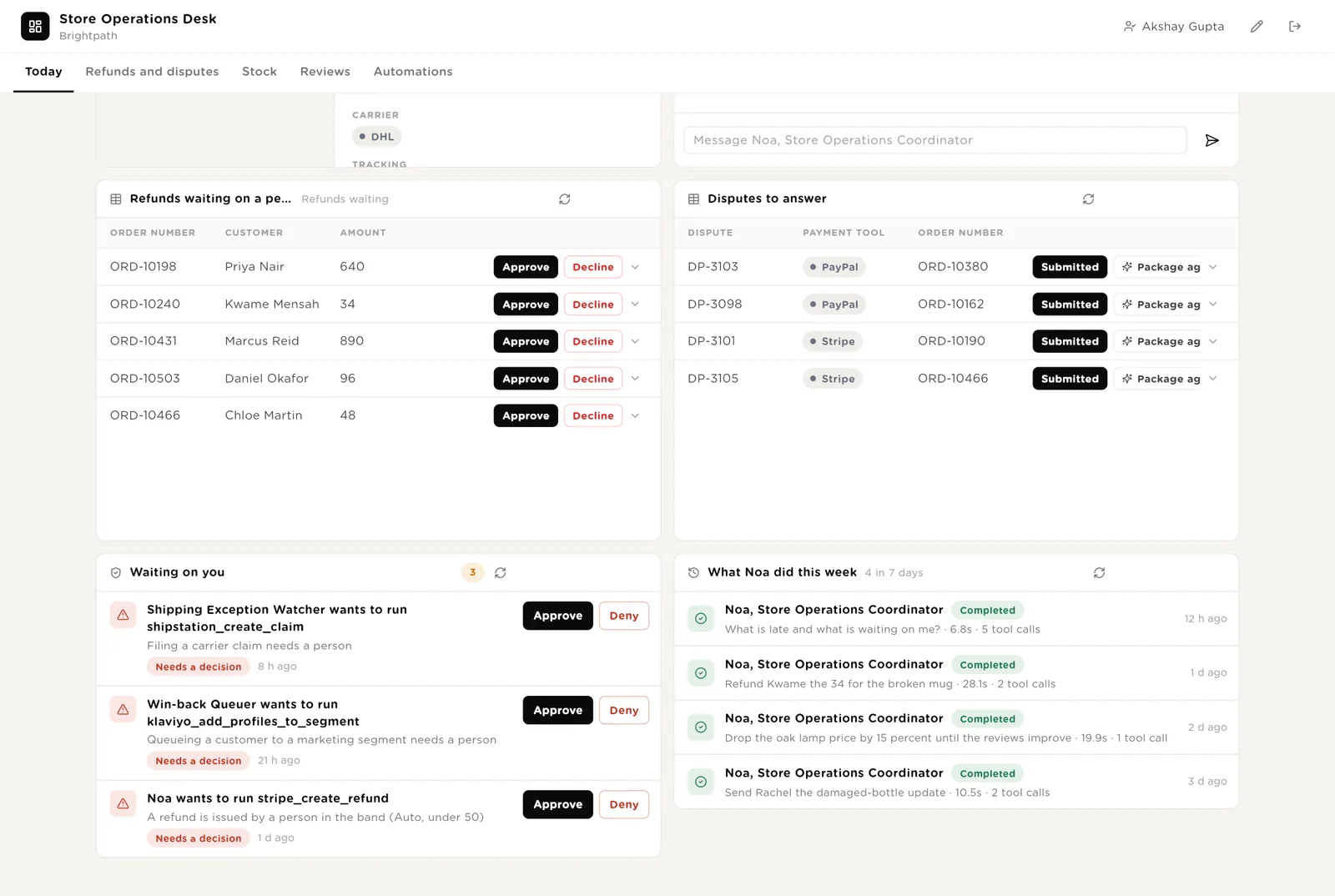
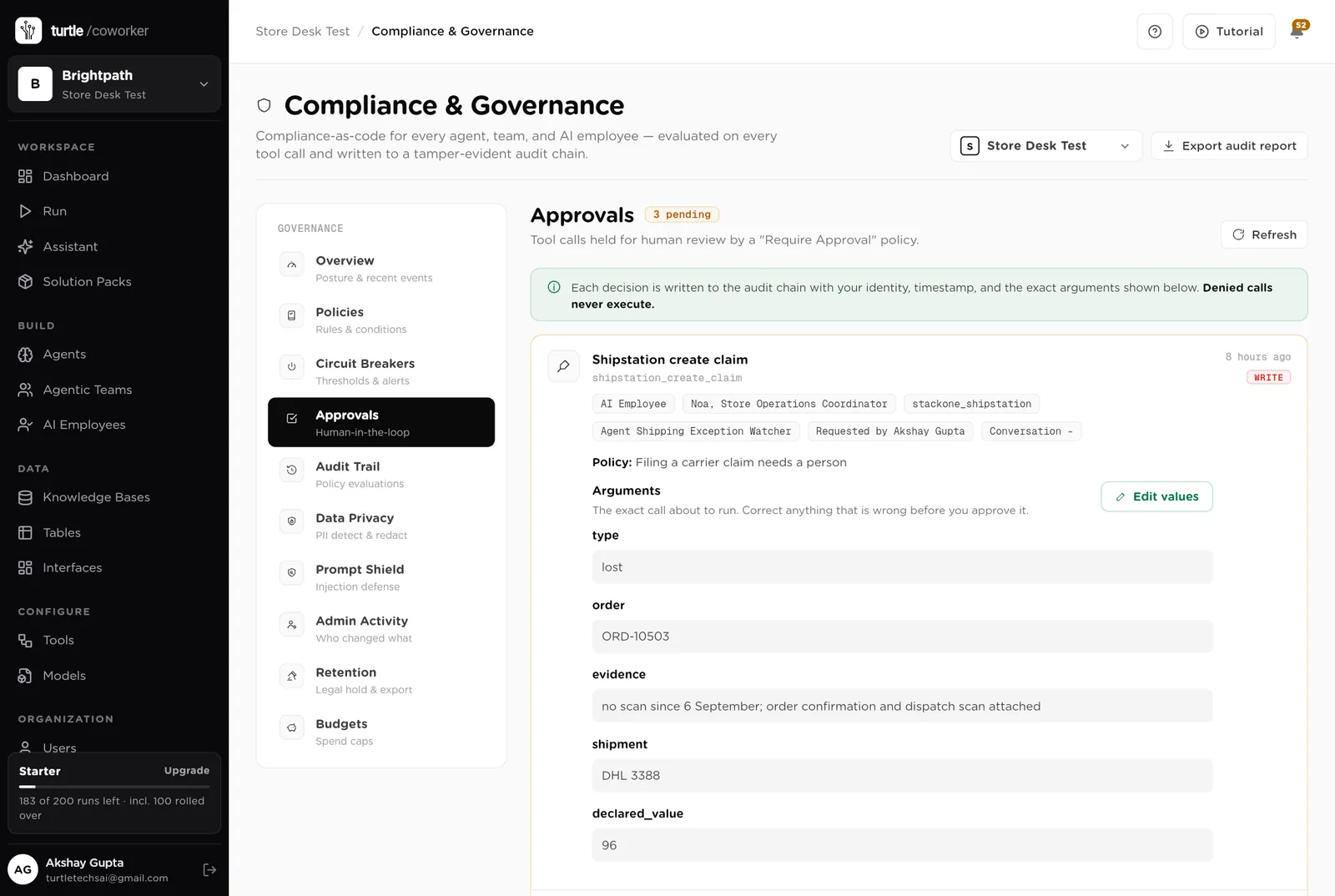
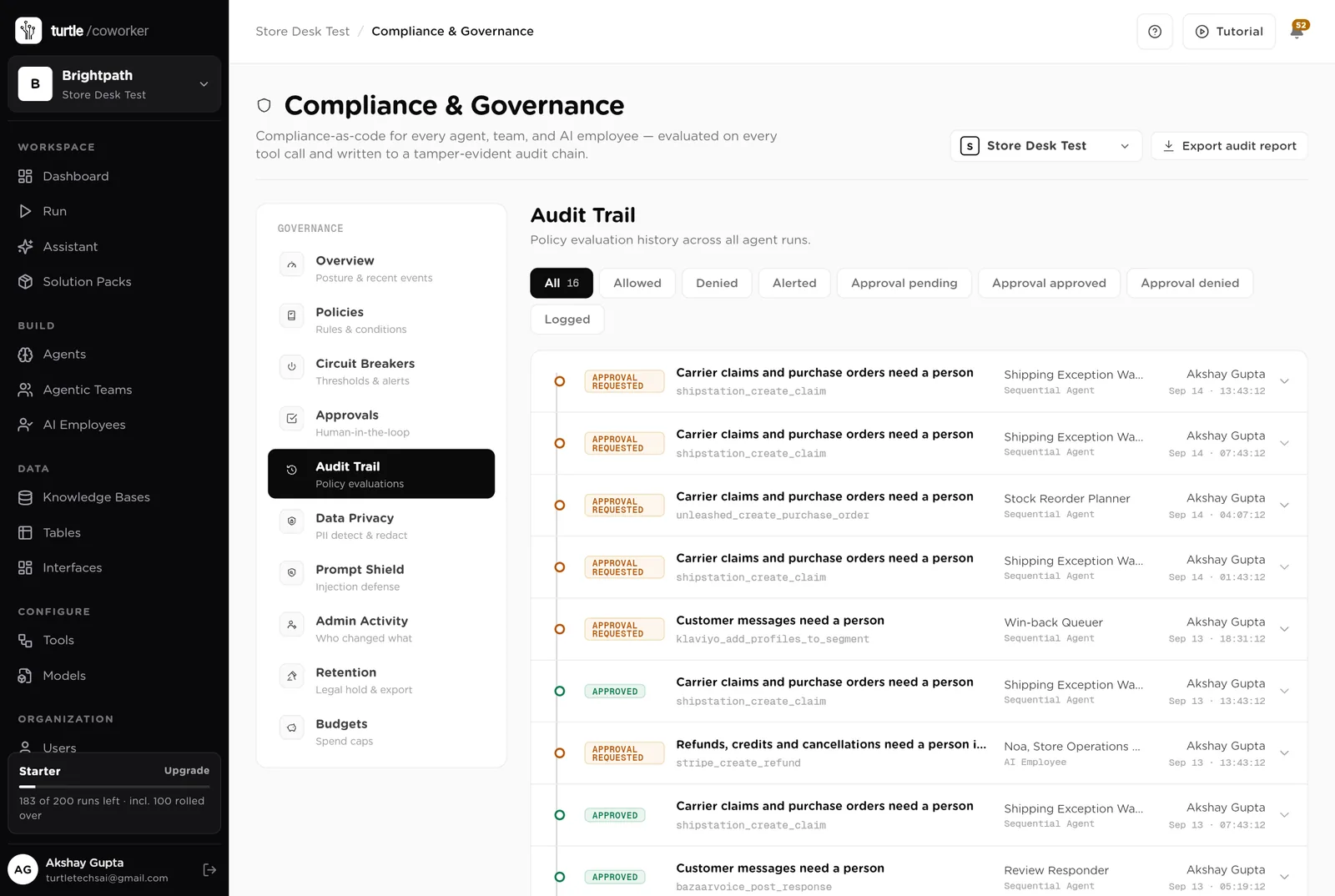
The exact call the software wants to make: the claim, the refund, the segment. Approve or Deny in place; the audit trail records who decided.
Every run with its duration and the tools it used, including the price change Noa was refused.
Every refund request with its band and the drafted reply. Approved refunds waiting to be issued in the payment tool. Requests by band. Disputes with the evidence pack and the deadline.
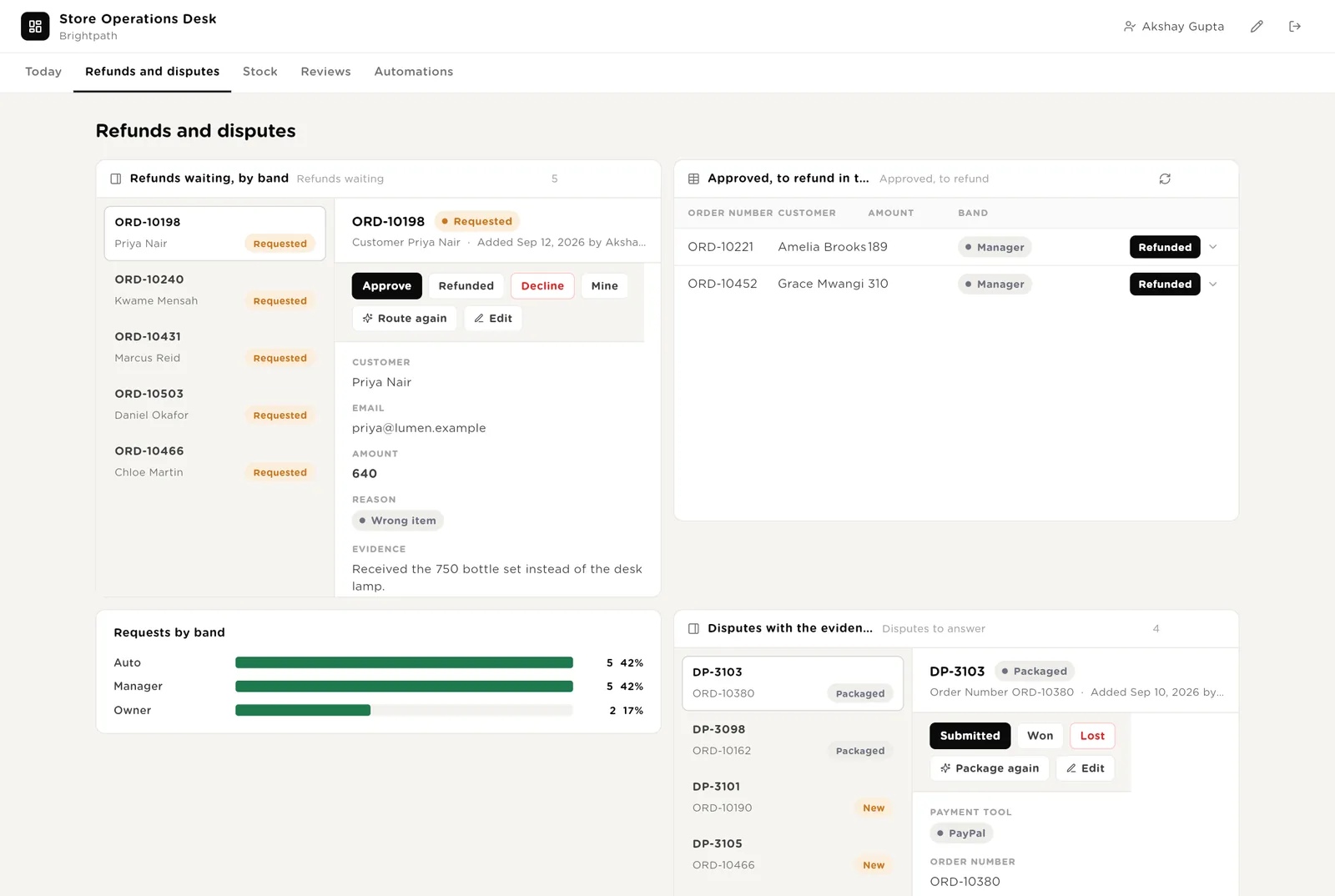
Auto under 50: anyone on the team. Manager 50 to 500. Owner over 500. The router sets it from the amount; the person in the band clicks Approve.
You issued the refund in the payment tool. Click Refunded; the desk and the digest record it.
You read the evidence pack and submitted it in the payment tool before the deadline.
Every product under cover with the purchase order drafted: units, supplier, cost, total. Orders approved and on their way. Every SKU by days of cover.
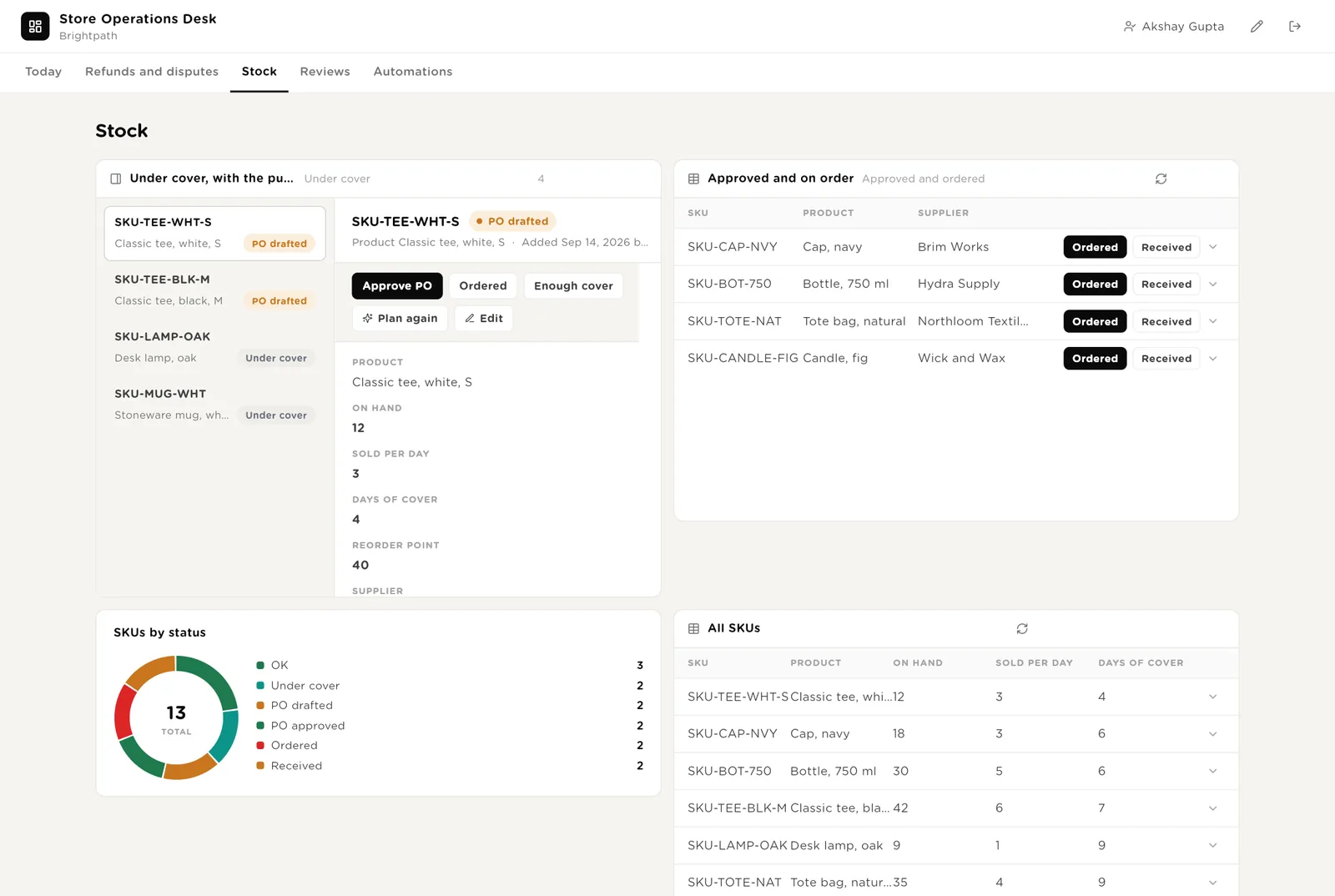
The draft is right. Approve it, place the order in your inventory tool or with the supplier, and click Ordered.
You know something the numbers do not (a delivery already booked, a product being retired). The row goes back to OK.
New reviews with the drafted reply, one and two stars first. Quiet customers with the offer suggested, waiting for your Approve. Every review, and orders as cards by status.
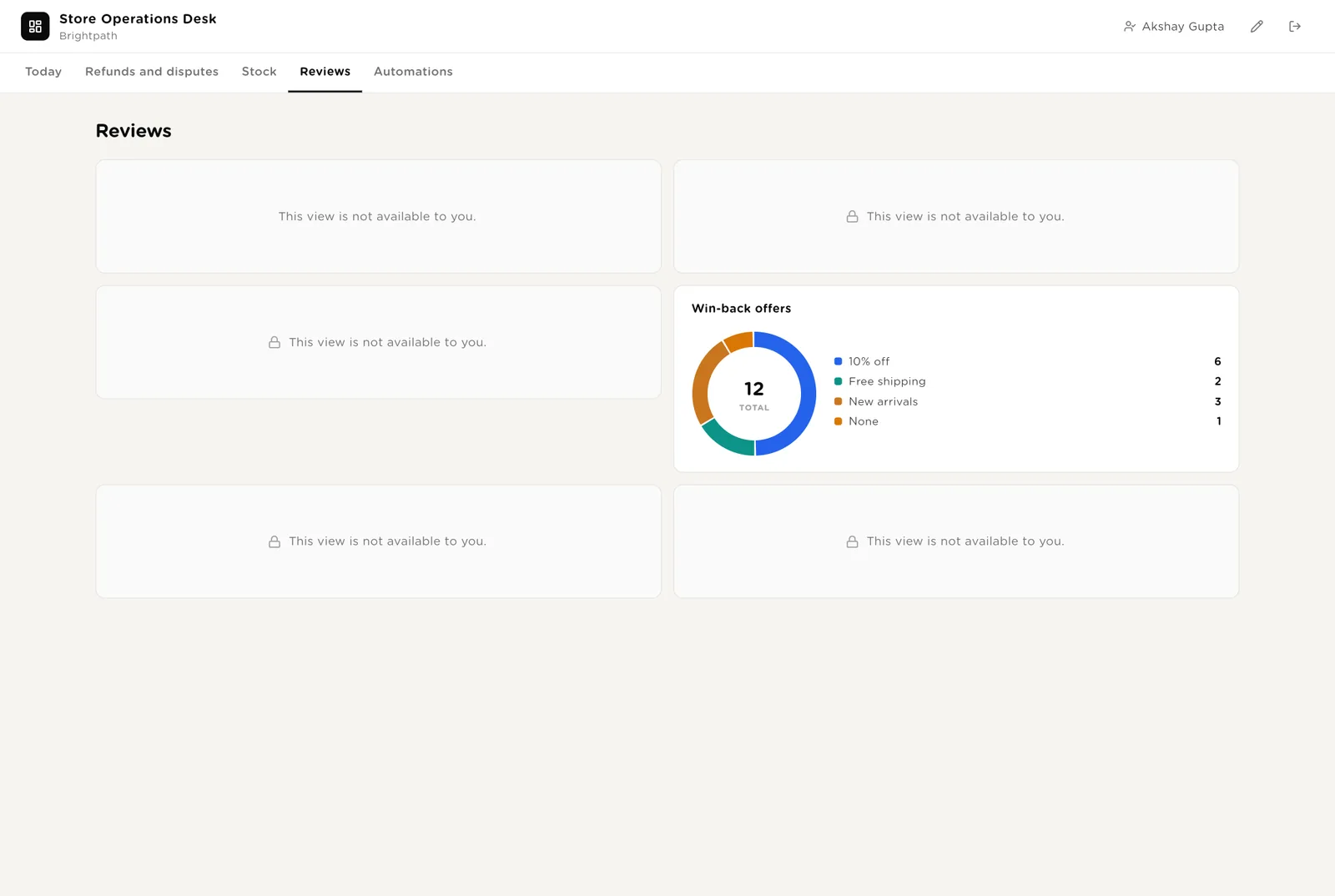
You posted the reply in your reviews tool. One and two stars are marked "Needs a person"; the draft is a suggestion only.
The customer goes on the win-back list. On Monday the queuer adds approved customers to the segment in your email tool, behind one more approval.
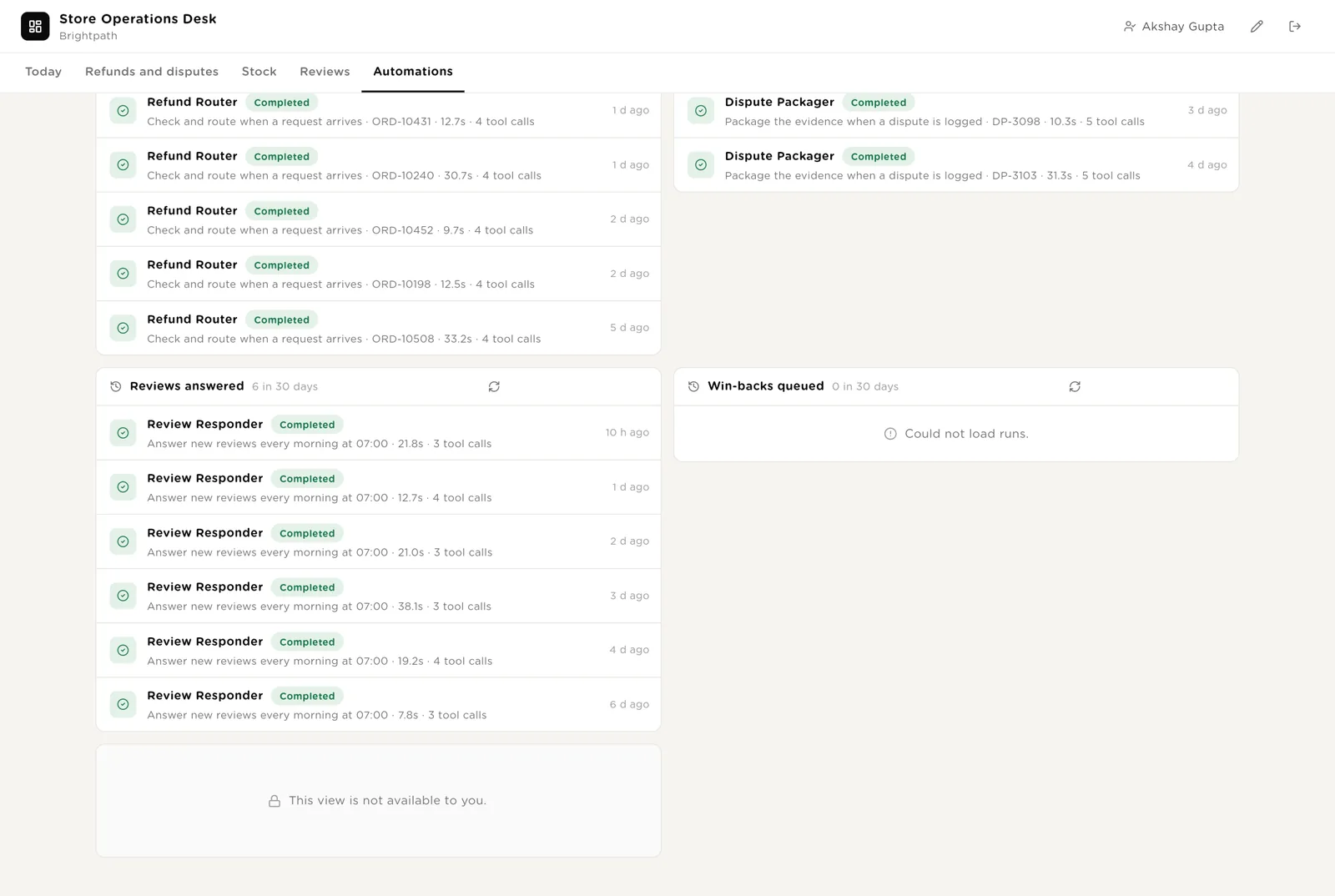
Every automation with its switch. The pack's guard rails. The record of refunds routed, disputes packaged, reviews answered and win-backs queued, and the daily digests.
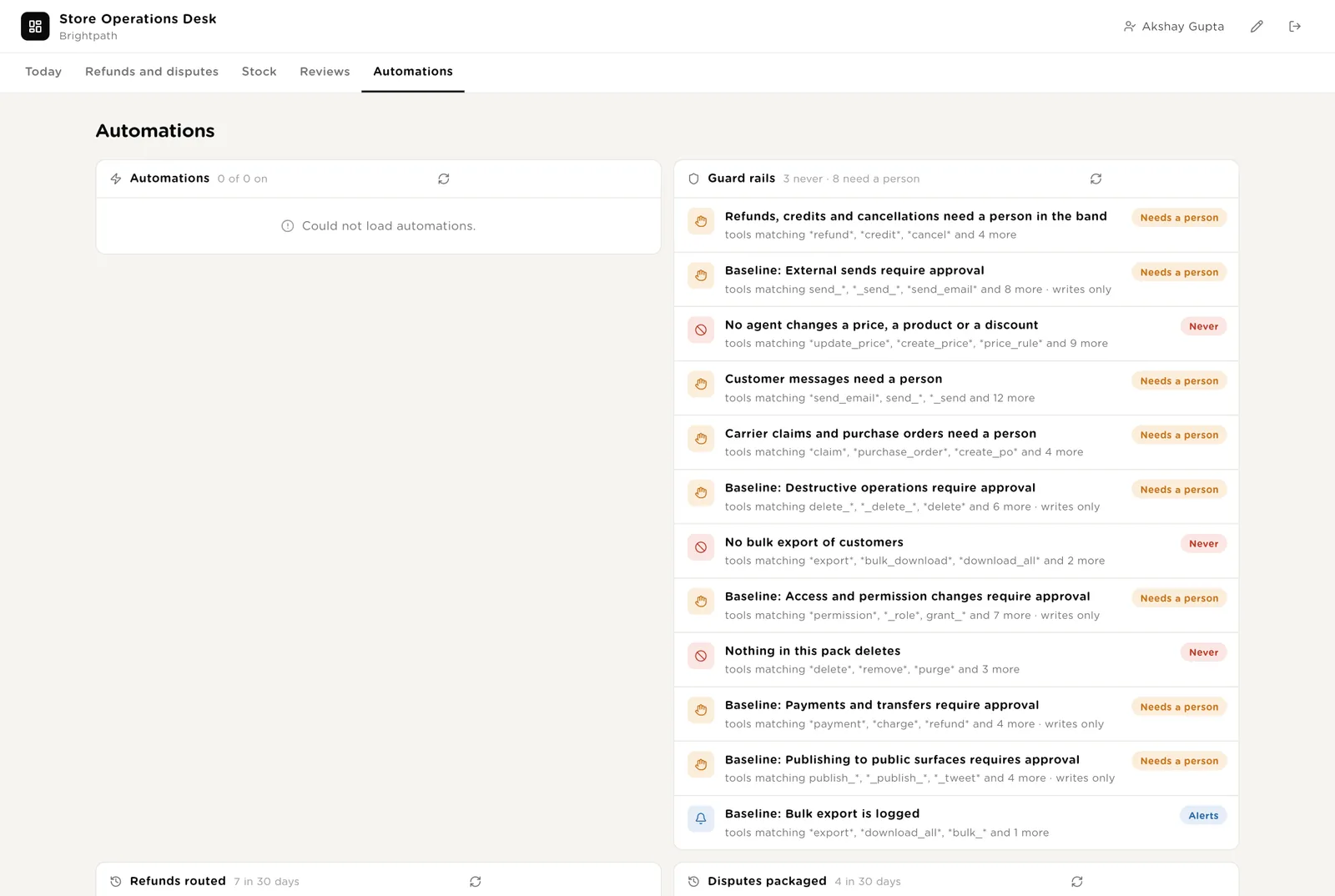
Every refund routed, dispute packaged, review answered and win-back queued, and the daily digests.
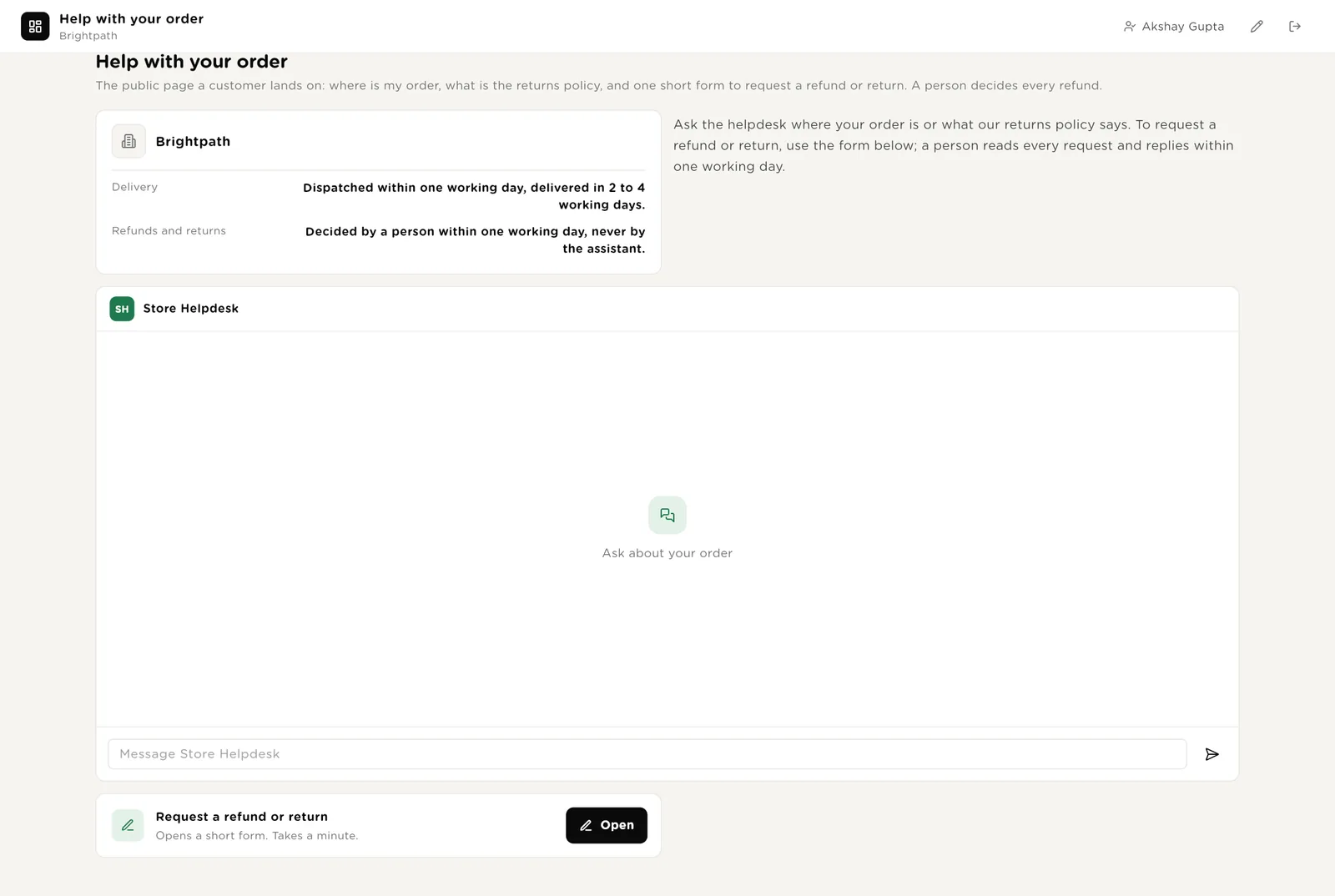
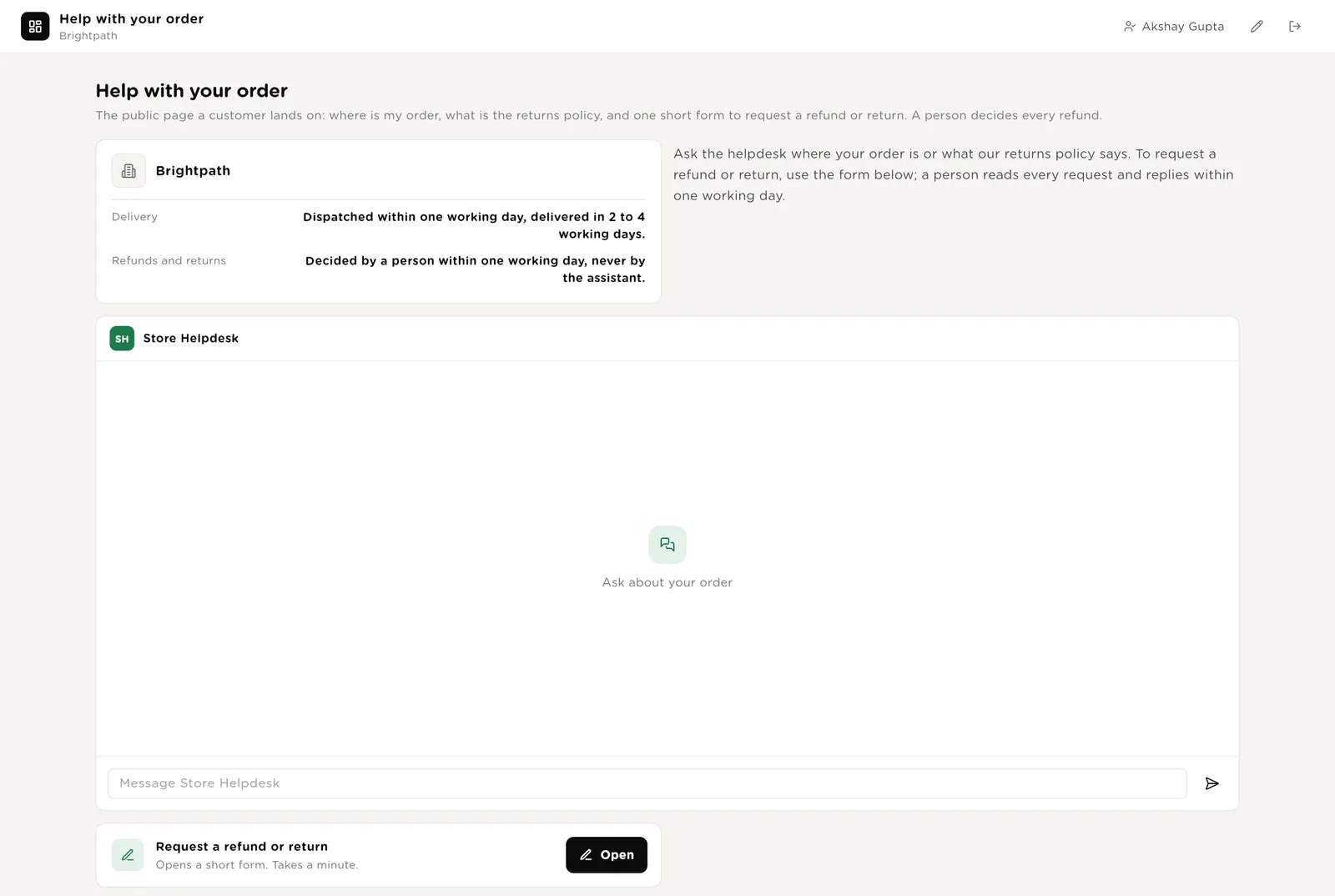
The page a customer lands on from your store's help link. Delivery and refund promises in plain words, a chat that says where their order is and what the policy says, and the refund or return form. The chat never issues or promises a refund; the form goes straight to the desk, where the router sets the band and a person decides.
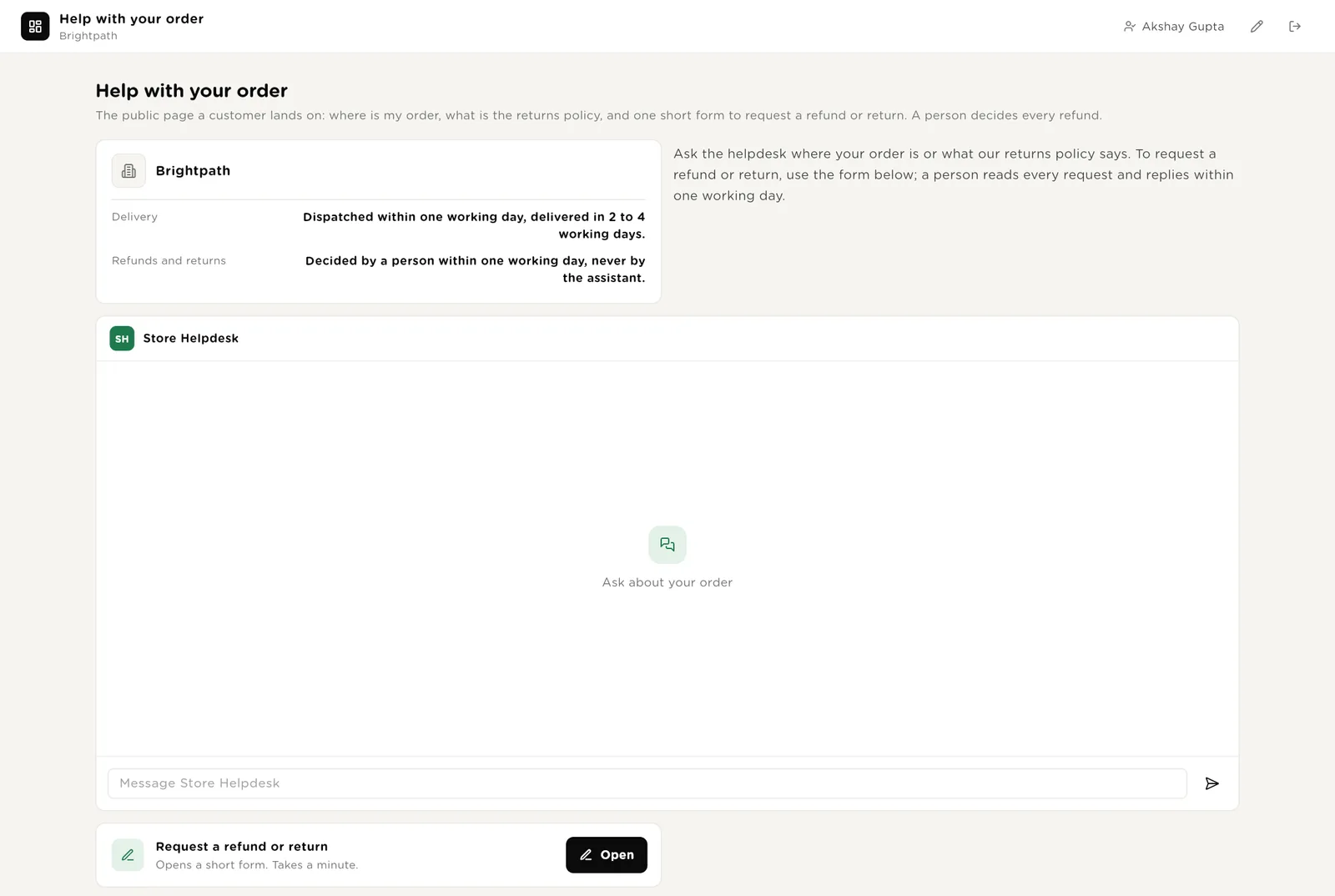
The customer gives the order number; the helpdesk reads that order only and says the last tracking event and the next step.
The helpdesk explains what the policy says for their case and points to the form. It never says a refund will be given.
One short form. The request appears on the desk within a minute with its band and a drafted reply.
Log a dispute from the desk when the payment tool raises a chargeback; the packager assembles the evidence within minutes. Request a refund or return is the customer's form on the public page; the router sets the band and drafts the reply.
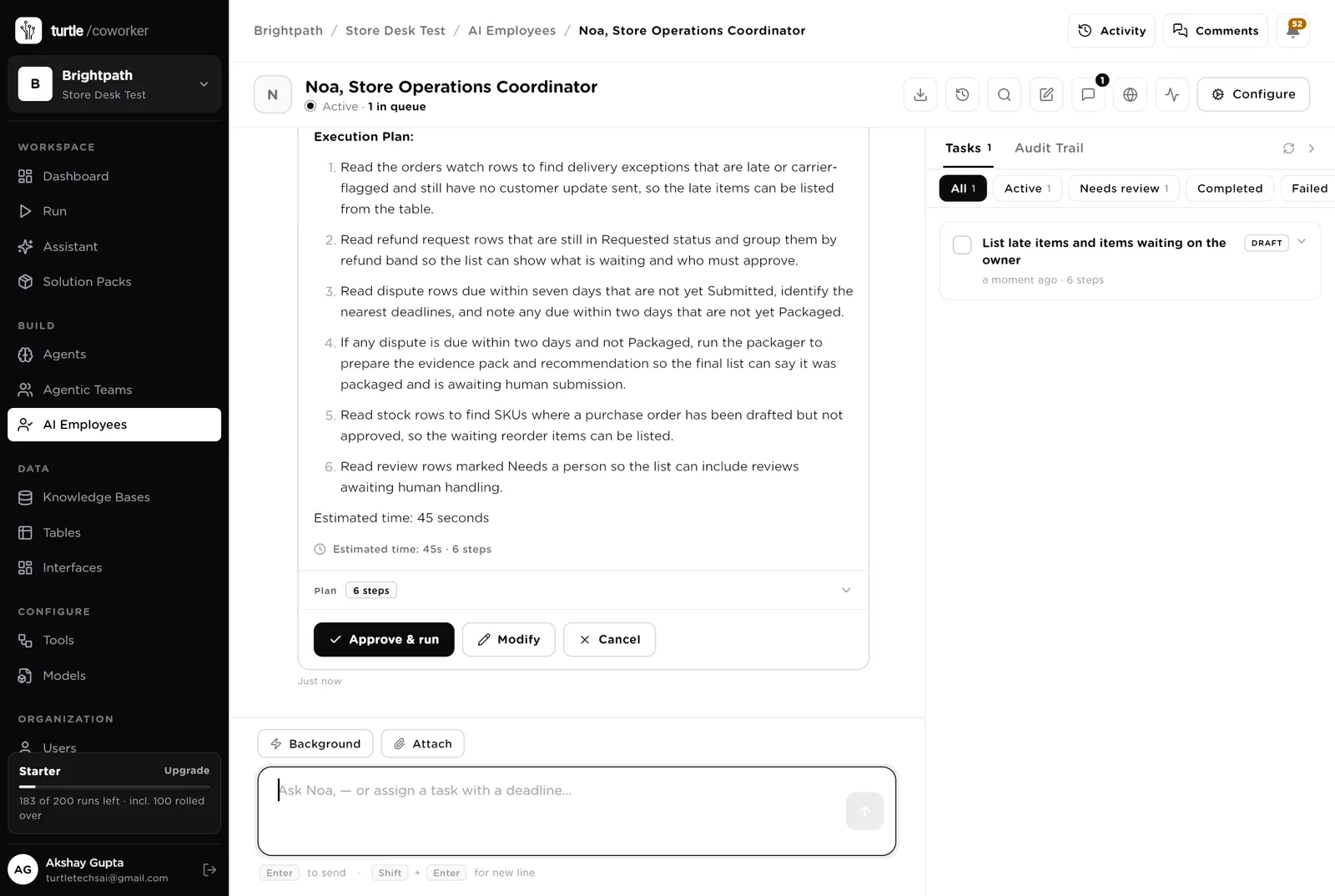
Noa is a software colleague you can chat with. Noa runs the morning list, knows which agent to use for what, reads the tables, and never moves money or sends a customer a word.
Every morning: orders with an exception and no update sent, refund requests still waiting by band with who must approve, disputes due within seven days not yet submitted, purchase orders drafted and not approved, reviews that need a person. One short list, most urgent first. Tools: the storefront, the shipping tool, the payment tool, the inventory tool, Turtle Notify.
You typed a question. Noa wrote a step-by-step plan (read each table, check the bands and the deadlines, no refunds, no messages, no price changes) and is waiting. Nothing runs until you click "Approve and run". You can change the plan or cancel it.
An agent does one job. It starts on a schedule, when a row arrives, when you press a button, or when Noa asks it. It reads your tools and your playbook, writes its result into the record, and stops. No agent ever moves money or sends a customer a word.
Every two hours it reads the open orders from your storefront and their tracking from your shipping tool, finds anything past its promised date or flagged by the carrier (late, lost, address problem, damaged), and drafts the customer update in your voice: what we know, when we write again, the replacement promise. Once the playbook's claim window has passed it drafts the carrier claim with the tracking, the value and the evidence. Sending and filing wait for a person.
When a refund request arrives from the public form or the helpdesk, it reads the order and the payment, applies your returns rule for the reason given, sets the band from the amount (Auto under 50, Manager 50 to 500, Owner over 500), and writes the recommendation and the reply. The refund is a person's click in the band; the reply never promises a refund the band has not approved.
When a chargeback is logged it reads the dispute and the payment from your payment tool, the order, addresses and messages from your storefront, and the tracking with the delivery scan from your shipping tool, and writes the evidence pack in the playbook's order with a recommendation to contest or accept. A person submits it before the deadline.
The housekeeping that gets skipped when the week is busy.
Every morning at 06:30 it reads on-hand quantities and lead times from your inventory tool and 30 days of sales from your storefront, works out units sold per day and days of cover for every product, and for anything under cover drafts the purchase order: units, supplier, last unit cost, total, the last order reference. A person approves and orders.
Every morning at 07:00 it reads new reviews from your reviews tool, drafts a reply in your voice for three stars and above (warm, short, specific, never a discount in public), and flags one and two stars for a person with a suggested reply. A person posts.
Every Monday it reads customers and their order history from your storefront, finds anyone past 1.5 times their usual interval between orders, picks the offer from the playbook by order count, skips anyone with an open refund, dispute or complaint, and lists them for your Approve. Approved customers are added to the win-back segment in your email tool, behind approval. It never sends and never creates a discount code.
At 17:30 it counts the day's orders, the late parcels, the refunds waiting by band, the disputes due this week and the products under cover, names the three things to fix tomorrow, and emails the store owner.
The help desk is the chat on the public page. It says where an order is from its tracking, explains the returns and refund policy, and hands anything about money to a person through the form. It reads the customer's own order and the playbook and never changes anything.
A router sends the question to an order status specialist (reads that customer's order only) or a returns policy specialist (reads the playbook). Neither ever issues or promises a refund.
Tables are where everything is stored. They look like spreadsheets and your team can open and edit them. Your storefront, shipping tool, payment tool and inventory tool stay the record; the desk holds the queue, the drafts, the bands and the evidence.
| Table | What is in it | Stages |
|---|---|---|
| Orders Watch | Orders past their promised date or flagged by the carrier, with the drafted update and the drafted claim. | Watching → Update drafted → Update sent → Claim filed → Delivered · Closed |
| Refund Requests | Every refund or return request with its band, the drafted reply and the decision. Fed by the public form. | Requested → Approved → Refunded · Declined |
| Disputes | Every chargeback with the evidence pack and the deadline. | New → Packaged → Submitted → Won · Lost |
| Stock | Every SKU with on hand, sales rate, days of cover and the drafted purchase order. | OK · Under cover → PO drafted → PO approved → Ordered → Received |
| Reviews | New reviews with the drafted reply. One and two stars need a person. | New → Drafted · Needs a person → Replied · Ignored |
| Win-backs | Quiet customers with the offer suggested. | Suggested → Approved → Queued → Sent · Skipped |
| Daily Digest | The day's numbers and the three things to fix. | One row per day |
The software knows nothing about how your store works except what the tables and your playbook tell it.
Two documents: your refund bands and returns rules (with how to handle disputes) and your shipping promise, reorder rule, review voice and win-back rules. Every agent, Noa and the help desk read them. Replace the starter text with your own.
The pack uses whichever AI model your company has already connected. Other vendors of the same kind swap in at install time without changing the desk; a store on WooCommerce, Easyship and PayPal gets the same desk.
Checks on arrival are on from day one. The schedules are off until you switch them on from the desk.
| Automation | Agent | When | Ships |
|---|---|---|---|
| Check and route a refund request | Refund Router | The moment a request arrives | On |
| Package the evidence | Dispute Packager | The moment a dispute is logged | On |
| Draft a review reply | Review Responder | The moment a review is logged | On |
| Check shipping | Shipping Exception Watcher | Every 2 hours | Off until you switch it on |
| Plan stock | Stock Reorder Planner | Every day 06:30 | Off until you switch it on |
| Answer new reviews | Review Responder | Every day 07:00 | Off until you switch it on |
| Find win-backs | Win-back Queuer | Monday 08:00 | Off until you switch it on |
| Daily digest | Daily Ops Digest | Weekdays 17:30 | Off until you switch it on |
Buttons on the desk run agents too. "Draft again" runs the watcher on one order; "Route again" re-checks one refund; "Plan again" replans one SKU.
Three things always need a person. The software stops and waits at each one.
Update sent, Claim filed, Approve, Refunded, Decline, Submitted, Won, Lost, Approve PO, Ordered, Received, Replied. Only a person presses them. The software can say a refund is in the Owner band; it cannot approve it. It can say a product runs out in four days; it cannot order it.
If an agent or Noa tries to refund, credit or cancel, send a customer a message, add a customer to a segment, file a carrier claim or create a purchase order, it stops. The exact call appears in Approvals. You read it and click Approve or Deny. Price, product and discount changes are refused outright, from every agent.
When you give Noa a task, Noa shows what it will do first. Approve and run, change it, or cancel.
A rule is checked before every single thing the software tries to do. The pack installs six rules of its own on top of the standard ones every workspace starts with.
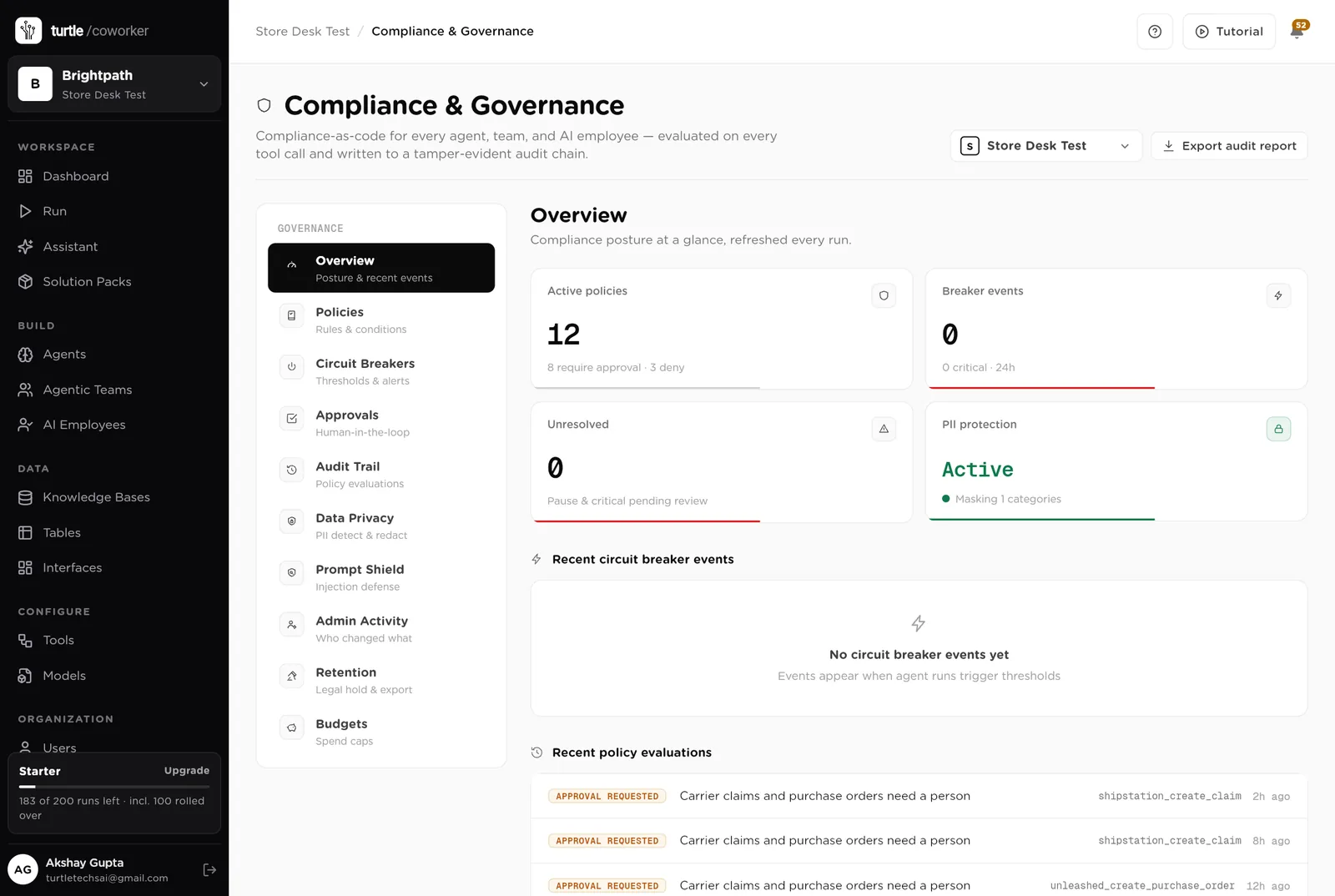
For every run you can see which agent ran, why it ran, every step it took, and every rule that checked it. Passwords and card numbers are blanked out before anything is stored.
A monthly budget with a warning level and a hard stop for the software's own usage.
Agents read orders, payments and tracking to write drafts; nothing is exported, and card numbers are blanked before anything is stored.
Who requested it, what the router recommended, the band, who approved it, when. The audit trail and the Refund Requests table say the same thing.
The desk is shared with the team. The public page shows a customer only the chat and the form. Only owners and admins change the layout.
These estimates assume 1,500 orders a month, about 40 late or flagged parcels a month, 60 refund requests, 6 chargebacks, 120 SKUs, 80 reviews and one win-back list a week. "Before" is the time by hand; "after" is the reading and deciding that is left. Your numbers will differ. These are estimates, not measurements; after a month the audit trail gives you real figures.
| Job | Assumption | Hours before | Hours after | What changes |
|---|---|---|---|---|
| Chasing late parcels and writing to customers | 15 min each, 10 a week | 2.5 | 0.6 | Found every two hours and drafted; you send. |
| Filing carrier claims | 30 min each, 3 a week | 1.5 | 0.5 | Drafted with the tracking and the evidence; you file. |
| Checking and answering refund requests | 15 min each, 15 a week | 3.8 | 1.0 | Checked, banded and drafted; the person in the band approves. |
| Answering chargebacks | 1.5 h each, 1.5 a week | 2.3 | 0.6 | Evidence packed before the deadline; you submit. |
| Working out what to reorder | 2 h a week | 2.0 | 0.4 | Days of cover every morning, purchase orders drafted. |
| Answering reviews | 5 min each, 20 a week | 1.7 | 0.5 | Drafted in your voice; one and two stars flagged. |
| Building the win-back list | 1.5 h a week | 1.5 | 0.3 | Listed every Monday with the offer; you approve. |
| The end-of-day numbers | 30 min a day | 2.5 | 0.3 | Written and emailed at 17:30. |
| Answering "where is my order" | 3 h a week | 3.0 | 0.8 | The helpdesk answers from the tracking. |
| Total per week | 20.8 | 5.0 | About 16 hours a week back for a one-person operations desk, and no chargeback misses its deadline because nobody looked. |
The late parcel gets an honest update the day it is late, every time, not when the customer complains.
The 34 refund is approved by anyone in a minute; the 890 one reaches the owner with the facts.
The best-seller with four days of cover has its purchase order drafted at 06:30, not discovered at the weekend.
Estimates, not measurements. After a month the audit trail gives you real figures.
Installing takes one click. The real work is the playbook and the first week of trusting the drafts.
Install the pack from the Solution Packs page. Connect your storefront, shipping tool and payment tool when asked; the inventory, reviews and email tools if you use them.
Replace the starter text with your refund bands, returns rules, shipping promise, reorder rule, review voice and win-back rules.
Put the "Help with your order" link on your store. Check the delivery and refund promises on it say what you mean.
Log disputes through the desk. Switch on the shipping check and the stock planner. Approve refunds from the desk.
Switch on the review responder, the win-back queuer and the daily digest, and move the review-reply rule to logged once the drafts are trusted.
You pay for the platform, not per desk. The plan sets how many agents, employees and workspaces you can run; every desk is included, and runs are billed on your own model key at cost. 7 agents in this desk count against the plan's agent limit.
See plansWe use analytics cookies to see which pages help and which don’t. Nothing loads until you choose. Cookie Policy

Hello there.
AI agent. It can make mistakes, and a human reviews anything that matters.